CDE360 Vector Control AC Drive Chapter 4 Operation,Display and Application
4.2 Keypad Indicators
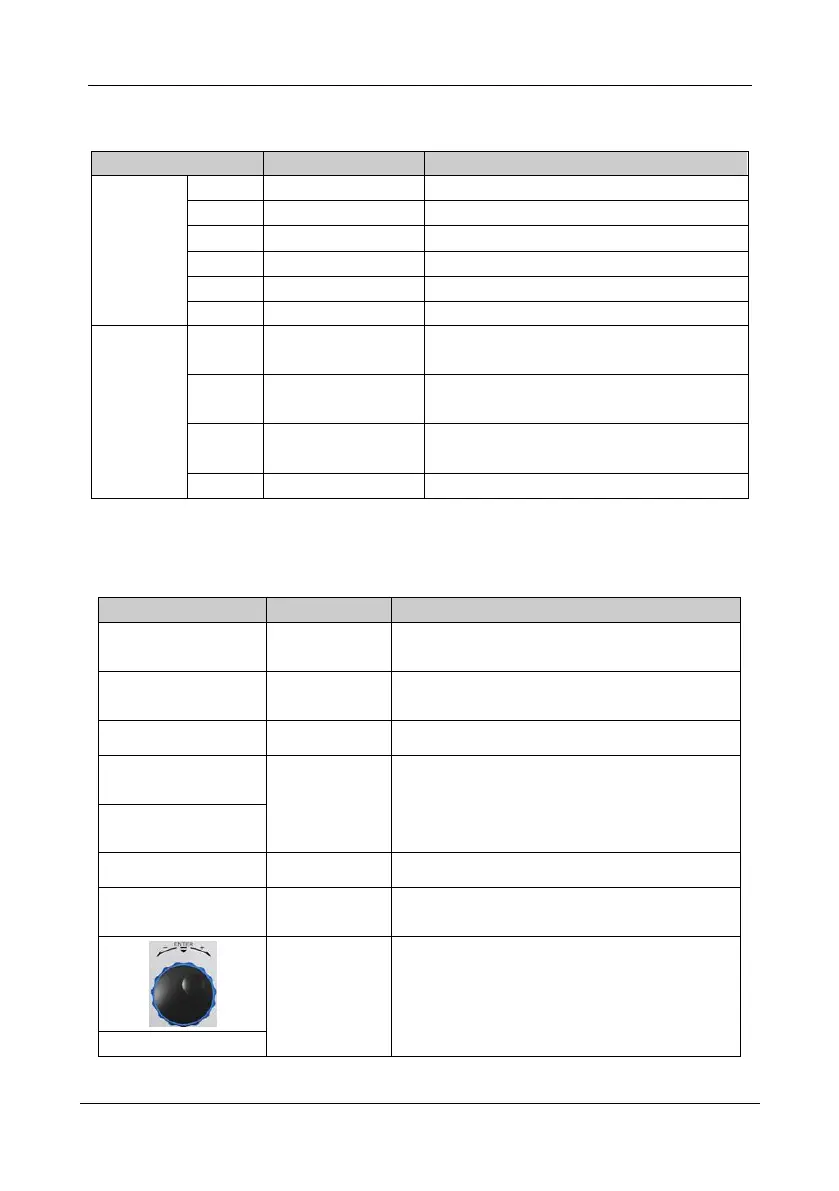
Table 4- 1 Keypad indicators description of CDE500 series AC drive
Current display parameter units is Hertz.
Current display parameter units is Ampere.
Current display parameter units is Volt.
Current display parameter units is Round Per Minute.
Current display parameter units is Percentage.
Current display parameter units is Mega Pascal.
OFF: Keypad control; ON: Terminal control
FLASH: Communication control
ON: Run state; OFF: Stop state
FLASH: Deceleration state
OFF: Forward direction
ON: Reverse direction
AC drive being alarm or fault state
Note: Mark ‘*’ means for LED keypad (Keypad A) only.
4.3 Function of the Keypad Key
Table 4- 2 Function of the Keypad Key on CDE500 series AC drive
1) Eenter level 1 menu.
2) Cancel or exit a certain menu.
1. Enter the menu level by level.
2. Confirm the parameter setting.
JOG running control of keypad control source.
1. Select the displayed parameters in turn.
2. Select the digit to be modified when modifying
parameters.
1. Stop the AC drive.
2. Reset the fault state.
Increase/
Decrease
& Enter
1. Increase/decrease the modifying digit.
2. Change the value of the reference decided by
parameter C0.18.
3. The same as Enter key when press.



 To Next Page