9-ACCESSORIES
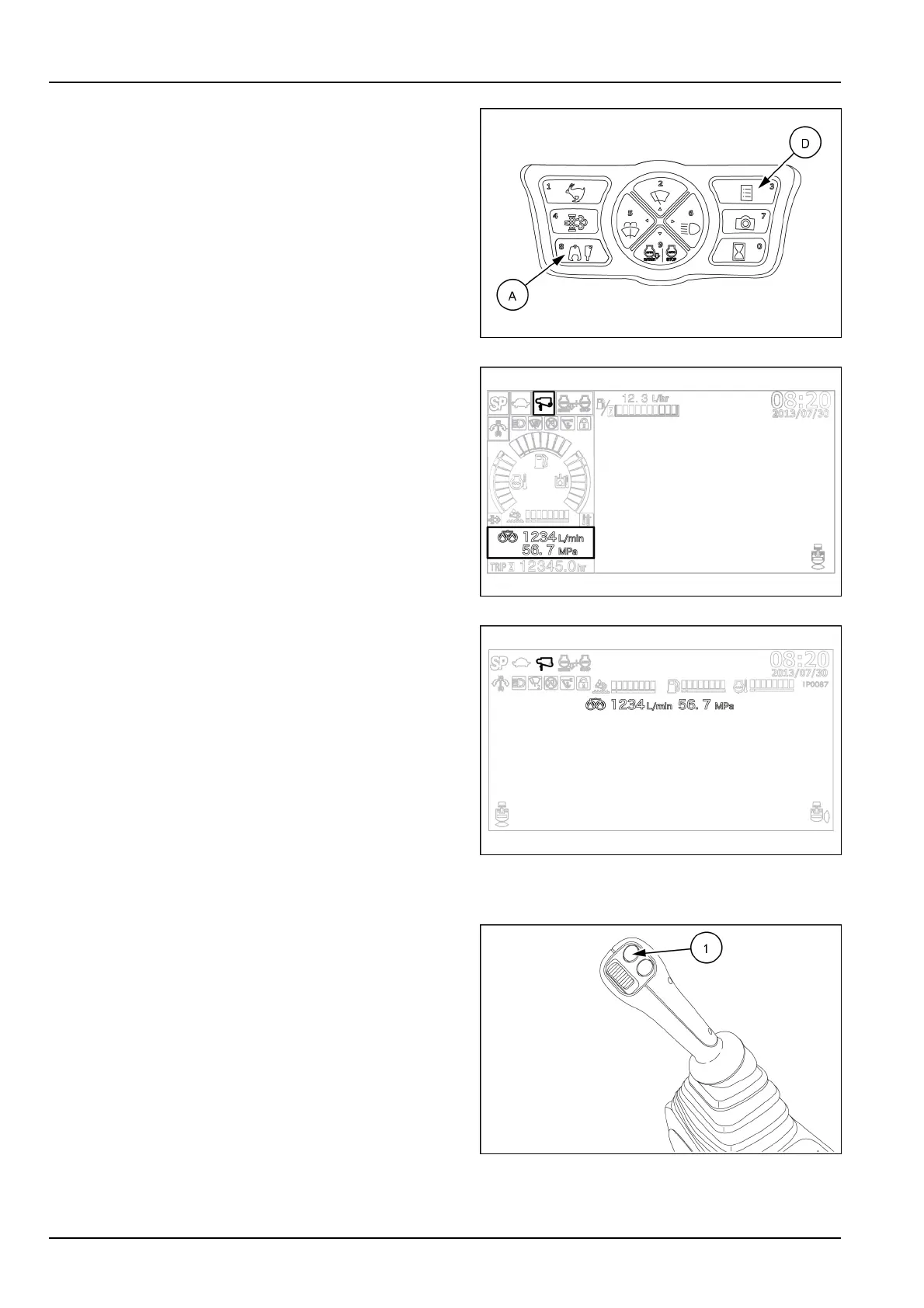
Pressthedisplaymodeselectorbutton(D)toconrmthe
selectedcombination.Resumetheoperatingmodeofthe
display,andpresstheattachmentselectorbutton(A).
SMIL15CEX1234AA7
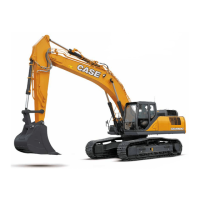
Ifthedisplayisseteithertotherearcameraviewoper-
atingmodeortotheFieldViewMonitorbird'seyeview
operatingmode,anicononthetopofthedisplayindi-
catesthetypeofattachment(breakerorcrusher)andthe
storingnumber(1to5)oftheowrate/pressurecombi-
nationcurrentlyinuse.Thepumpsetting(singleortwin)
andthevaluesofmaximumowrateandworkingpres-
surecurrentlyinusearedisplayedabovethehourmeter.
SMIL15CEXZ405AB8
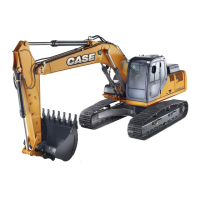
Ifthedisplayissettotherearandright-sidecameraview
operatingmode,theattachmenticon,thepumpsetting
andthevaluesoftheowrate/pressurecombinationcur-
rentlyinusearedisplayedasshowninthepicture.
SMIL15CEXZ406AB9
OperatingControls
UsetheON/OFFbutton(1)locatedontheright-handcon-
trollevertooperateasingle-actinghydraulicattachment
withacontinuousow.
SMIL15CEXZ396AB10
9-12


 To Next Page