Cellwatch Frontier System Installation & User Manual
Section III – Configuration Build and Hardware Integration Guide-102
Calibration
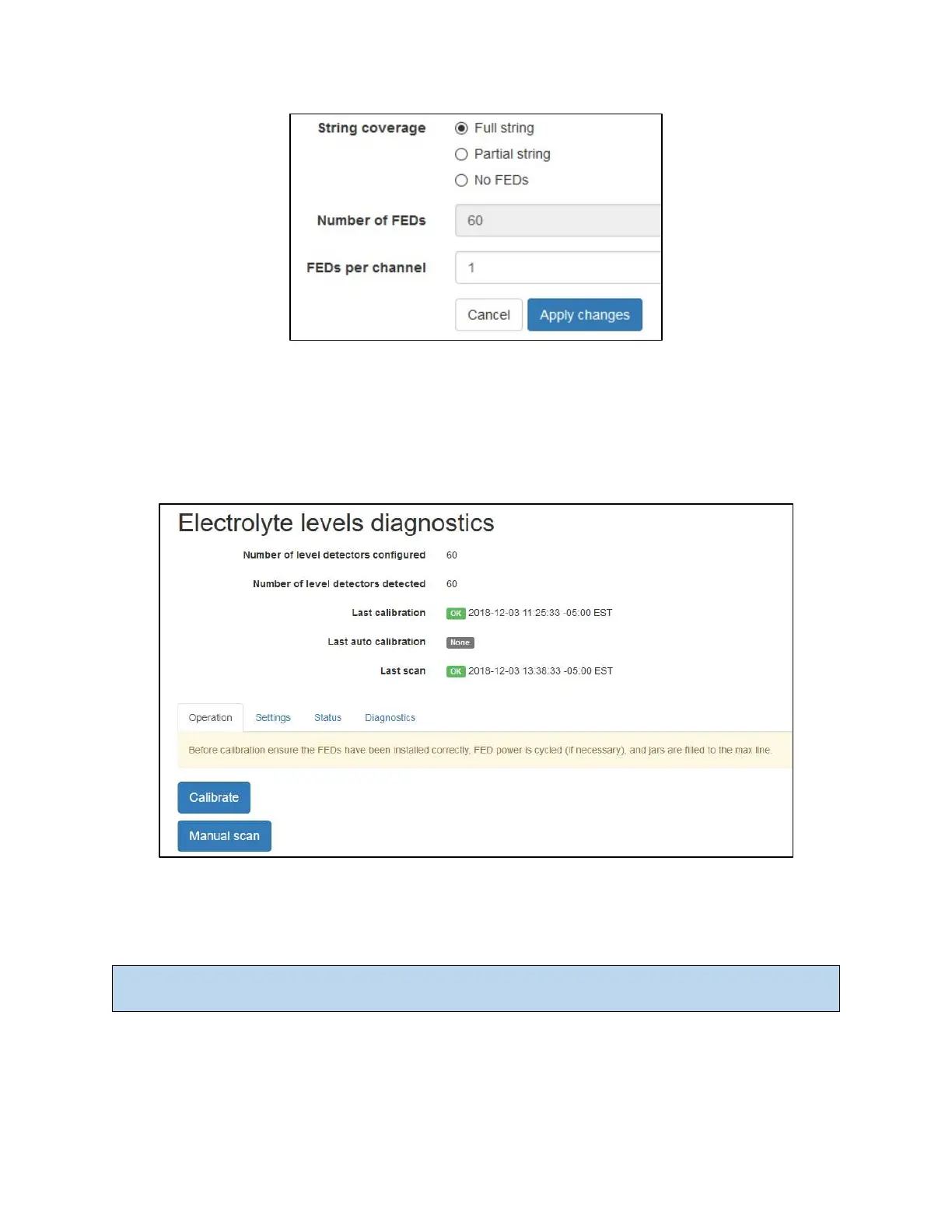
After configuring the number of FED units in Battery Design, the FEDs will need to be calibrated to
accurately detect low electrolyte levels. Calibration of FED units is done in Settings by selecting the
Electrolyte Levels menu option. This brings up the Electrolyte Levels Diagnostics page. The options to
Calibrate or force a Manual Scan are found in the Settings tab.
This page will show the time and date of the last FED calibration that occurred, in addition to the last
FED scan. The number of level detectors configured should match the number of level detectors
detected. If these two values do not match, refer to the section titled Common Errors.
Note: Any changes to the Battery Design will cause the Number of level detectors detected above to
reset to “Not detected” until a new FED calibration or scan is performed.
Calibration Process
During calibration of FED units, Operation and Progress fields will display to give the user status
information pertaining to the calibration or scanning process. The Operation field will report the current



 To Next Page