Cellwatch Frontier System Installation & User Manual
Section II – User Guide-75
Note: The USB service port can be used at any time to access the device if it is unreachable on the
network.
HTTPS Support
The Frontier web interface uses HTTP by default but can be set up to also use HTTPS. Frontier generates
its own unique encryption key (the private key) which is signed by an SSL certificate from a Certificate
Authority (CA) in order to encrypt traffic between the Frontier device and the user’s web browser.
Generating a Certificate Signing Request
In order to issue an SSL certificate, the CA requires a Certificate Signing Request (CSR), which is
generated by the Frontier device.
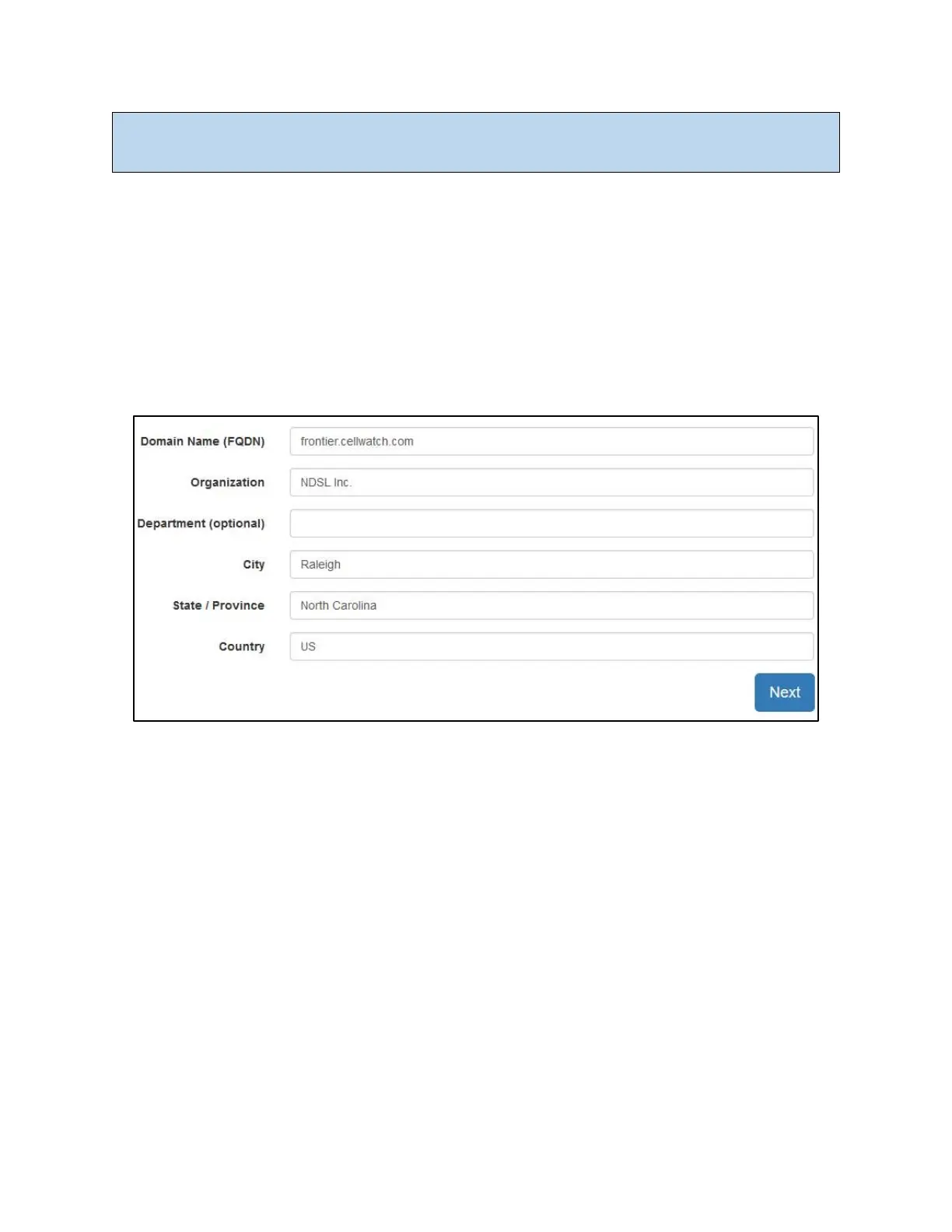
The information above is used by Frontier to generate a Certificate Signing Request (CSR).
To generate a CSR, complete the fields (shown above) according to the CA’s instructions. The CA
mandates the data they will accept for each field. For example, some CAs prohibit special characters
such as ampersands in the organization name.
Once the requested information is entered, click the Next button. The private key and CSR will be
automatically generated by the Frontier unit. This process can take up to 60 seconds to complete. The
web interface will indicate “Generating private key…” and “Generating CSR…” during the process.
Navigating away from this page during generation will not interrupt the process. The CSR is linked to a
unique private key on each Frontier unit and is not valid for any other Frontier system. For security
reasons, the private key is never exposed outside the Frontier system.
The CSR generated is a block of text that must be copied and pasted into the certificate request form on
the CA’s website. The CSR’s block of text is bounded by begin and end markers which must be included
when copying the CSR. The CSR will be invalid if any part of it is omitted.



 To Next Page