Cellwatch Frontier System Installation & User Manual
Section III – Configuration Build and Hardware Integration Guide-96
Press the Next button at the top of the page to continue to the next section.
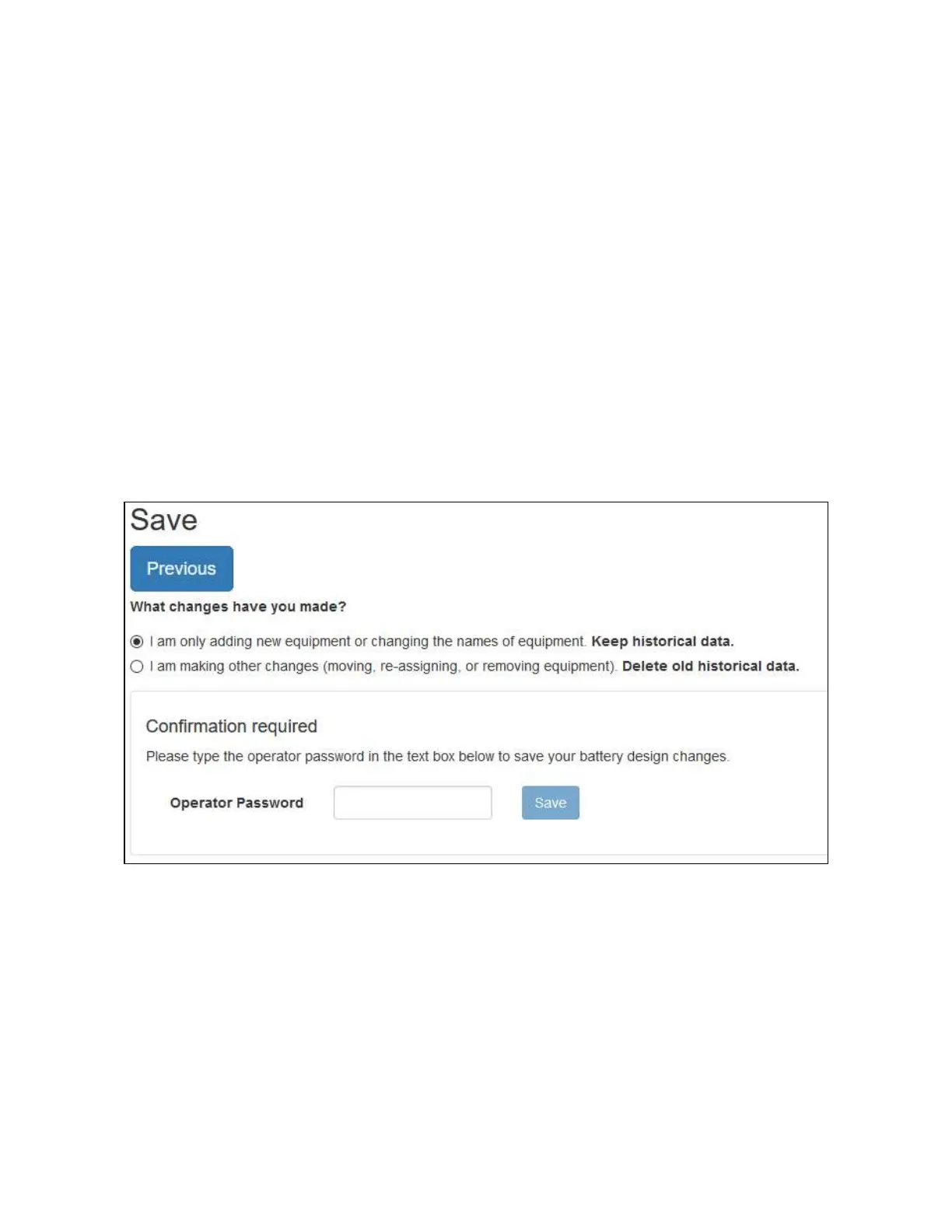
Saving your configuration
Once the battery configuration is completed, it will need to be saved in order for the proper
configuration files to be written. If you were editing an existing configuration, you may need to reset
your historical data depending on the changes you made to your configuration.
If adding new equipment or changing the labels for existing equipment in the system, then it is safe to
keep your historical data.
Examples of adding new equipment include:
Installing additional TPs or CTs
Adding one or more batteries or strings to the system
Select Keep historical data to keep the existing history database on the device and append any new
data.
If you performed any of the following actions, you will need to reset your historical data:
Removing equipment (such as a CT or TP, removing a battery or string)
Re-assigning equipment (such as re-assigning a CT or TP to a different battery or string, or
changing channel assignments)
Select Delete old historical data to clear the existing history database. In the above cases, if the existing
history database is not reset, no future data will be collected.
If this is a new installation, then select Delete old historical data.



 To Next Page