Cellwatch Frontier System Installation & User Manual
Section II – User Guide-65
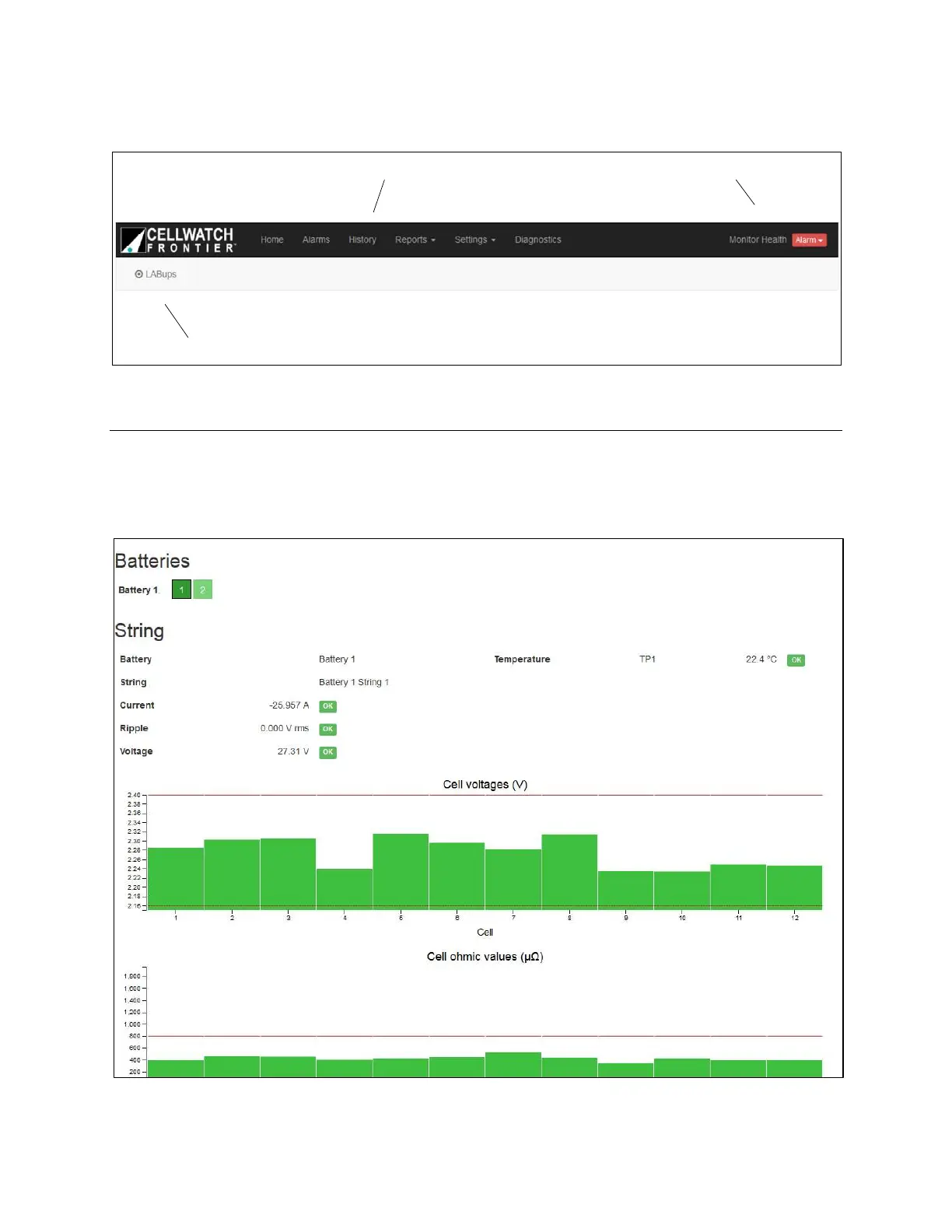
Module Name/Location
Navigation Links Battery Health Indicator
Home Page
The Home page is the first page shown upon logging in to the Frontier web interface. On this page,
pertinent battery information will be displayed once measurements and alarm status are available from
the Frontier unit.



 To Next Page