Cellwatch Frontier System Installation & User Manual
Section II – User Guide-73
Frontier system, these profiles can then be assigned to specific strings. This is accomplished via the
Battery Design wizard.
General
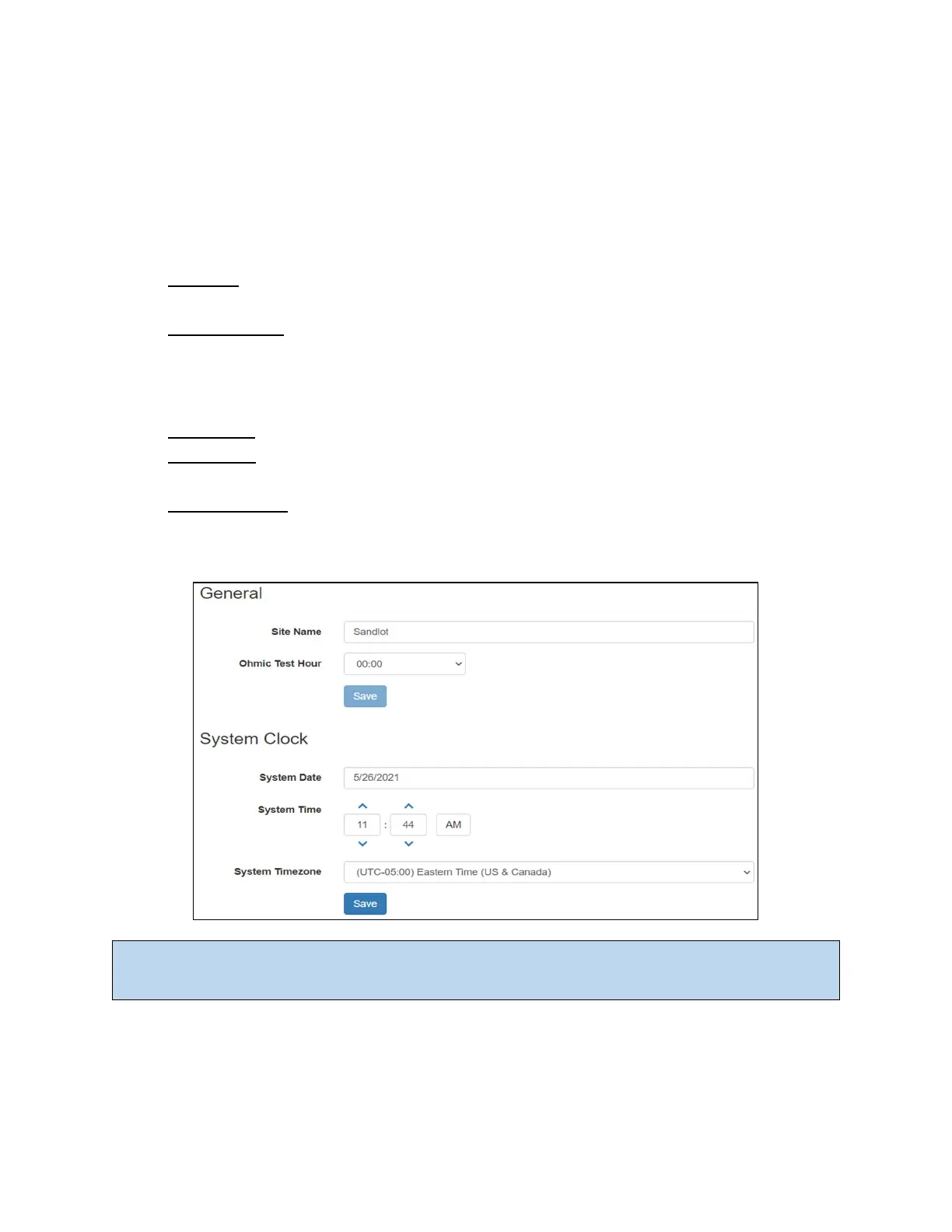
The following settings can be changed on the Device Settings page:
General
Site Name – Sets the name of the Frontier system seen in the upper left-hand corner of the
page. This can also be used to identify the site when accessing the system remotely.
Ohmic Test Hour - Sets the time for which the daily ohmic scan occurs.
System Clock
System Date - Sets the current date.
System Time - Adjusts the clock on the Frontier unit. Synchronization can also be maintained
through the network interface.
System Timezone - Users can set the time zone of the Frontier device based on region.
Numerous pull-down options are available to address any location where the system is
deployed.
Note: System time and date must be set to the current time/date before any software updates can be
performed.
Security
Administrator Password - The login password for administrator access to the Frontier interface
can be changed if desired. Once changed, the user will be required to log into the device again.



 To Next Page