Cellwatch Frontier System Installation & User Manual
Section I – Installation Guide-57
level line, the Frontier unit will trigger an alarm and the red LED on the
level detecting device will indicate that fluid level is low. The status of
the level alarm state is updated every 60 minutes in the Frontier user
interface.
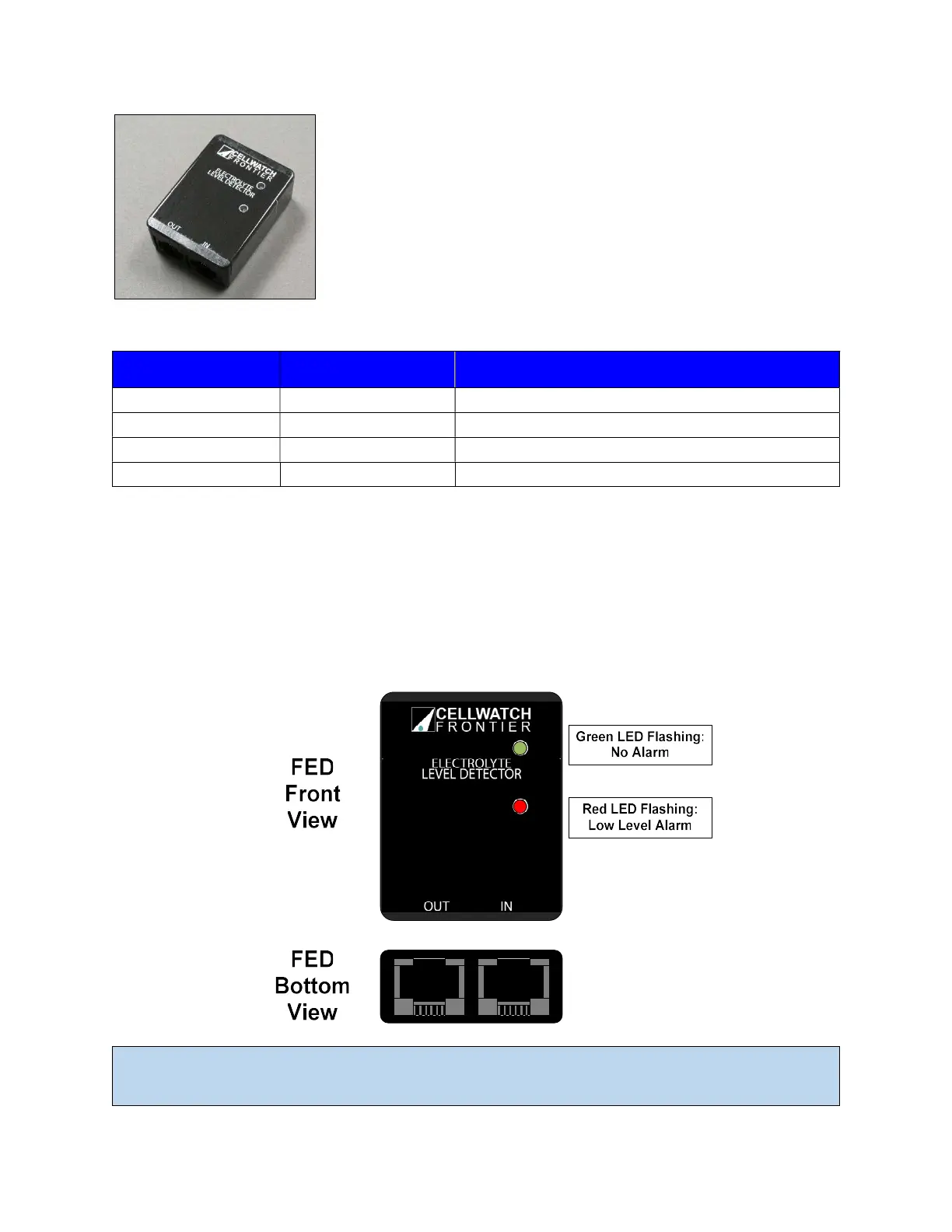
The FED contains two LEDs located on the front of the device. Each FED
indicates if it is in alarm, not in alarm, or returns a communication error
to the Frontier.
Green LED Red LED Interpretation
Fast flash Off Unit is working, but needs site calibration
Slow flash Off Has been calibrated, electrolyte level is normal
Off Slow flash Electrolyte level is low, in alarm
On (constant) Off Device error
Wiring
The FED units are connected in series using the provided CAT5 cable. Both power and communication to
each FED is provided through this cable. Each cable will connect from the OUT of the first FED unit into
the IN of the next FED unit, until the last FED unit in the system is reached. The last FED unit in the series
is known as the “End of Line” (EOL) and reports the end of the string to Frontier. The OUT port will not
be used on the EOL unit.
Note: The provided cables to connect FED units in series are 1 foot, straight-through CAT5. Use only
cables provided by NDSL when installing FED devices. Using cable other than what is provided could



 To Next Page