Cellwatch Frontier System Installation & User Manual
Section II – User Guide-77
Deleting a signed certificate
To delete a signed certificate on the device, click the link shown in the screenshot above. Uploading a
new certificate will also delete the existing certificate from the device. If the signed certificate is deleted,
the Frontier configuration will be changed to use only HTTP and is reflected on the next device restart.
This is to ensure that the Frontier is not left with HTTPS enabled but no certificate. For example, if the
Frontier loses power after deleting a certificate, it will start up with HTTPS disabled.
Commissioning Data
The Commissioning Data page should be kept up-to-date by the installer or operator of the Frontier
system. Information entered here is used when generating battery reports and stored on the Frontier
device for future reference or modification. After completing the form, the user can click View Battery
Reliability Report which will generate a battery report using the information provided. The battery
report will contain the most recent measurements taken by the Frontier system, as well as information
about the battery itself. Diagnostic information is also stored for the DCM units in the system, such as
unit serial number and firmware versions.
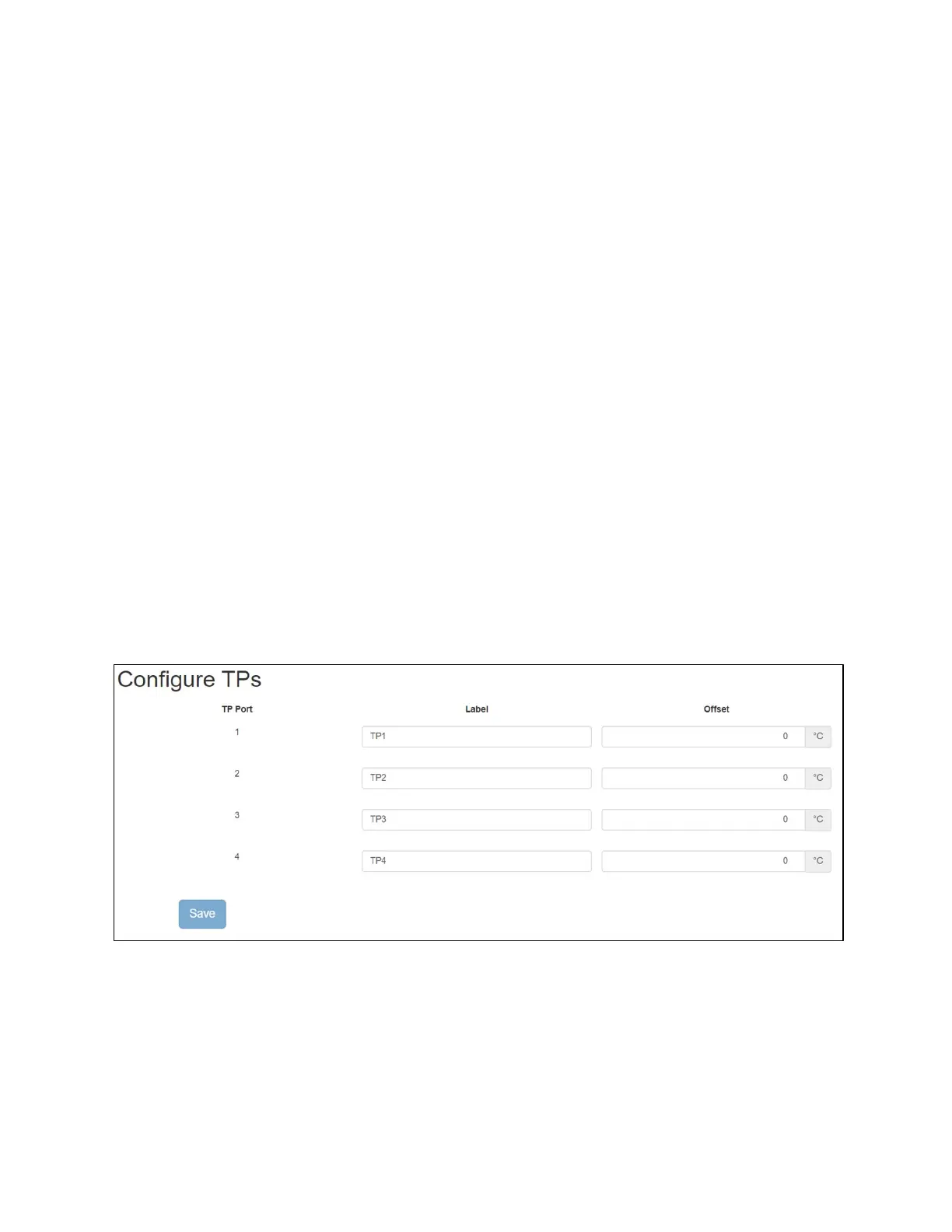
Configure TPs
Configuration settings for temperature probes are accessible under the Settings menu in the Navigation
Bar.
In this menu the labels for the Temperature probes can be set, by default they are TP#. The Offset value
will lower the temperature value by certain amount. For example, the temperature reading is 25 C and
with an Offset value of -5 the temperature reading will go down to 20C.
Configure CTs
Users can configure the current transducer (CT) settings for each connected CT. Multiple CTs can be
assigned to a given string, allowing the Frontier system to monitor discharge events with one CT and
charge events with another CT. The proper CT must be used for each application (i.e. float CT versus
discharge CT) so that proper float currents (less than 5A) can be measured with greater accuracy. This is
also important in order to completely capture the discharge current range.



 To Next Page