Cellwatch Frontier System Installation & User Manual
Section III – Configuration Build and Hardware Integration Guide-107
Configuration Build Examples
Standard System with FEDs
Example Configuration: 1 Battery, (2) 60 jar strings with standard DCM wiring, 2 temperature probes,
2 current probes
1. Select Battery Design from the Settings menu.
2. Select Start new configuration.
3. Hardware
a. Wiring Pattern: Cells only.
b. Temperature probes: TP1 and TP2.
c. Current transducers: CT1 and CT2.
d. Leave all digital bits checked unless they need to be disabled.
4. Click Next.
5. How may batteries = 1, name the Battery or leave the default number.
6. String count = 2, name the String or leave the default number.
7. Assign TP1 to String 1 by clicking the corresponding check boxes.
8. Assign CT1 to String 1 by clicking the corresponding check boxes.
9. Assign TP2 to String 2 by clicking the corresponding check boxes.
10. Assign CT2 to String 2 by clicking the corresponding check boxes.
11. Assign DIBs as needed.
12. Enter “60” into the Channel count field for String 1 and String 2.
a. Make note of the number of DCMs needed for this configuration. Ensure the correct
amount of hardware is used.
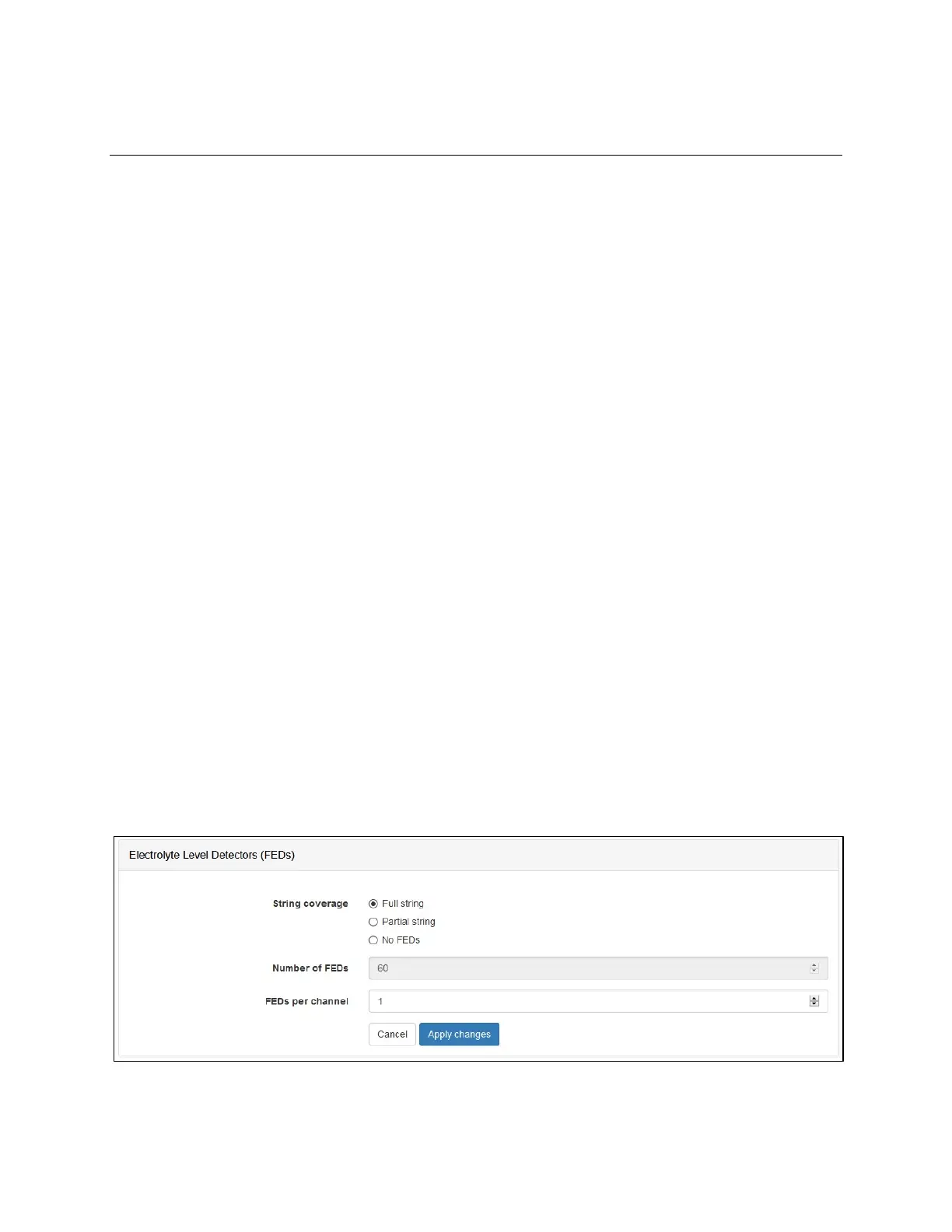
13. Click Change in the Electrolyte Level Detectors section.
a. Choose Full string for string coverage.
b. Verify the number of FEDs reported is as expected, 60 in this case.
c. Leave FEDs per channel as 1.
d. Click Apply changes to save the FED settings.
14. Make no changes to the Temperature Compensation (no).



 To Next Page