Cellwatch Frontier System Installation & User Manual
Section IV – Integration Guide-117
SNMPv3
SNMP version 3 (SNMPv3) can be enabled in the General tab. Frontier supports the User-based Security
Model (USM) and allows SNMPv3 trap notifications to be configured. Inform traps are not supported.
User Management
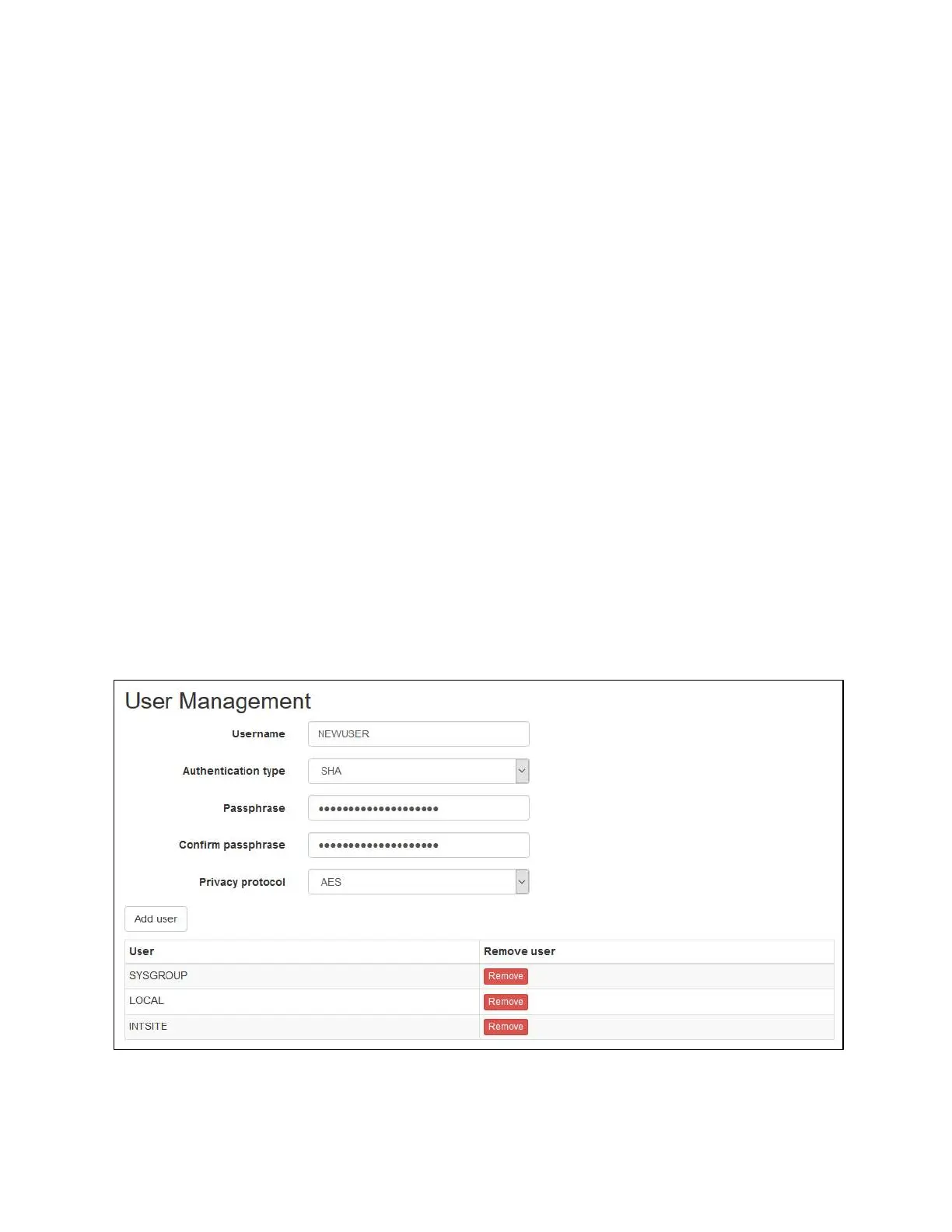
Options for adding or removing a SNMPv3 user is located under the SNMPv3 Users tab.
Options for creating a new SNMPv3 user are:
Username: The name of the user to create for accessing data using SNMPv3. This name can be
up to 64 alphanumeric (0-9, a-z, A-Z) characters in length.
Authentication type: The type of hash function to use for authentication. Options are MD5, SHA
(SHA-1), or if no authentication is desired, None.
Passphrase: A passphrase used for both user authentication (if selected) and privacy (if
selected). The minimum length is 8 characters and cannot contain single or double quotes. An
authentication type of None does not require a passphrase.
Confirm passphrase: To confirm that your passphrase matches the above.
Privacy protocol: The encryption protocol to use for privacy. Options are DES (DES), AES
(AES128), or if no privacy is desired, None. Note that authentication is required in order to
configure a privacy protocol for a given user.
Once the required fields are completed, click the Add user button to add the new user to the system.
Clicking Add user will immediately add the user to the USM user table, so a restart of the Frontier device
is not required.
An example of a SNMPv3 user “NEWUSER” being created.



 To Next Page