Cellwatch Frontier System Installation & User Manual
Section II – User Guide-66
The Home page displays string and channel readings. Readings can include:
Cell voltages
Cell ohmic values
Cell temperatures (if equipped with temperature sensing DCM)
Alarm limits for cell voltages, ohmic values, and temperatures
Inter-cell strap or bus cable resistance (if configured)
String voltages
Ambient temperatures
Float and/or discharge current readings
Discharge event records
Frontier Electrolyte Detector (FED) status
Alarm status for all of the above
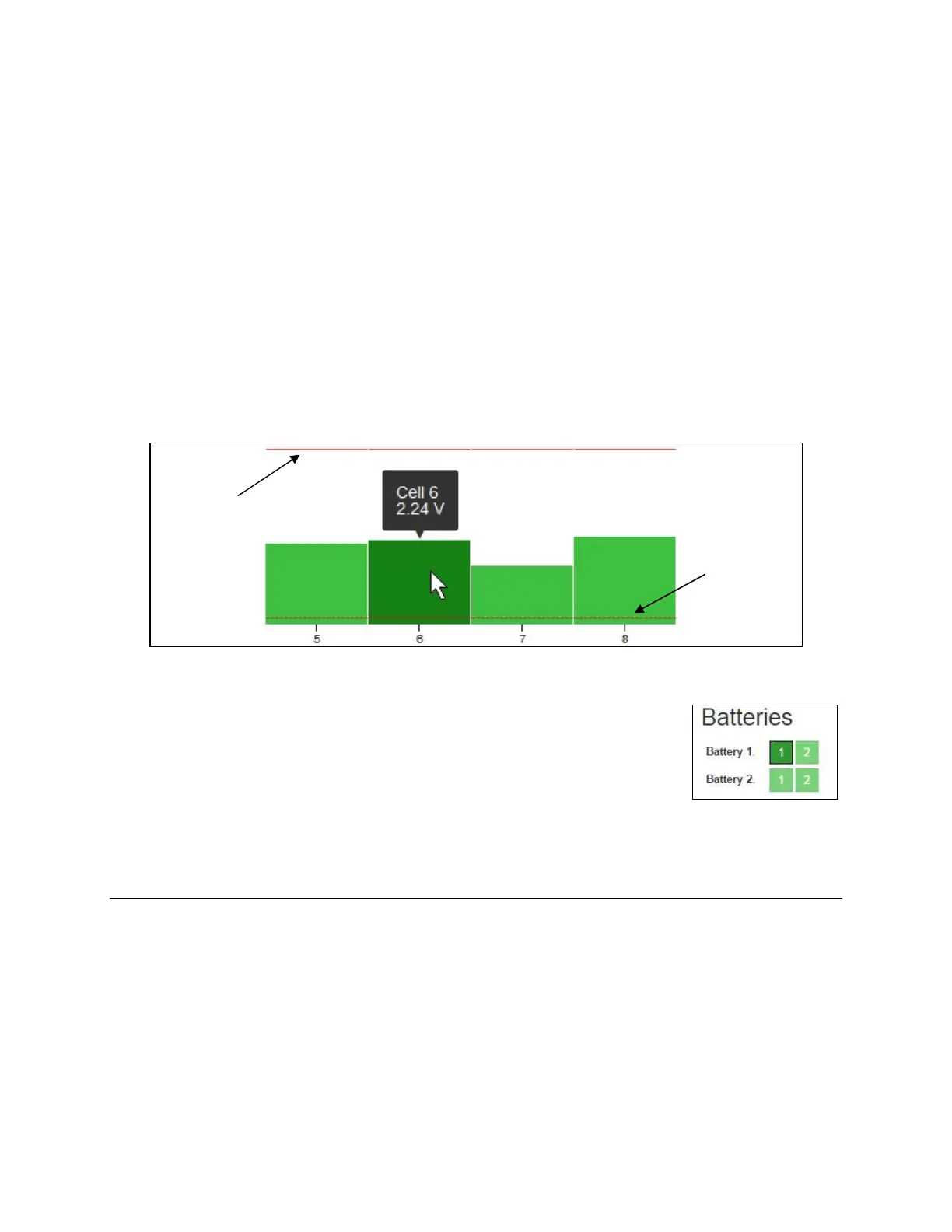
The cell voltage alarm limits are indicated with red arrows.
Hover over the bar graph of the associated cell to get the latest reading for that
cell. The alarm limits for each measurement are represented by dashed lines on
the graph.
Multiple strings can be accessed by selecting the battery and string number
towards the top of the Home page.
Alarm Viewer
To view a log of past and present alarm events in Frontier, choose the Alarms menu in the Navigation
Bar at the top of the page. The Alarm Viewer can be sorted or filtered, as well as exported to a Comma-
Separated Values (CSV) file. Results can be sorted by clicking on the arrow next to the column name.



 To Next Page