Cellwatch Frontier System Installation & User Manual
Section II – User Guide-67
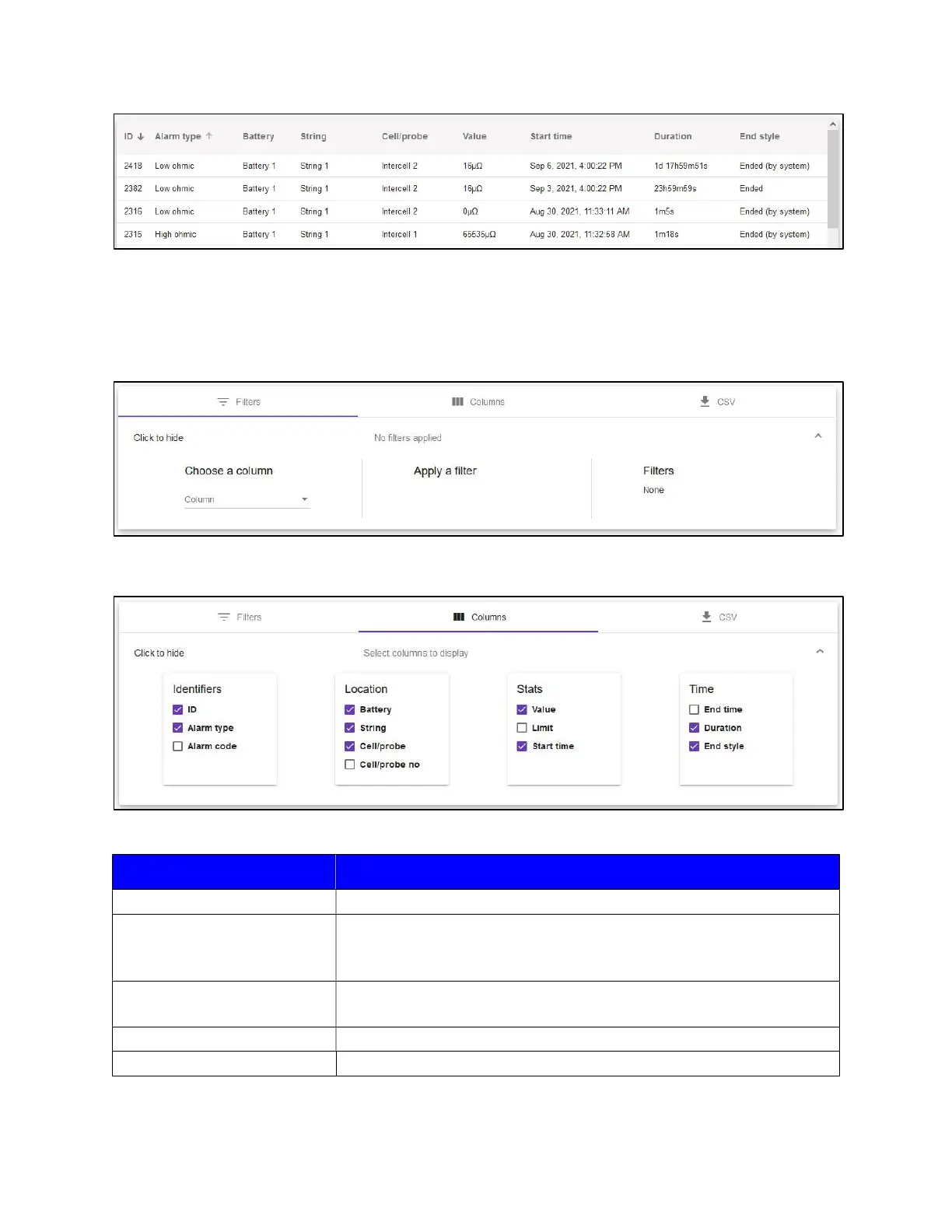
To filter the list, click the ‘Filters’ to expand the options. Then choose which column you want to filter
by. Under ‘Apply a Filter’, choose which value to apply and the data in the table will refresh. The
column you choose to filter by will determine your ‘Apply a Filter’ options. Click the button to ‘Remove
Filters’ to reset the table.
Clicking on ‘Columns’ will allow you to choose which columns to display in the table.
The description for each column can be found in the table below.
Column Description
ID The index of the alarm entry.
Alarm type
The type of alarm that occurred. An alarm type can be voltage, ohmic
value, cell temperature, probe temperature, low float, discharge,
charge, DIB, thermal runaway, or low electrolyte level.
Alarm code
A short abbreviation or “code” that can be used for quickly sorting
and filtering alarms.
Battery The name of the Battery in which the alarm occurred.
String The name of the String in which the alarm occurred.



 To Next Page