Cellwatch Frontier System Installation & User Manual
Section II – User Guide-68
Cell/probe
The Cell (cell, intercell strap, intertier strap, or charger cable) or
Probe (CT, TP, DIB, or FED) that triggered the alarm.
Cell/probe No
The Cell (cell, intercell strap, intertier strap, or charger cable) or
Probe (CT, TP, DIB, or FED) number that triggered the alarm.
Value The reading that triggered the alarm.
Low limit The low limit configured for this channel or probe.
High limit The high limit configured for this channel or probe.
Start time The time when the alarm started.
End time The time when the alarm ended.
Duration The duration of the alarm.
End style Specifies whether the alarm has ended or is currently active.
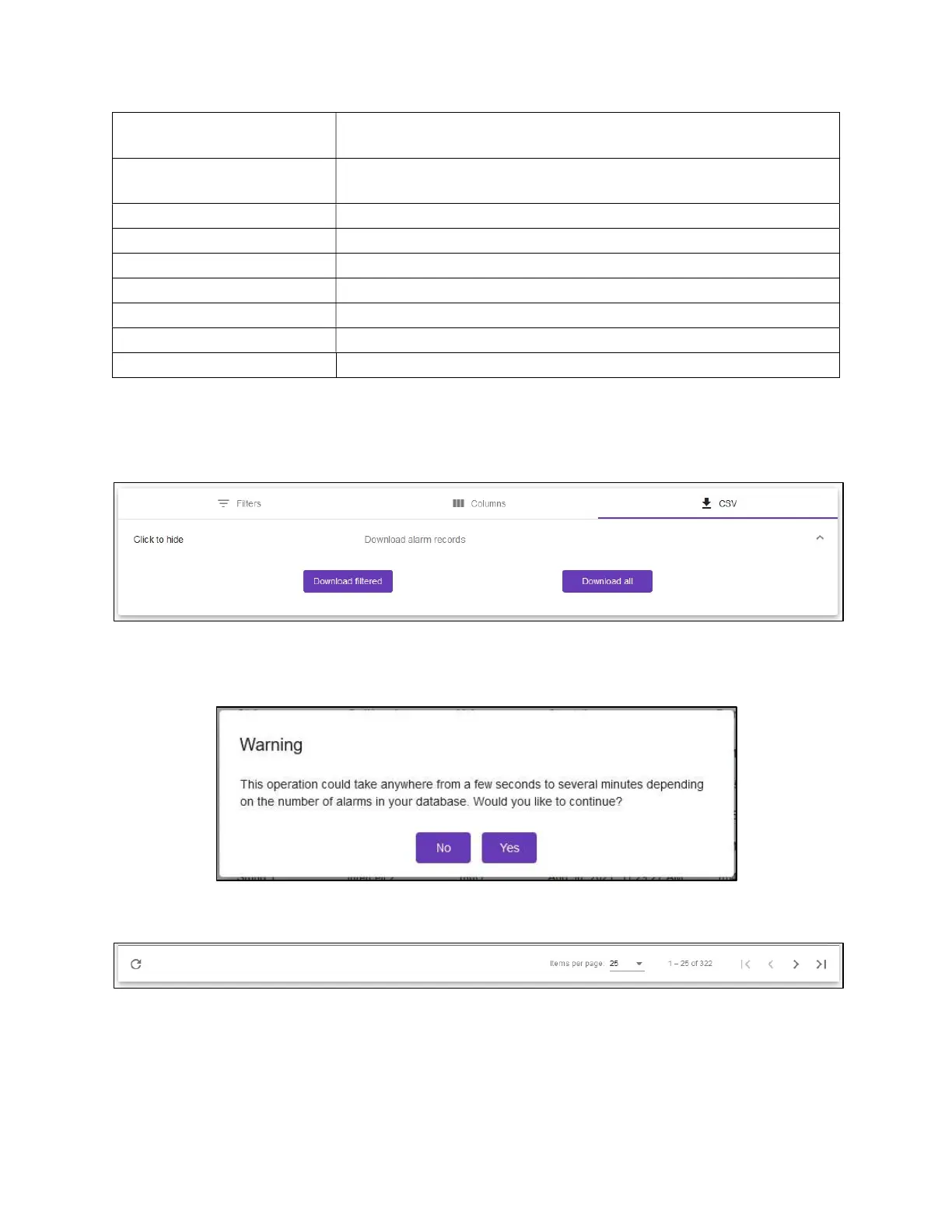
To export the alarm records, click the Download as CSV button and choose whether to export the
filtered log (if filtering is checked) or all alarms.
The number of alarms in the database will impact how long the download takes. Filtering is a good way
to reduce the time required for the download to complete.
Controls for navigating through the Alarm Viewer can be found at the bottom of the table.
The controls are as follows (from left to right):
Refresh: Update the Alarm Log with any new alarm entries.
Items per page: Set the number of alarms to display per page.
First Page: Go to the first page of alarms.



 To Next Page