Cellwatch Frontier System Installation & User Manual
Section IV – Integration Guide-124
Send analog outputs as 16
To apply any changes to settings on this page, click the Save settings button. Modifying any DNP3
settings on this page will require a restart of the device.
Files
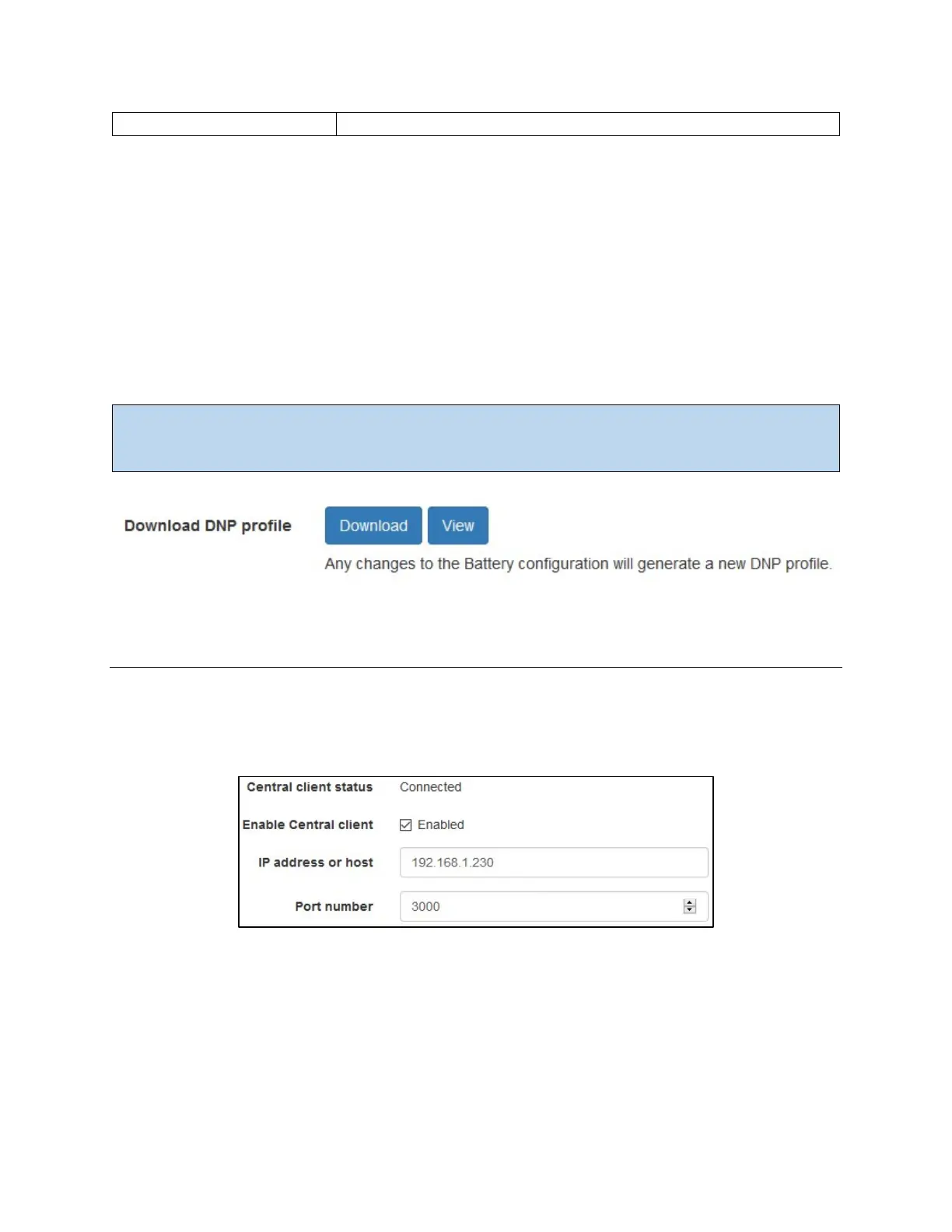
The Files tab provides access to the DNP Profile:
DNP Profile: Industry standard file used to configure your master station. The DNP profile
describes the available data points on this device and must be re-generated when you change
your configuration. This is an XML-formatted file with a .xml file extension.
Important: Before downloading the profile, confirm that the battery design matches your physical
hardware. If you have changed any settings, ensure that DNP is enabled and the device has been
restarted so that the profile is correctly regenerated.
Integration: Cellwatch Central
Frontier can easily be integrated with an existing Cellwatch Central server. To configure the Frontier
system to communicate with Cellwatch Central, navigate to the Cellwatch Central page in the Settings
menu.
The IP address and port are needed in order for Frontier to establish a connection to Cellwatch Central.
Once you have entered in the IP address and port of the Cellwatch Central server, select the checkbox to
enable. Frontier will indicate when it has established a connection by displaying “Connected” next to the
Central client status, as shown above.
If Frontier is unable to connect to Cellwatch Central:



 To Next Page