Cellwatch Frontier System Installation & User Manual
Section IV – Integration Guide-123
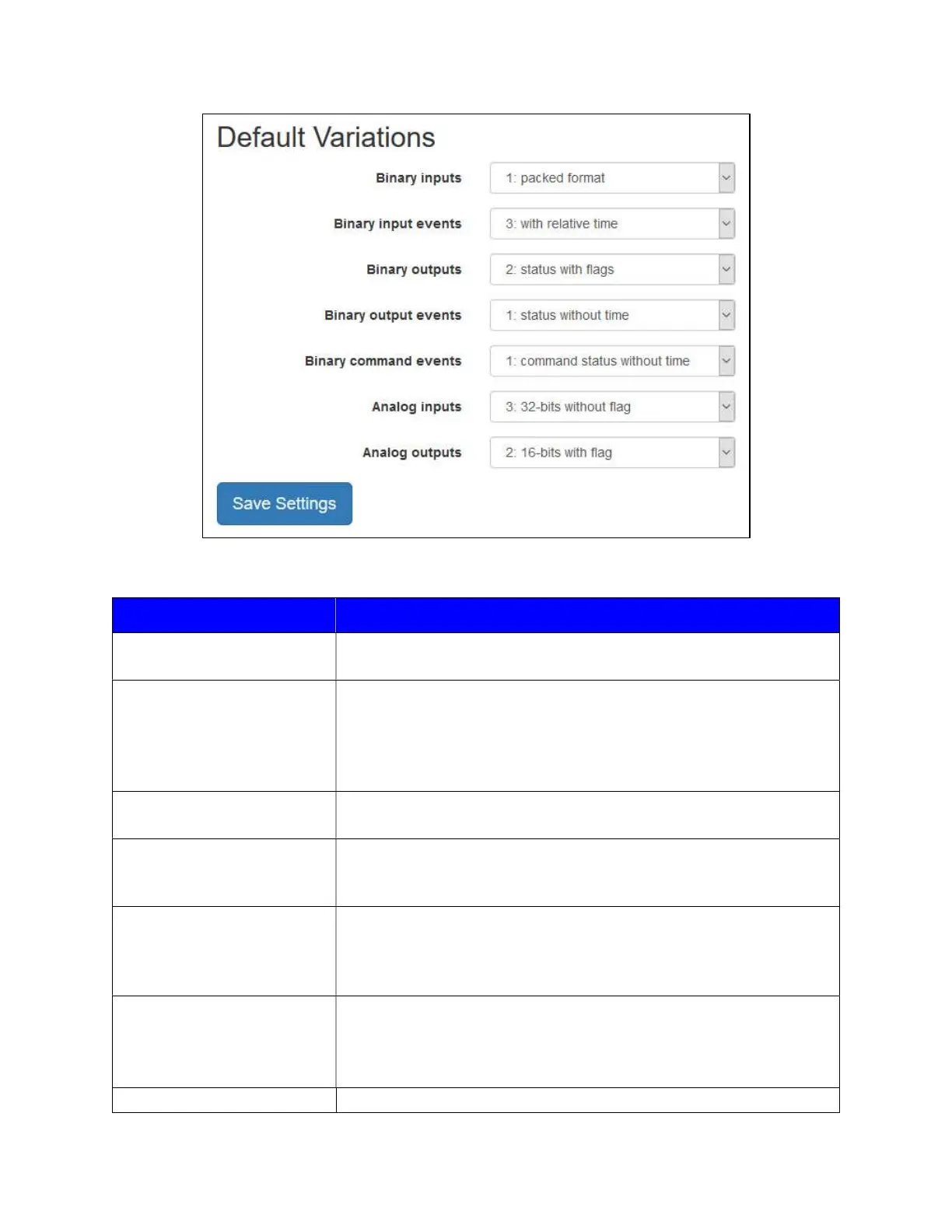
The description for each option can be found in the table below.
Object Type Description
Binary inputs
(1) packed format: Send binary inputs as single bit packed.
(2) status with flags: Send binary inputs with status.
Binary input events
(1) without time: Send binary input change event without time.
(2) with absolute time: Send binary input change event with absolute
time.
(3) with relative time: Send binary input change event with relative
time.
Binary outputs
(1) packed format: Send binary outputs as single bit packed.
(2) status with flags: Send binary outputs with status.
Binary output events
(1) status without time: Send binary output change event without
time.
(2) status with time: Send binary output change event with time.
Binary command events
(1) command status without time: Send binary command event
without time.
(2) command status with time: Send binary command event with
time.
Analog inputs
(1) 32-bits with flag: Send analog inputs as 32-bits with flag.
(2) 16-bits with flag: Send analog inputs as 16-bits with flag.
(3) 32-bits without flag: Send analog inputs as 32-bits without flag.
(4) 16-bits without flag: Send analog inputs as 16-bits without flag.
Analog outputs (1) 32-bits with flag: Send analog outputs as 32-bits with flag.



 To Next Page