Cellwatch Frontier System Installation & User Manual
Section IV – Integration Guide-120
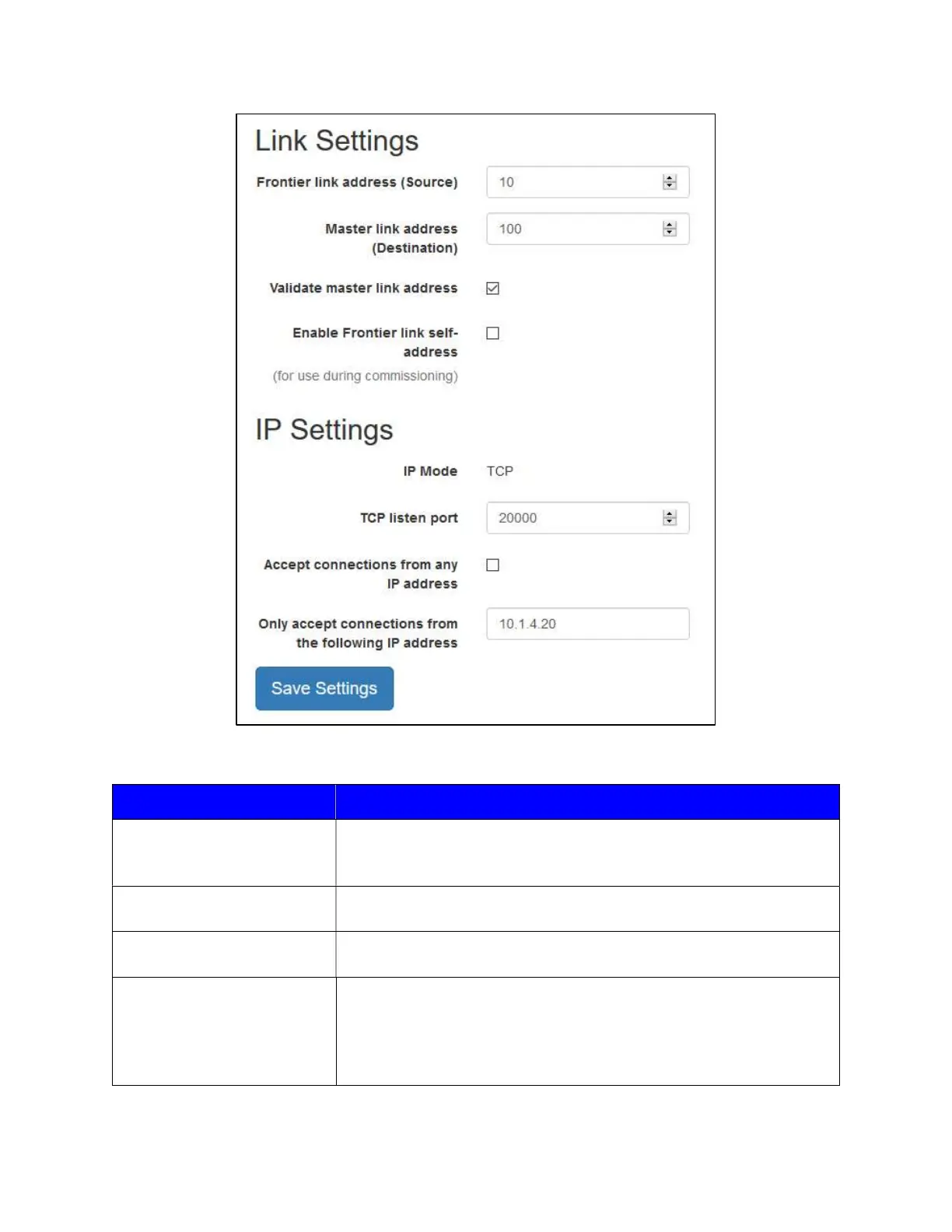
The description for each option can be found in the table below.
Link Settings Description
Frontier link address (Source
address)
The local or “slave” DNP3 address of Frontier. The Frontier link
address should be unique on the user’s network. The address must be
between 0 and 65519.
Master link address
(Destination address)
The DNP3 address of the master station. The address must be
between 0 and 65519.
Validate master link address
When enabled, only a master station indicating the Master link
address (Destination) may connect.
Enable Frontier link self-
address
When enabled, Frontier will respond to DNP3 frames with destination
address 65532. This feature can be used to simplify commissioning
and troubleshooting, allowing the user to discover the destination
device’s true address and configure proper link addresses
accordingly.



 To Next Page