Cellwatch Frontier System Installation & User Manual
Section I – Installation Guide-60
Note: Before proceeding to the next step (CAT5 connections), allow the FED tape to bond to the jar.
This is best achieved by delaying connecting the CAT5 cables until 1-2 hours after the FEDs have been
placed on the jars.
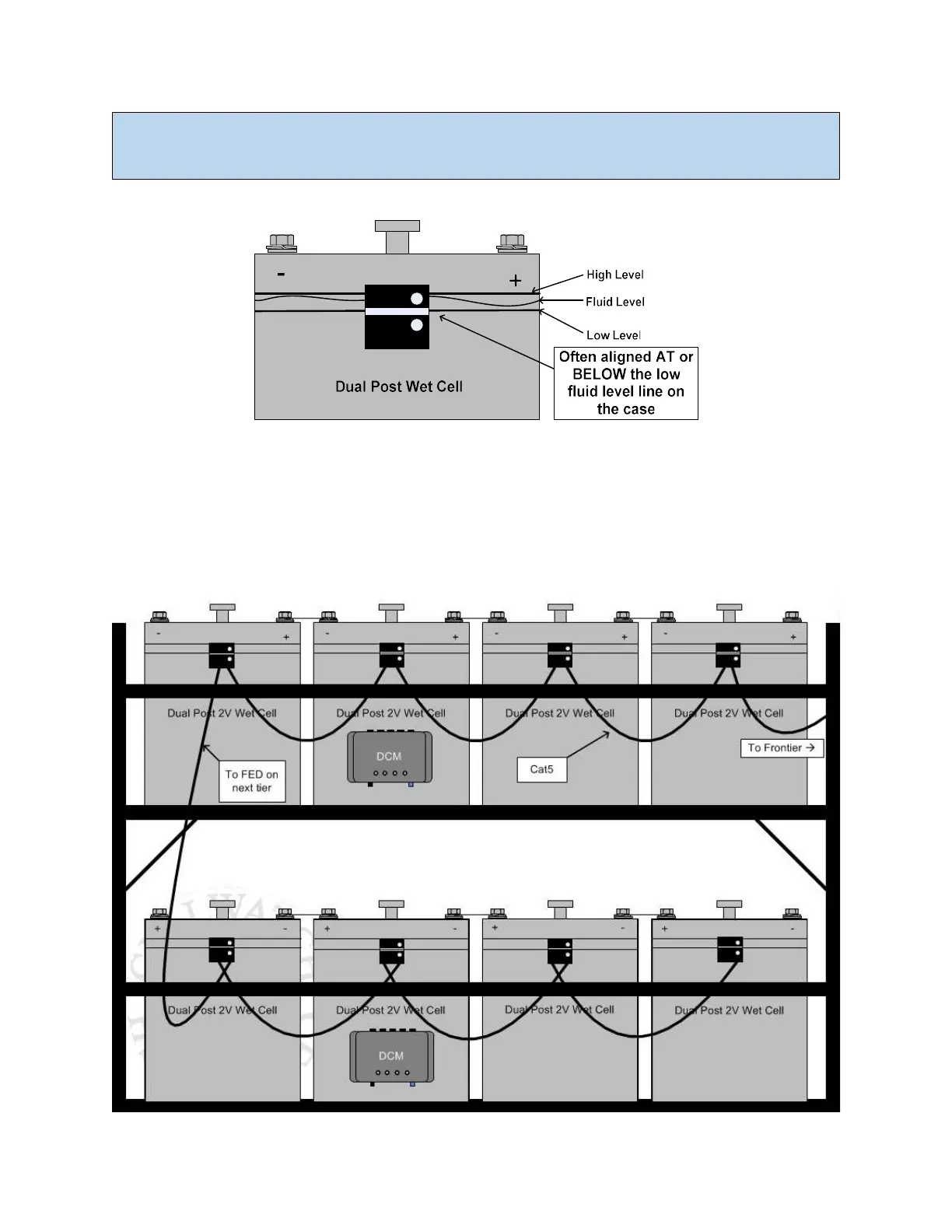
Example drawing of FED placement
CAT5 connections
The supplied CAT5 cables connect the FED units in series. FED #1 OUT port connects to FED #2 IN port.
Connect the following FEDs in series up to the last FED. The last FED will not have an OUT connection
and the software will identify it as the End of Line.



 To Next Page