Cellwatch Frontier System Installation & User Manual
Section II – User Guide-84
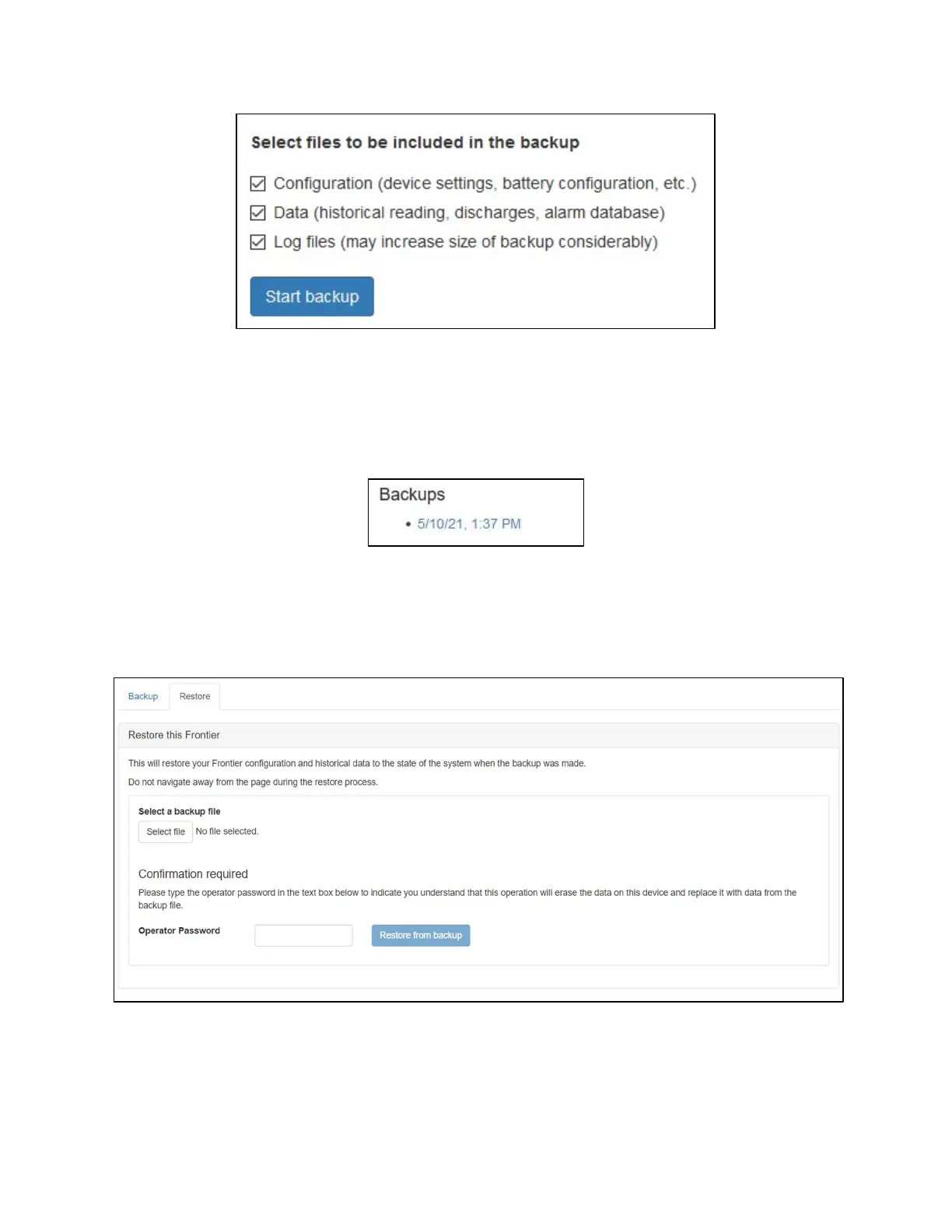
Depending on the amount of data on the device, Frontier may take from a few seconds to 20 minutes to
complete the backup. Navigating away from this page will not interrupt the backup process.
Once the backup has been created, a new link will appear on the page under the Backups heading. Click
this link to download a copy of the backup file to your PC.
Restoring Frontier from a backup file
A Frontier device can also be restored from a pre-existing backup. When restoring from backup, any
existing history and database data, as well as device settings, are replaced with the data from the
backup file. Only Frontier backup files (.frb) are accepted.
To restore from a Frontier backup:
1. From the Backup and Restore page, click the Select file button.
2. Choose the appropriate backup file located on your PC.



 To Next Page