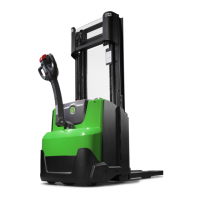
© Cesab 8 – 16 T Code(s): 841, 842, 843
Repair manual: Troubleshooting Model(s): S210, S212, S212S, S212L, S214, S214L, S220D
Publication Number: 7588857-040 Date: 2018-05-01 Applies from serial number: 6384351-
3:001
The speed control
was not in the
neutral position at
start-up
One or more Hall
elements for the
speed control give
an active signal at
start
The truck cannot
be driven, other
functions OK
1: Control
manipulated.
2: The speed
control does
not spring
back to neutral
position.
3: A5 defective
1: Let go of the control, and wait
for four seconds
2: Check the speed control
• Check the spring function
• Check that the speed control is
not seized
• Check that the plastic cover
where the spring is attached is
intact.
3: Check the Hall sensors
• Check with TruckCom or the
built-in test for the Hall sensors
that they work the way they
should. A Hall sensor that is
being influenced should give a
low signal.
• Replace A5 if the Hall sensors
have an error function.
Code Description
Truck
behaviour
Error cause(s) Procedure
https://www.forkliftpdfmanuals.com/


 To Next Page