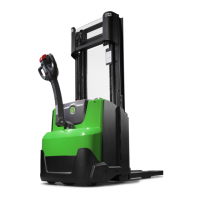
© Cesab 8 – 36 T Code(s): 841, 842, 843
Repair manual: Troubleshooting Model(s): S210, S212, S212S, S212L, S214, S214L, S220D
Publication Number: 7588857-040 Date: 2018-05-01 Applies from serial number: 6384351-
8:001
Collision sensor
has registered
collision levels
outside set limit
values as defined
by parameters 105
and 106.
Creep speed
1: Collision
2: Parameters
105 and 106
set too low.
1: Resetting truck after collision
2: Check parameters
• Check that factory parameters
are set according to the truck
configuration.
• Check that other parameters
are set correctly.
8:002
The truck was
intentionally taken
out of service via
I_site
Creep speed
1: 1:
8:003
Argument error in
option. Invalid
configuration in one
or more options.
Not influenced.
The alarming
option does not
work.
1: Option
argument
error,
parameters
1003 - 1042
1: Check parameters
• Check that factory parameters
are set according to the truck
configuration.
• Check that other parameters
are set correctly.
8:004
One or more option
buttons on A5 is
activated at start-
up.
Not influenced.
All option buttons
are non-
functional until
the option button
that is influenced
is not influenced
any more.
1: Option button
pressed
during start-up
1: Check your option buttons
• Check the function of the option
buttons via the built-in test
mode, Service Information
mode 9 or TruckCom.
• If there is still a signal from a
seemingly uninfluenced button,
the button must be checked for
jamming or unwanted
connection.
8:010
CAN
communication
problem with the
built-in charger T14
at start-up
Not influenced
1: Error on CAN
bus wiring or
connections
1: Check the CAN bus
• Check that CAN bus is intact in
terms of wiring harness,
resistance and connectors.
Disconnect the battery. Check
that the resistance between
(X41:3) and (X41:4) is 54 - 66
ohms.
• Check that the CAN wiring
harness is not pinched.
Measure resistance between
the chassis and CAN connector.
Limit value >24 kOhm
Code Description
Truck
behaviour
Error cause(s) Procedure
https://www.forkliftpdfmanuals.com/


 To Next Page