6-10
Cisco ME 3800X and 3600X Switch Software Configuration Guide
OL-23400-01
Chapter 6 Configuring Synchronous Ethernet
Configuring SyncE
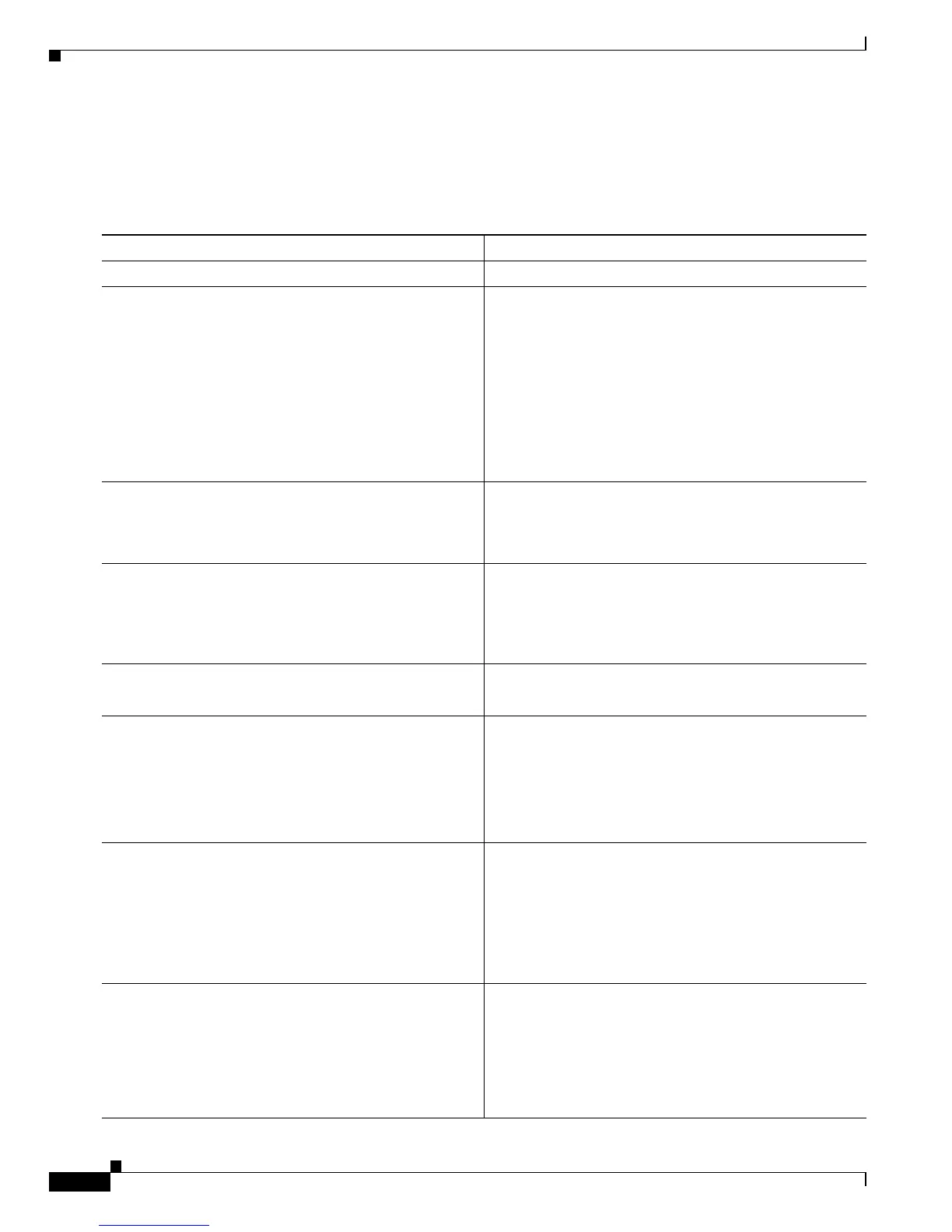
Configuring REP for the SyncE Network
Beginning in privileged EXEC mode, use this procedure to configure a REP segment to avoid timing
loops when a failure occurs. In SynceE ring topologies, we recommend that you configure REP.
Command Purpose
Step 1
configure terminal Enter global configuration mode.
Step 2
network-clock-select priority SYNCE port number Configure the input clock and its priority.
• For priority, the range is from 1 to 15, with 1 being
the highest priority and 15 the lowest. Unused input
clocks are given a priority value of 0.
• SYNCE—Select the Synchronous Ethernet clock.
• For port number:
–
Enter 0 for TenGigabitEthernet 0/1
–
Enter 1 for TenGigabitEthernet 0/2
Step 3
rep administration vlan vlan-id Specify the REP administrative VLAN. The range is 2 to
4094. The default is VLAN 1. To set the admin VLAN to
1, enter the no rep admin vlan global configuration
command.
Step 4
network-clock-select mode revert (Optional) Configure the reference switching mode so
that if an input clock with a higher priority than the
selected reference becomes valid, the higher priority
clock is immediately selected. This is required in a ring
topology.
Step 5
ql-enabled rep-segment segment-id Identify a REP segment to use for the REP workaround.
The segment-id range is from 1 to 1024.
Step 6
network-clock-select hold-off-timeout value (Optional) Configure the time that a switch waits if a
clock source goes down before removing it as the
reference clock. The values are 0 or 50 to 10000 ms . The
default is 300 ms.
Note This command is valid only when SyncE is
configured with the REP workaround.
Step 7
network-clock-select hold-timeout {value | infinite}
(Optional) Configure the time that the switch should
remain in holdover mode and replay the saved clock
information when no reliable clock source is available.
• For value, the range is 0 to 86400 seconds.
• Enter infinite for no timeout.
The default is infinite.
Step 8
network-clock-select wait-to-restore value (Optional) Configure the time that a switch waits if a
failed SyncE interface comes back up before considering
the interface as a synchronization source.
The range is 0 to 720 seconds. The default is 300 seconds.
Note This command is valid only when SyncE is
configured with the REP workaround.



 To Next Page