EasyManua.ls Logo

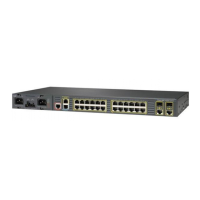
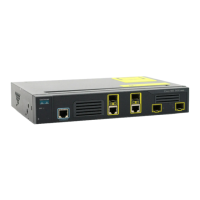
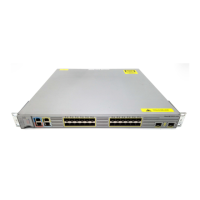
Cisco ME 3400 - User Manual

Cisco ME 3400
1138 pages
Print Icon
To Next Page IconTo Next Page
Loading...
Americas Headquarters
Cisco Systems, Inc.
170 West Tasman Drive
San Jose, CA 95134-1706
USA
http://www.cisco.com
Tel: 408 526-4000
800 553-NETS (6387)
Fax: 408 527-0883
Cisco ME 3400 Ethernet Access Switch
Software
Configuration Guide
Cisco IOS Release 12.2(50)SE
March 2009
Text Part Number: OL-9639-07

Table of Contents

Other manuals for Cisco ME 3400

Questions and Answers

  • A
    Amanda BoothJul 29, 2025
    What to do if my Cisco ME 3400 Switch has no connectivity?
    • R
      Randy TorresJul 29, 2025
      If your Cisco Switch has no connectivity, it might be due to an incorrect or faulty cable. Ensure you're using the correct type of cable (straight-through or crossover as needed). If unsure, enable the automatic medium-dependent-interface crossover (auto-MDIX) feature. Also, verify the cable is wired correctly and isn't damaged; if necessary, replace it with a tested, working cable. For 1000BASE-T connections, use a twisted four-pair, Category 5 cable. After making these checks, allow 30 seconds for the port LED to turn green.
  • J
    jason24Aug 2, 2025
    Why does my Cisco ME 3400 have poor performance or excessive errors?
    • J
      John MasonAug 3, 2025
      Poor performance or excessive errors on your Cisco Switch can stem from a duplex autonegotiation mismatch. Also, check the cabling distance; exceeding specified limits can cause issues. If port statistics show excessive frame check sequence (FCS), late-collision, or alignment errors, it may be due to exceeding cabling distance or other cable issues. Reduce the cable length to within recommended distances. For connections involving repeaters or SFP modules, consult their respective documentation for cabling guidelines.
  • J
    jasonreynoldsAug 8, 2025
    What to do if Cisco ME 3400 Switch port is placed in error-disabled state after SFP module is inserted?
    • S
      Susan FaulknerAug 8, 2025
      If a Cisco Switch port enters an error-disabled state after inserting an SFP module, the cause might be a faulty or non-Cisco-approved SFP module. Remove the current SFP module and replace it with a Cisco-approved one. To verify the port status, use the errdisable recovery cause gbic-invalid global configuration command, and then set a time interval to allow the port to recover from the error-disabled state.
  • B
    Brad AndersonAug 13, 2025
    How to fix Cisco Switch that does not recognize the SFP module?
    • J
      Jennifer Evans PhDAug 13, 2025
      If your Cisco Switch doesn't recognize the SFP module, first check if the SFP module is correctly oriented and not installed upside down. Then, remove the SFP module to inspect the connector, the module itself, and the module slot for any physical damage. If no damage is visible, try replacing the current SFP module with a known good SFP module to rule out a faulty module.
  • P
    Philip TurnerAug 18, 2025
    Why are there unreadable characters on the management console of my Cisco Switch?
    • T
      Tracy HardyAug 18, 2025
      If you see unreadable characters on the management console of your Cisco Switch, it's likely due to an incorrect baud rate. Reset the emulation software to 9600 baud.
  • Z
    Zachary McconnellAug 23, 2025
    What does an amber system LED on my Cisco ME 3400 mean?
    • M
      Mitchell TaylorAug 23, 2025
      If the system LED on your Cisco Switch is amber, it indicates a fatal POST error has been detected. Contact Cisco Systems.

Cisco ME 3400 Specifications

General IconGeneral
CategorySwitch
Rack MountableYes
Jumbo Frame SupportYes
Authentication MethodRADIUS, TACACS+
RAM128 MB
Flash Memory32 MB
Power DeviceInternal power supply
ModelME 3400
LayerLayer 2
MAC Address Table Size8000 entries
Remote Management ProtocolSNMP, Telnet, SSH, HTTP, HTTPS
FeaturesVLAN support, IGMP snooping, Quality of Service (QoS)
Compliant StandardsIEEE 802.3, IEEE 802.3u, IEEE 802.1D, IEEE 802.1Q, IEEE 802.3ab, IEEE 802.3x
Memory128 MB
Power SupplyAC 120/230 V (50/60 Hz)
Dimensions (H x W x D)4.4 cm x 44.5 cm x 24.2 cm
Routing ProtocolStatic routing

Related product manuals