Appendix C Connecting to DC Power
Wiring the DC-Input Power Source
C-8
Catalyst 2950 Desktop Switch Hardware Installation Guide
78-11157-05
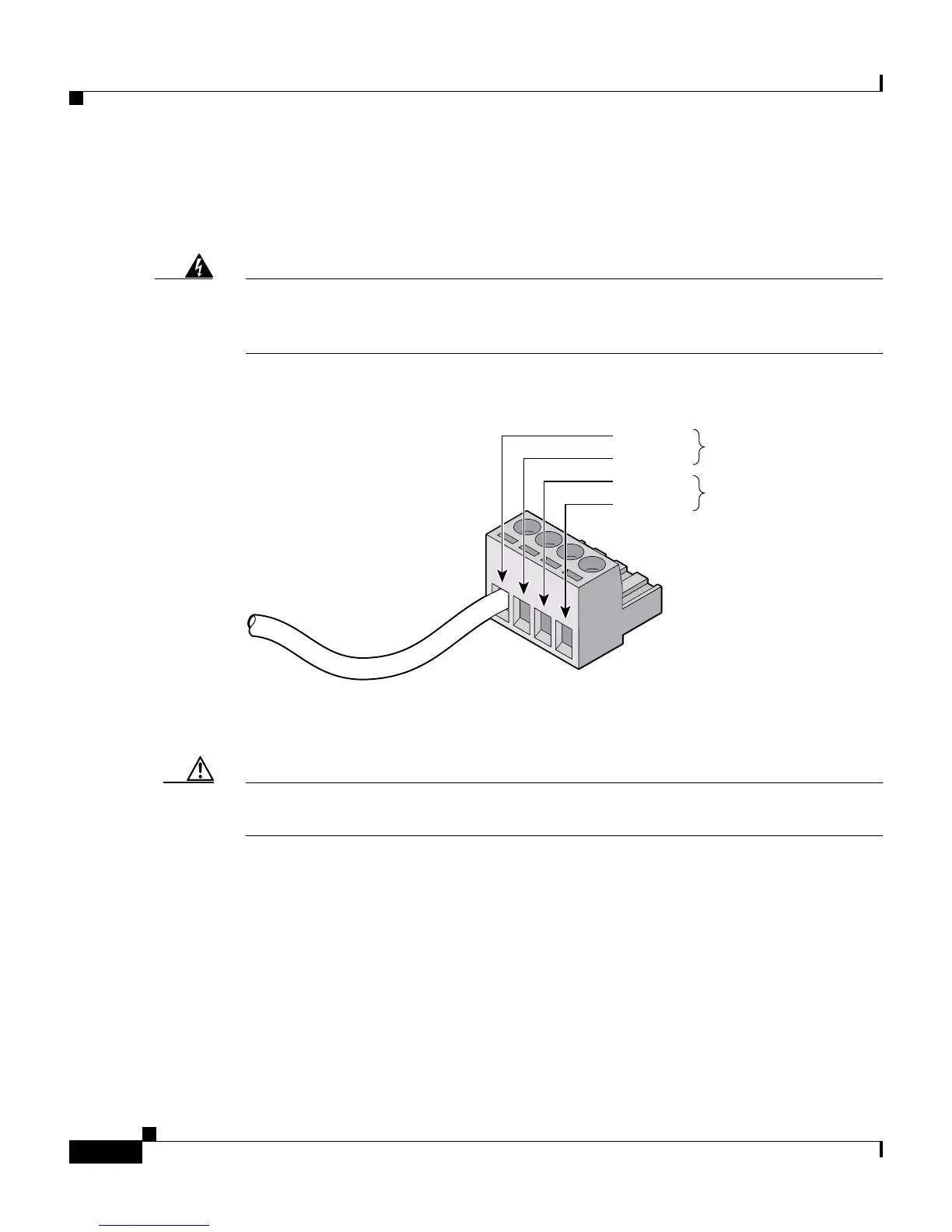
Step 4 Insert the exposed wire of one of the four DC-input power source wires into the
terminal block plug, as shown in Figure C-7. Make sure that you cannot see any
wire lead. Only wire with insulation should extend from the terminal block.
Warning
An exposed wire lead from a DC-input power source can conduct harmful levels
of electricity. Be sure that no exposed portion of the DC-input power source
wire extends from the terminal block plug.
Figure C-7 Inserting Wires in the Terminal Block Plug
Step 5
Use a ratcheting torque screwdriver to torque the terminal block captive screw
(above the installed wire lead) to 4.5 lbf-in. (72 ozf-in.). (See Figure C-8.)
Caution Do not overtorque the terminal-block captive screws. The recommended
maximum torque is 4.5 lbf-in.
60532
Return
Negative
Return
Feed A
Feed B
Negative


 To Next Page
 Loading...











