User Guide | FreeSpeak II™ Base station version
Forced Listen keys are indicated by an initial capital, with the rest in lower case,
for example Test.
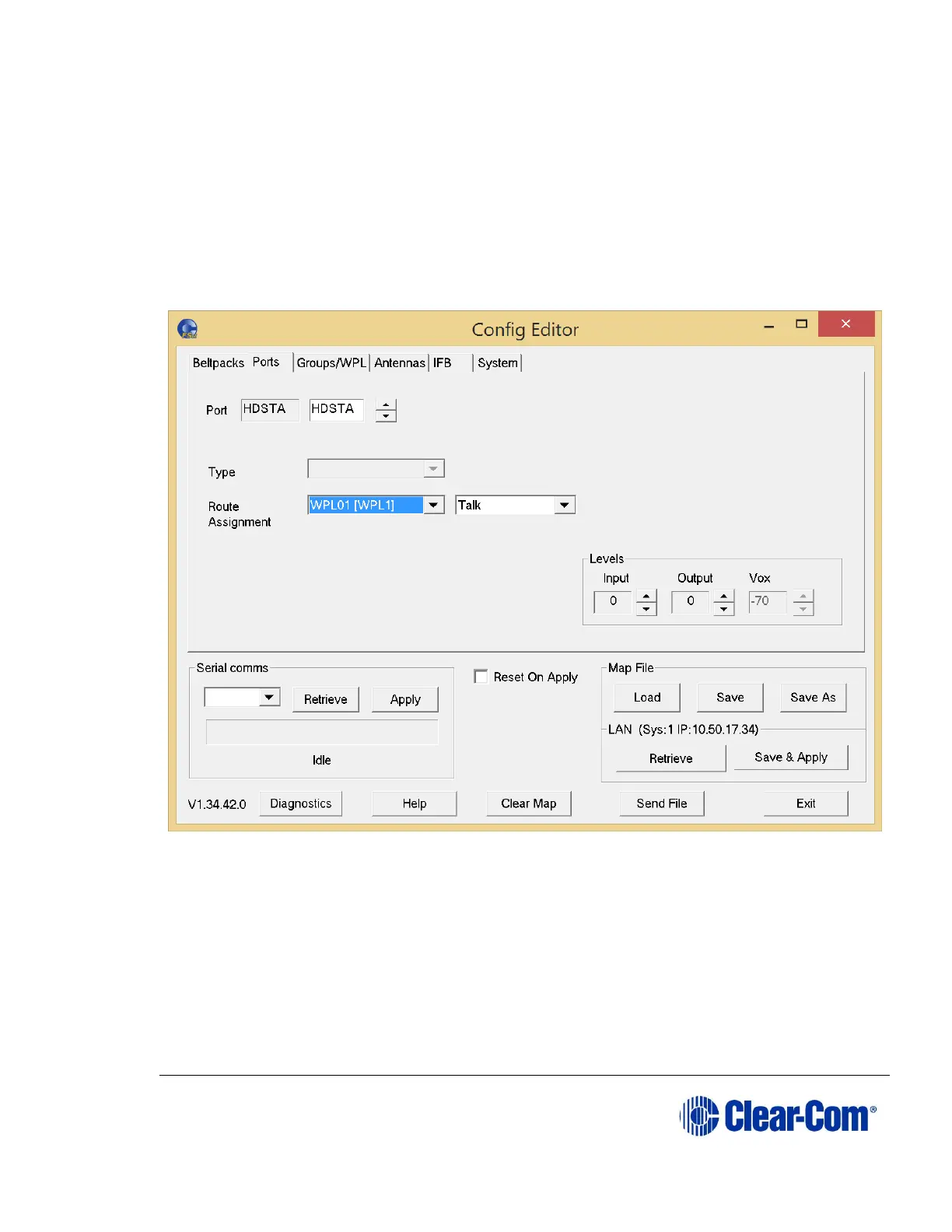
10.5 Configuring ports
From the Configuration Editor, you can use the Ports tab to:
Select, name and configure ports
Set the input output and VOX levels for ports
Figure 10-11 Ports Tab
10.5.1 Selecting the port to edit
To select a port to edit:
Use the arrow buttons next to the Port edit box to make a selection.
10.5.2 Changing the label of the port
To change the port label:



 To Next Page