User Guide | FreeSpeak II™ Base station version
5) When you have found the antenna to pair to (it will be showing a ‘P’ to
indicate that it is ready to be paired to the beltpack) press button D to
select the antenna and connect the beltpack to it.
6) When the beltpack is successfully connected to the antenna, navigate to
Site Survey in the beltpack menu and monitor the range and
performance of the antenna. For more information on Site Survey
functionality see 3.4.1 Doing a site survey with a beltpack.
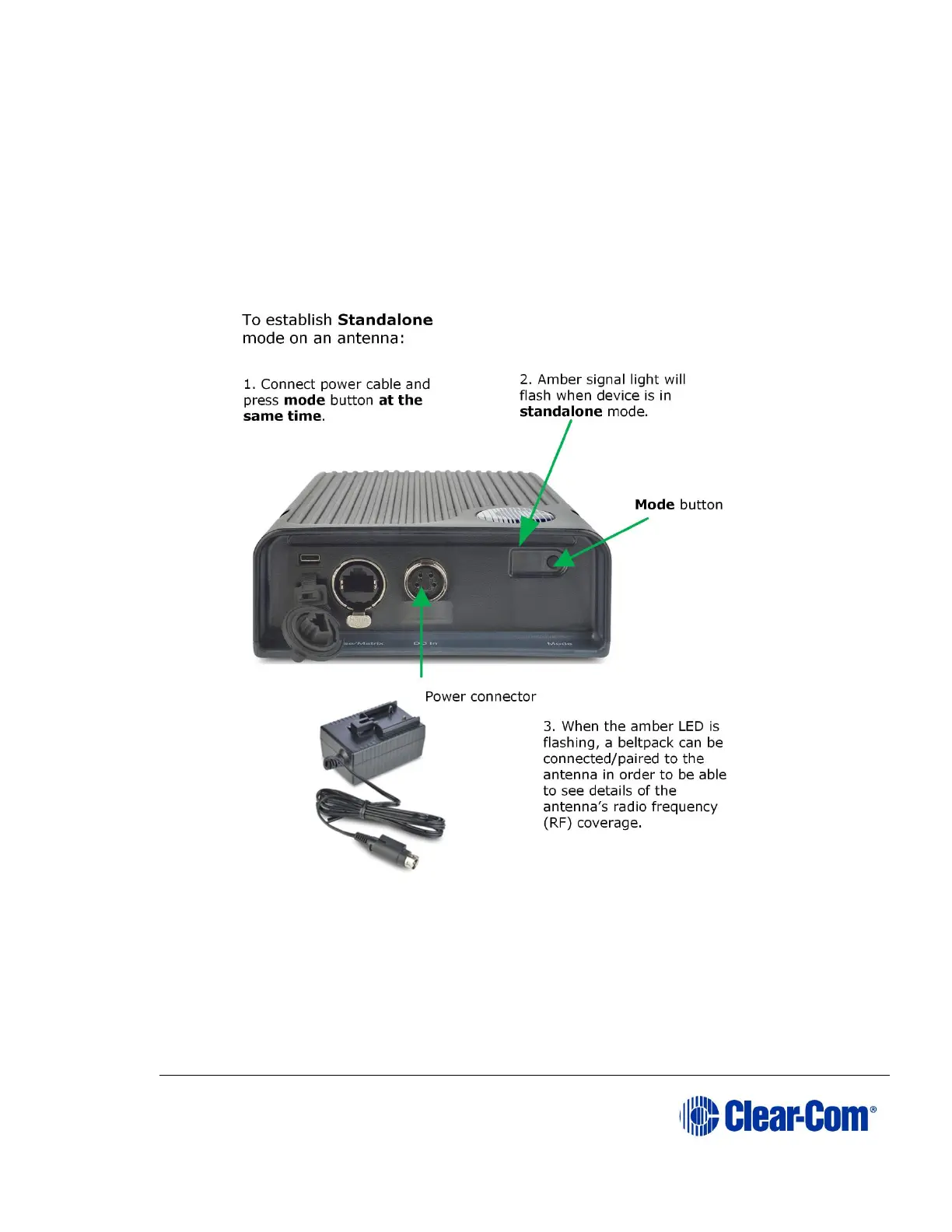
Figure 3-6 Using an antenna and beltpack in standalone mode
Registering beltpacks
3.2 Placing the Base station
The first stage in setup is placing the Base station in a convenient location,
knowing that it is the central routing unit of the FS II system. It should be made
accessible.



 To Next Page