User Guide | FreeSpeak II™ Base station version
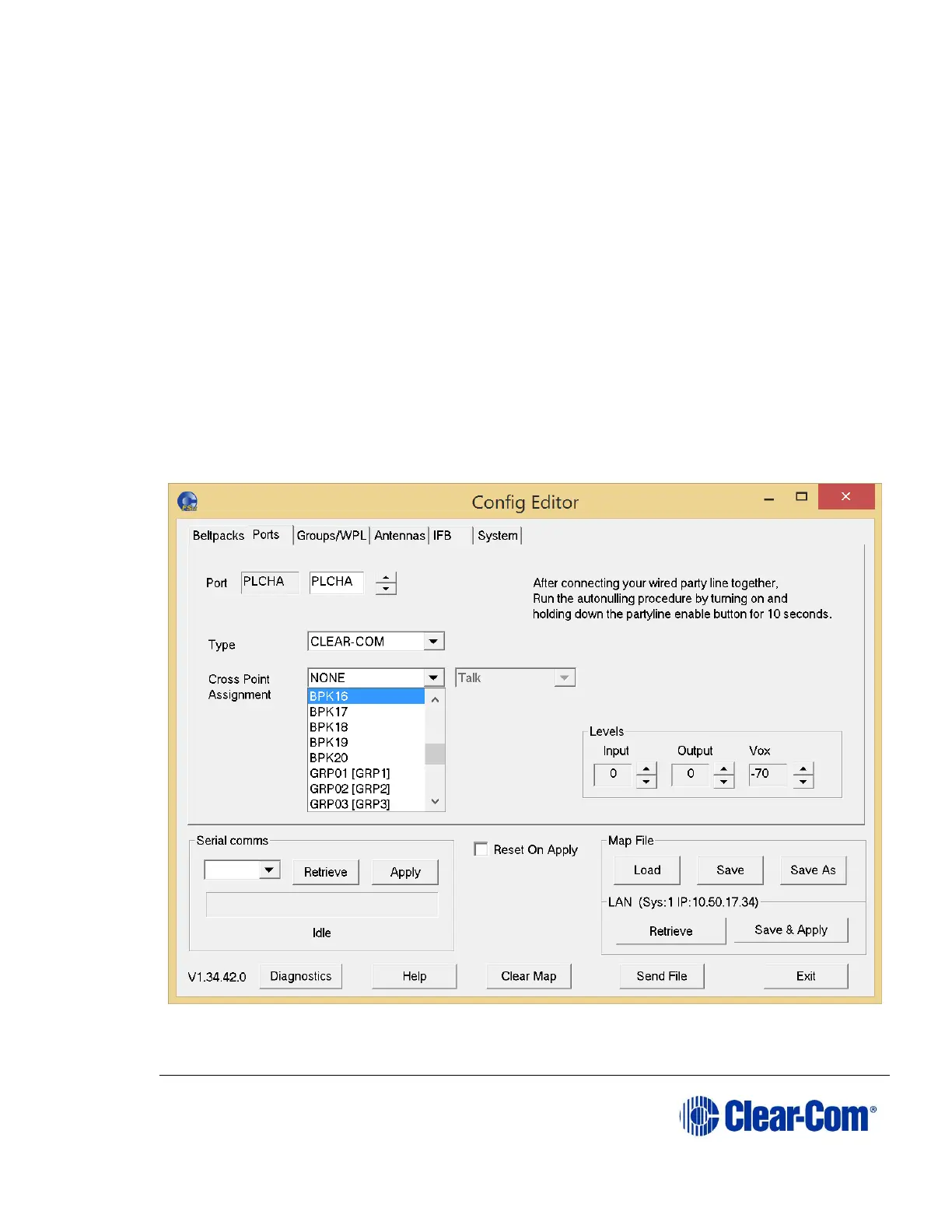
10.5.4 Selecting a communication path for the port
For headset, partyline, 4-wire ports and IFBs, you can select an audio path to
determine the destination for the port. To do so:
1) From the Cross Point Assignment left list, select the audio destination for
the port.
For a front panel headset port, you can specify the port which is called
when the Talk button for that port is pushed.
For a partyline or 4-wire port, it causes a permanent talk path to be
created from the port to this destination.
For an IFB it creates an IFB from the port to the destination.
2) For 4-wire and partyline destination ports you can select talk and listen
functions as described in 10.4.10 Key assignment types. From the
Cross Point Assignment right list, select the required function.
Figure 10-13 Cross Point List for Port



 To Next Page