User Guide | FreeSpeak II™ Base station version
Select the port to be changed, and then over-type the text in the Port
edit box.
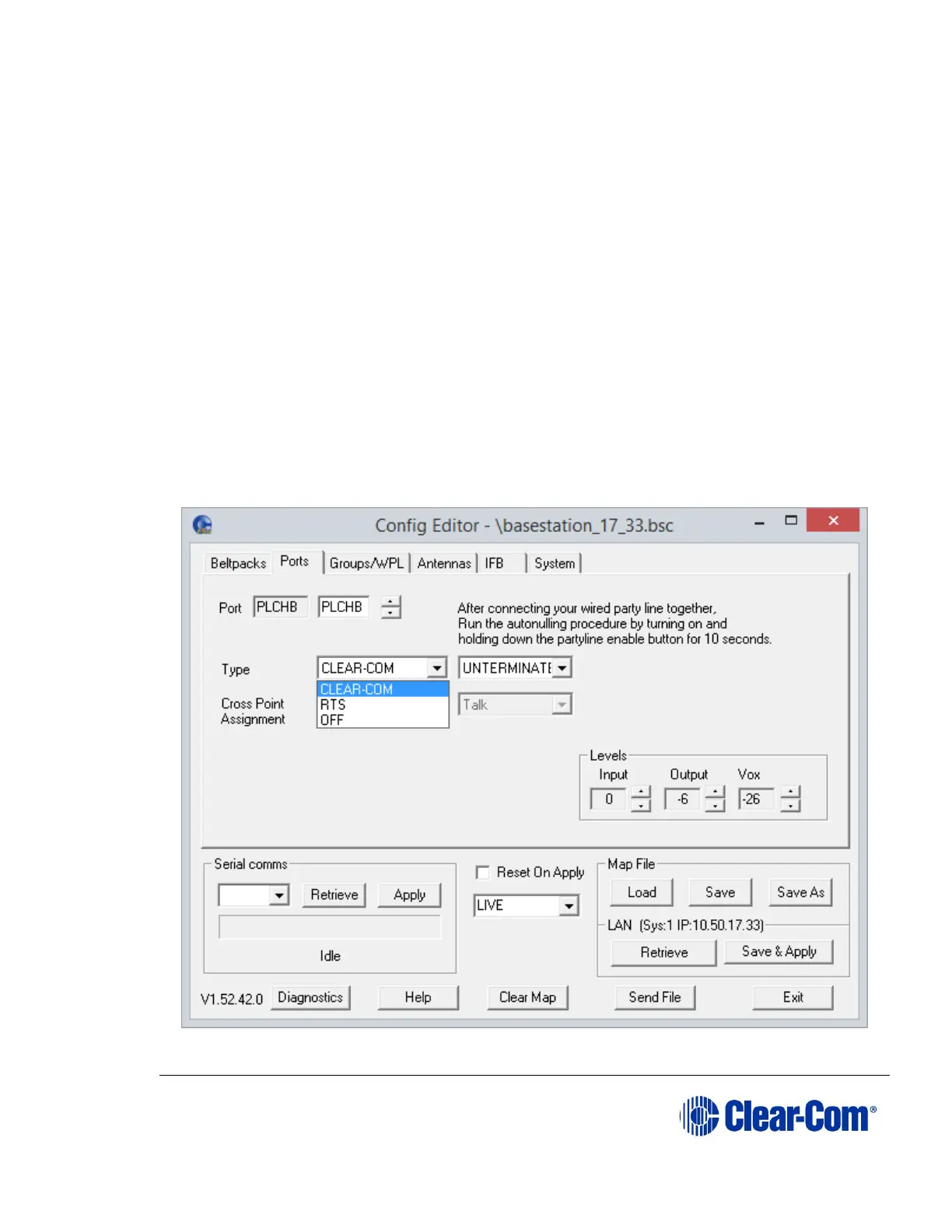
10.5.3 Selecting the port type
You can only select a port type when a partyline port is selected. You can select
between the following:
Clear-Com - selects Clear-Com partyline compatibility.
RTS - selects RTS compatibility.
Note: The OFF setting is displayed if an invalid legacy configuration is downloaded.
For Clear-Com and RTS, you can select whether the port type is terminated or
unterminated using the termination drop down menu.
Note: If the Base station has an MT701 Isolation Card, the termination setting is
ignored.
The selection affects the gain, termination and call signaling used when
communicating with this port.
Figure 10-12 Partyline Port Type Menu



 To Next Page