User Guide | FreeSpeak II™ Base station version
7.2.2 Beltpack display
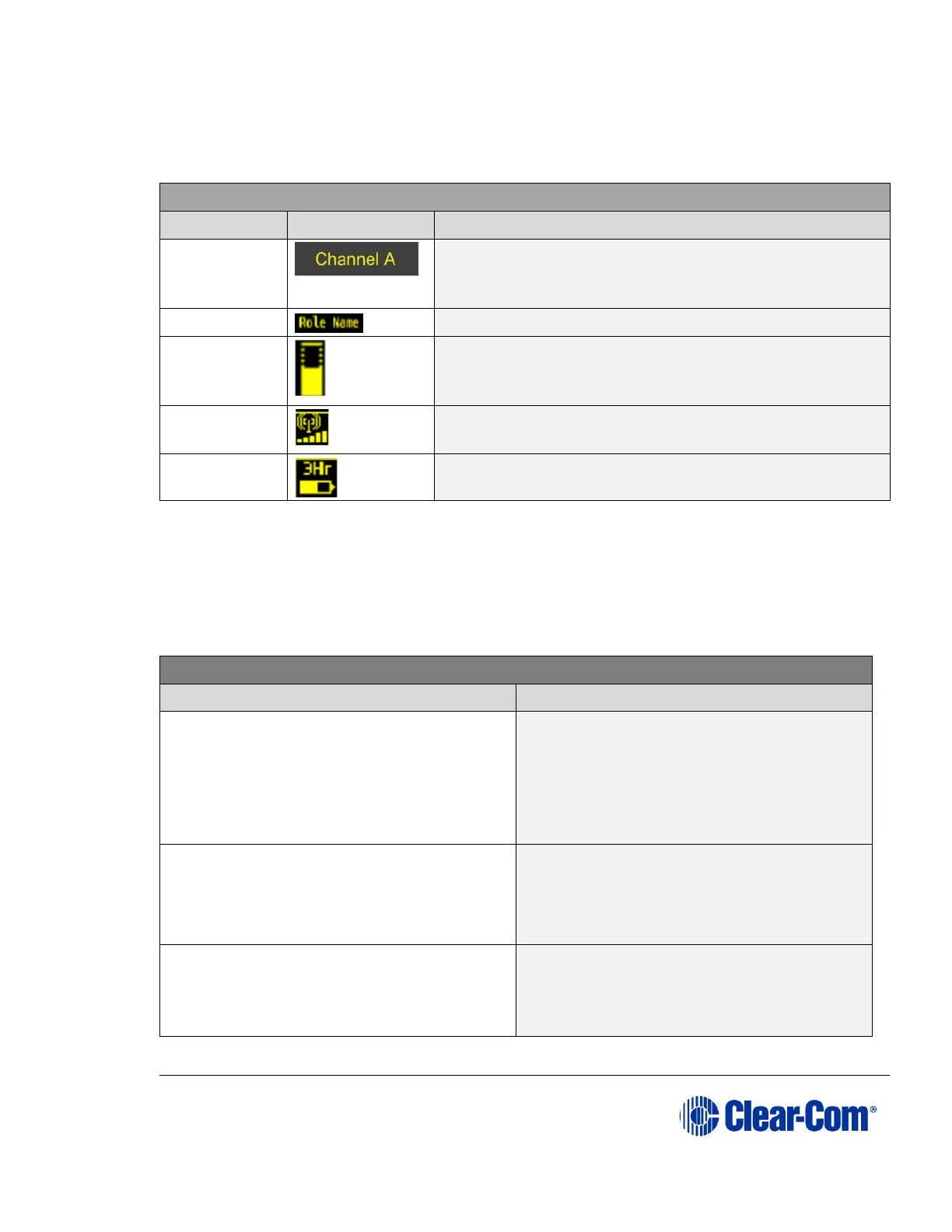
The following table lists the beltpack display icons and indicators.
Beltpack display icons and indicators
A descriptive name for the channel. The maximum
length is 10 characters (5 characters for the Base
station system).
A descriptive name for the beltpack role.
Channel
listen
volume level
The volume of the channel audio.
Bars that indicate the strength of the signal from
the Main Station.
Indicates the battery time remaining.
Table 11 Beltpack display icons and indicators
7.2.3 Beltpack headset tones/alerts
Note: To change call signal, low battery or out-of-range alerts go to Menu (press and
hold) -> Settings -> Alarm options on your beltpack. Choose from Vibrate &
audio/Vibrate only/Audio only/Off.
Beltpack headset tones/alerts
Mid to high beep, as long as call is
active
Mid on 200ms, mid off 0ms, high on
200ms, high off 400ms. Repeat if key
held.
High beep, long then short.
High, on 400ms, off 100ms, on 100ms.
Repeats intermittently.
High beep, long then short (as above).
Repeats as long as beltpack is out of
range.



 To Next Page