User Guide | FreeSpeak II™ Base station version
4.2.4 Troubleshooting partyline connections
4.2.4.1 Reducing FS II beltpack echo when talking to a analogue
partyline
If the Base station and beltpack are not set up correctly the FS II user will
experience an echo when talking to a partyline (either directly or via a group or a
wireless partyline). The echo is caused by either local audio coupling in the
headset due to the microphone gain being set too high or audio reflections from
the partyline that can be minimized by setting a VOX gate on the partyline and
the partyline being auto nulled. An FS II system has a built-in microphone gain
control, but a VOX gate level can also be set in the configuration editor (see next
section).
4.2.4.2 Include the partyline channel inside a wireless partyline
group
It is recommended that when connecting to an analogue partyline system that the
user includes the wireless partylines (WPL). The WPLs reduce the variation in
audio levels heard when talking to analogue partylines. The WPLs are created in
the configuration editor in a similar way to a user creating a group.
4.2.4.3 How to set the VOX gating level on the partyline connected
to the Base station
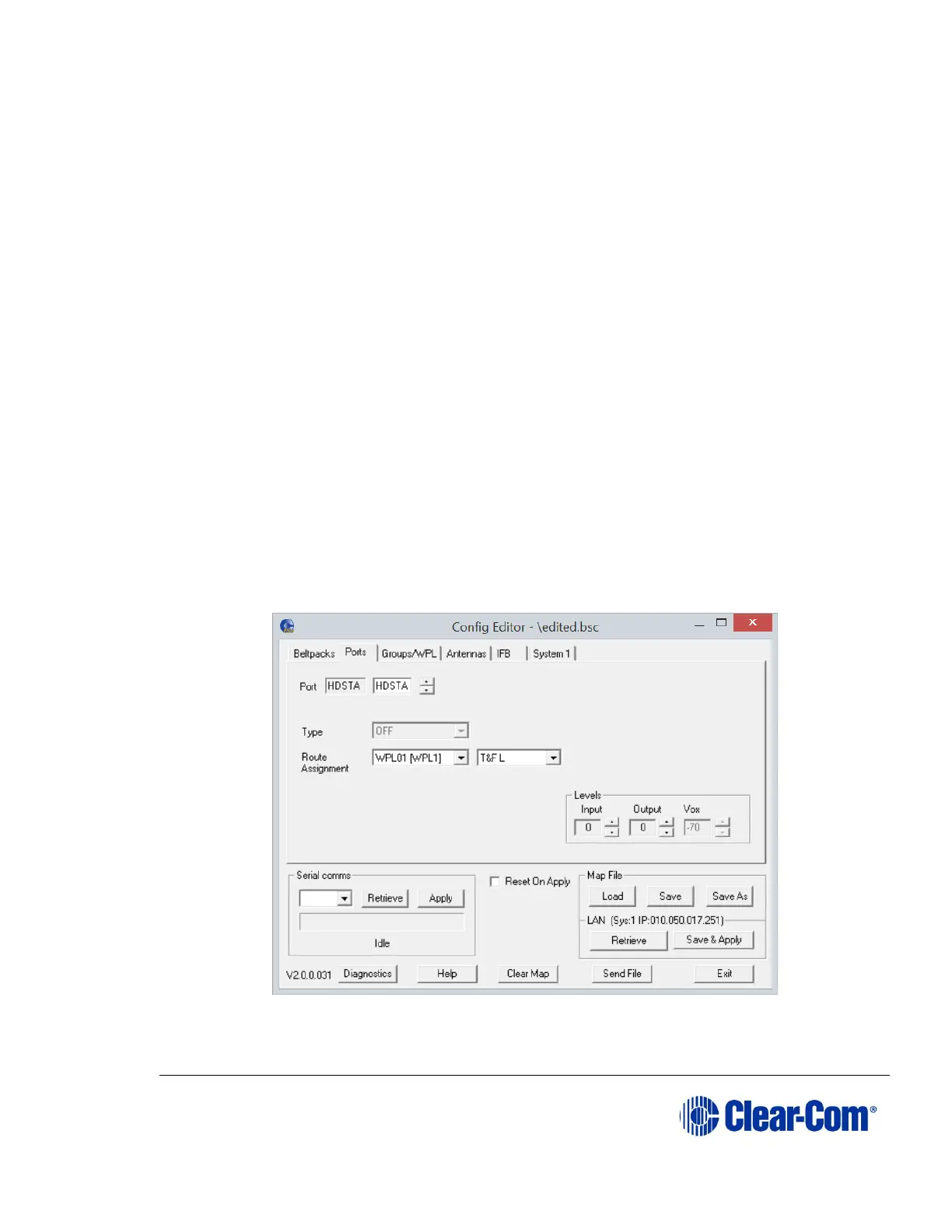
Figure 4-2 VOX Gating Level on partyline connection
The VOX gate allows the user to set limits to the audio that will be passed from
the partyline to the Base station mixer; by setting the VOX level at the correct



 To Next Page