User Guide | FreeSpeak II™ Base station version
The three types of partyline systems are: Clear-Com, Drake, and RTS.
6.15.1 To select the type of partyline system for a partyline port
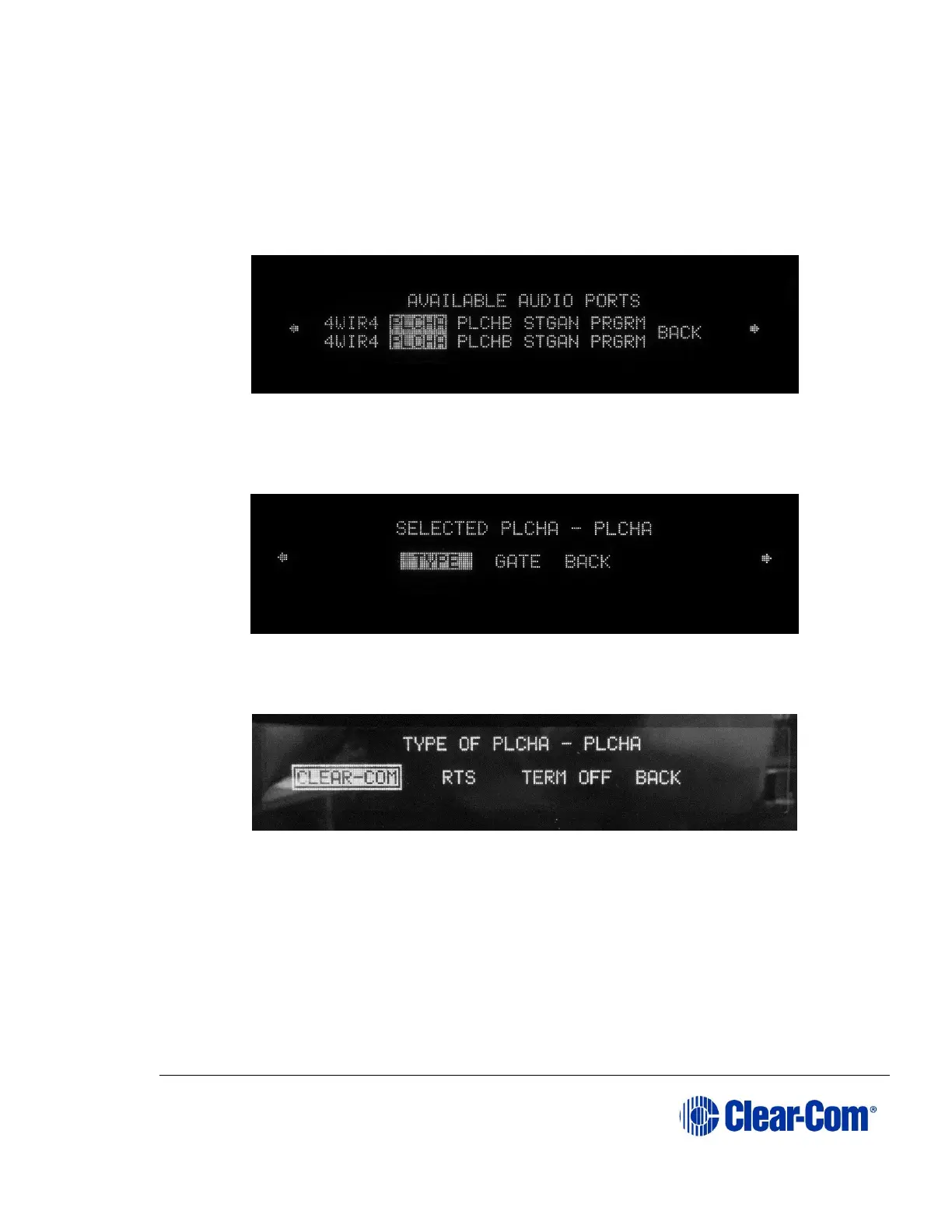
1) Select PORTS from the main menu, then select PLCHA or PLCHB from the
AVAILABLE AUDIO port menu which appears.
Figure 6-36 Select audio port
2) The port configuration menu is displayed. Scroll rightwards to display the
second page of the menu.
Figure 6-37 Select type of partyline
3) Select TYPE. The first port type menu is displayed.
Figure 6-38 First partyline connection type menu
4) Select CLEAR-COM OR RTS.
Note: For this release of the Base station, Termination off (TERM OFF) is
permanently selected. If a legacy configuration with an invalid PL
type with termination on is downloaded the menu appears as
below



 To Next Page