User Guide | FreeSpeak II™ Base station version
6.13.1 Input level
The input level affects the volume of a signal coming into the Base station, for
example from the Program (PRGRM) port. Adjusting this level will affect the
volume of this channel to ALL the users of the Base station.
• Setting the “input” level alters how loudly all users of the system will hear a
channel; it is a global volume control.
6.13.2 Output level
The output level refers to the signal output to individual ports.
• Setting the “output” level alters how loudly individual ports hear audio sources.
For example, to adjust the program audio to head set A only, adjust the Output
level on that port (HDSTA). See instructions below.
6.13.3 To set the audio level for a port
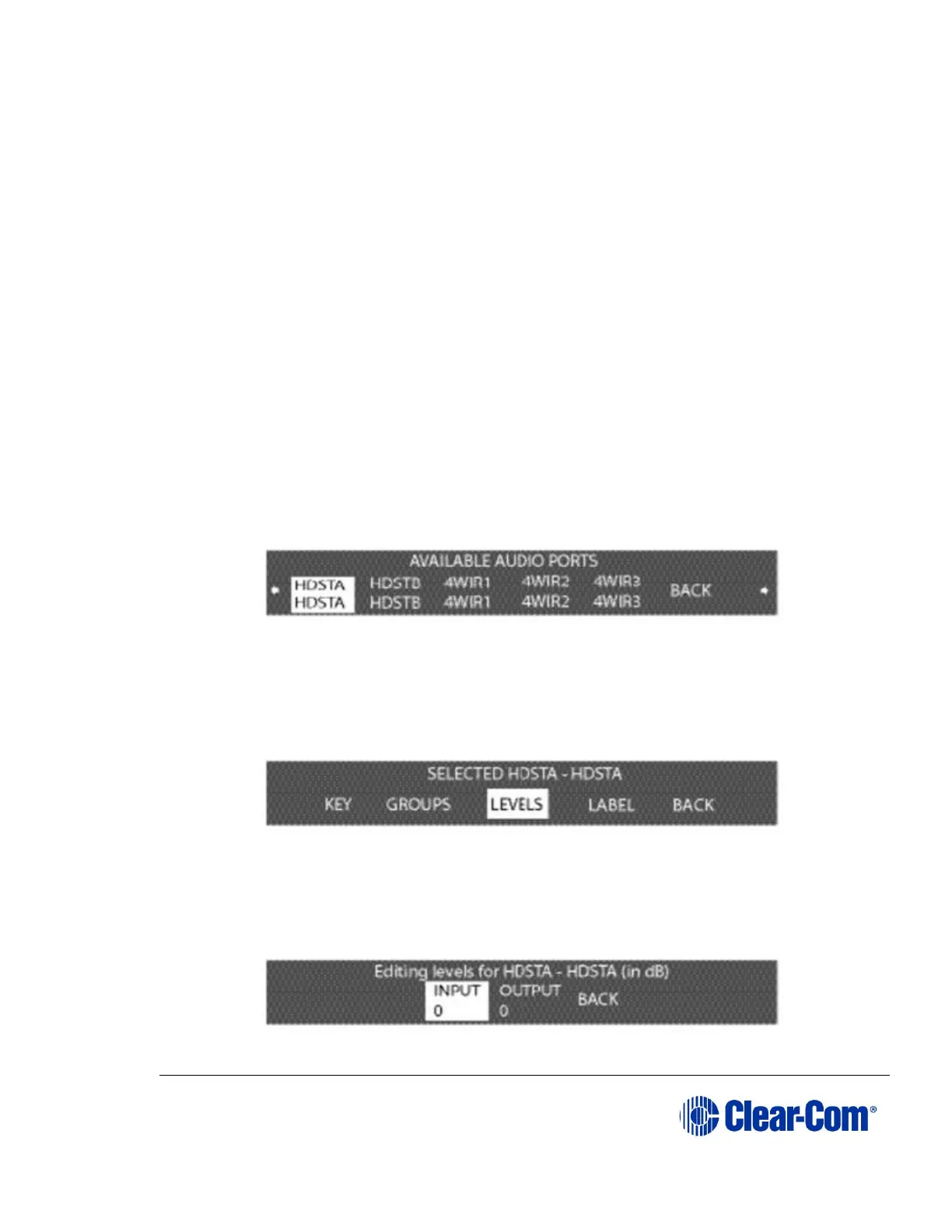
1) From the MAIN menu, select PORTS. A menu of the available audio ports
is displayed.
Figure 6-24 Available audio ports menu
2) Select the port for which the audio levels are to be adjusted from the
AVAILABLE AUDIO PORTS menu. The SELECTED PORT menu will be
displayed.
Figure 6-25 Selected port menu for level setting
3) Select ‘LEVELS’ from the next menu.
The EDITING LEVELS menu appears.
Figure 6-26 Port levels menu



 To Next Page