User Guide | FreeSpeak II™ Base station version
-3dB to -27dB - the audio feed is reduced by the selected
amount
Full cut - the audio feed is reduced to zero
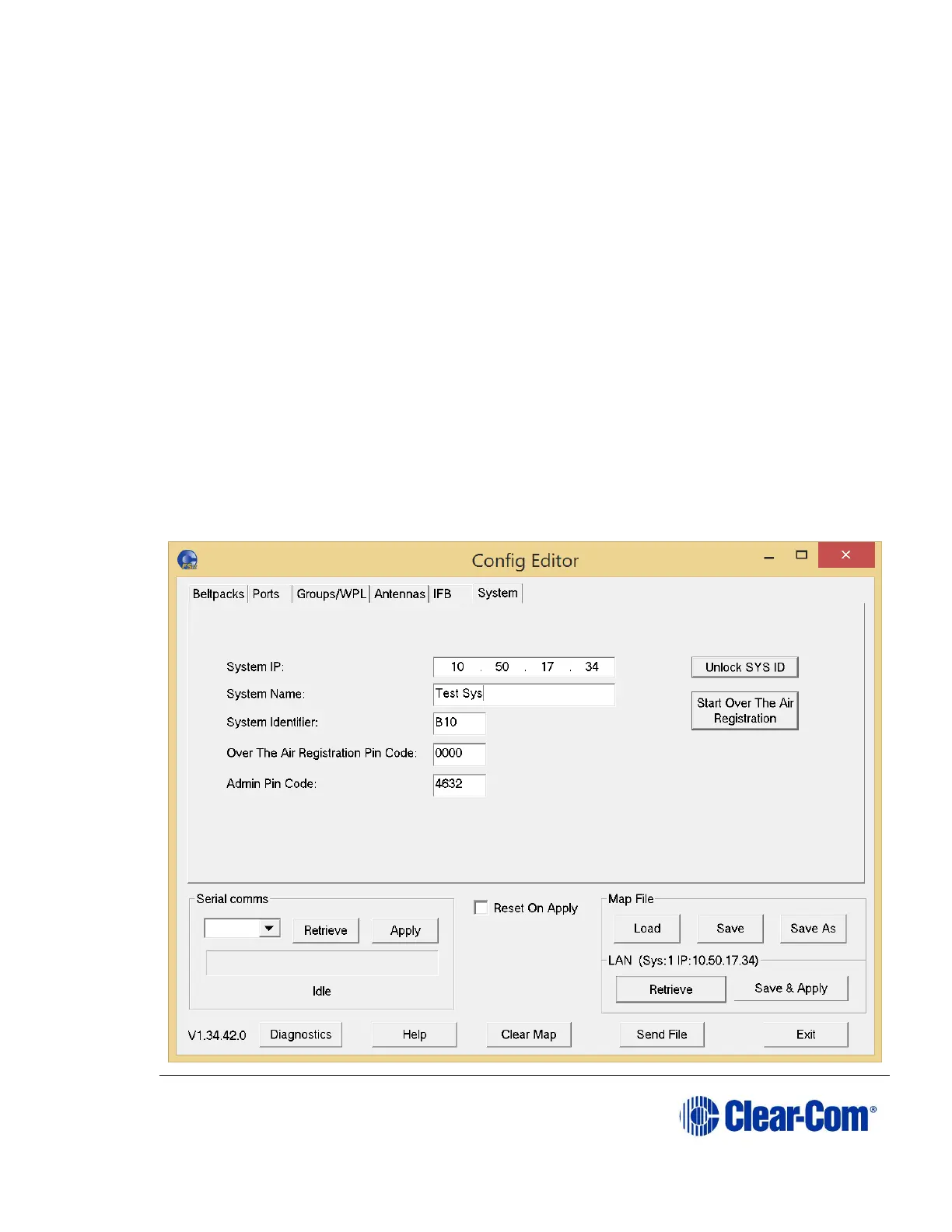
10.9 Configuring Base station system parameters
From the Configuration Editor, you can use the System tab to assign IP
addresses to the Base station and set pin numbers and access codes or change
the System Identifier. You can also enable Over The Air (OTA) beltpack
registration.
10.9.1 Editing the system parameters:
In order to edit system parameters, the map file must be loaded. (Config
Editor/System/Map File/Load).
To edit the system parameters:
1) Select the System tab. The following screen appears.



 To Next Page