124
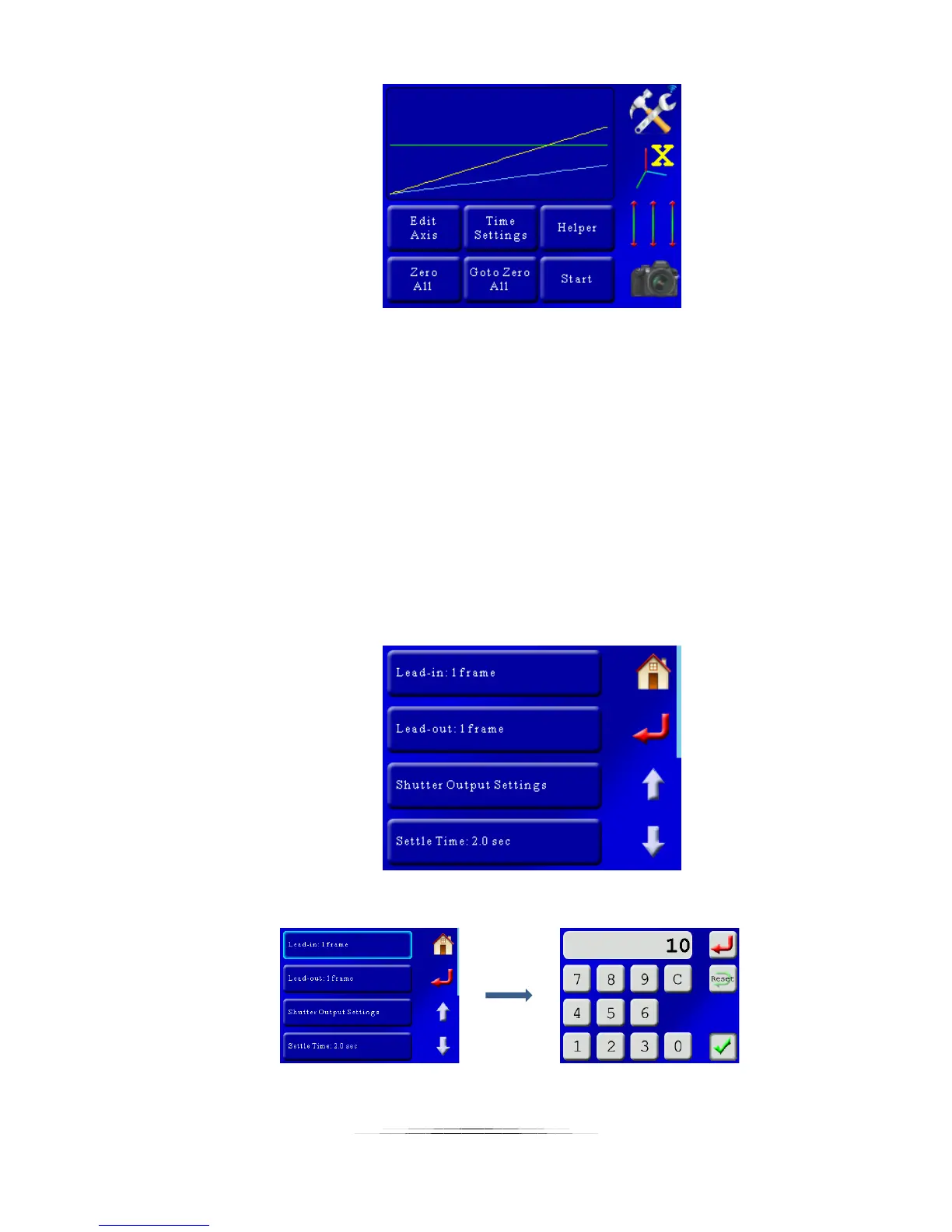
It looks kind of boring, but that is what you get with a linear-style motion profile. The X-
axis is in yellow and the Y-axis in blue. The X-axis is taller than the Y-axis simply because
it is moving further: Time is left to right, distance from bottom to top. The green line is
the velocity – which is constant because the motion is set to a linear profile. That being
said, it doesn’t really matter – it’s going to do exactly what you told it to and be…
amazing!
So before we hit the “Start” button, we’re going to want to add a few lead-in and lead-
out frames. This will let us do some stationary time lapse before the move starts. To do
this, we’re going to press the “Time Settings” button, which will bring up a list of other
adjustments you can make. The helper will change some of these so be careful how
many you get into – The lead-in and lead-out times though are perfectly safe. Once you
press the “Time Settings” button you will see:
In this case, we’re going to set our lead-in and lead-out frames to 10:



 To Next Page