11
Installation
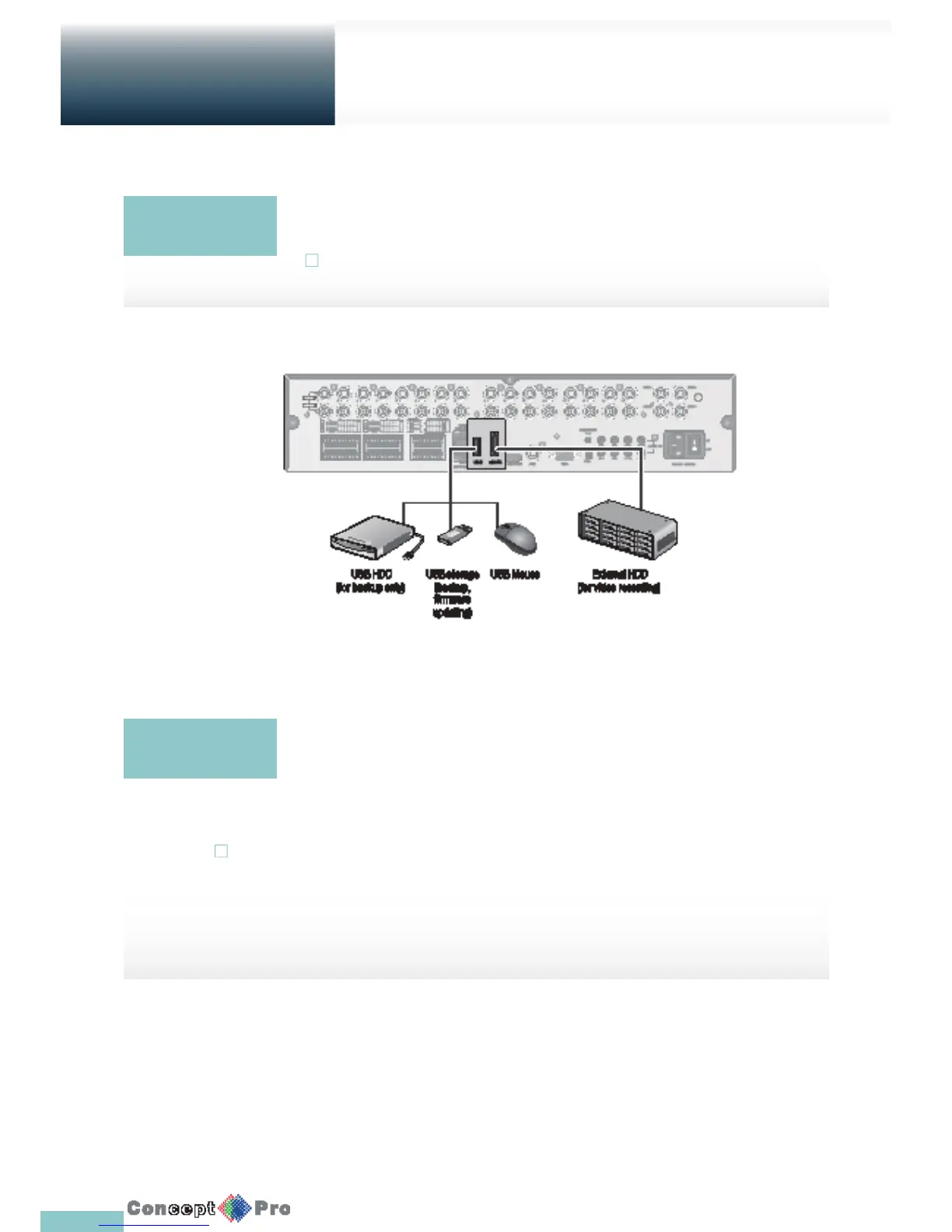
Connecting to an external device
If the internal storage space is insuffi cient, you can extend your storage capacity by adding an eSATA
storage device to the rear eSATA port.
! Using devices other than recommended eSATA products may cause a serious problem.
You can connect and use USB storage devices to backup recorded video, saving snapshots,
rmware updating, importing/exporting user con gurations. A USB mouse can be connected to
control the VXH960
eSATA Storage
USB Device
! If you need to connect a USB HDD with a high power consumption, it is recommended to use a
separate power source for that HDD.



 To Next Page