CTH200 Series PLC User Manual
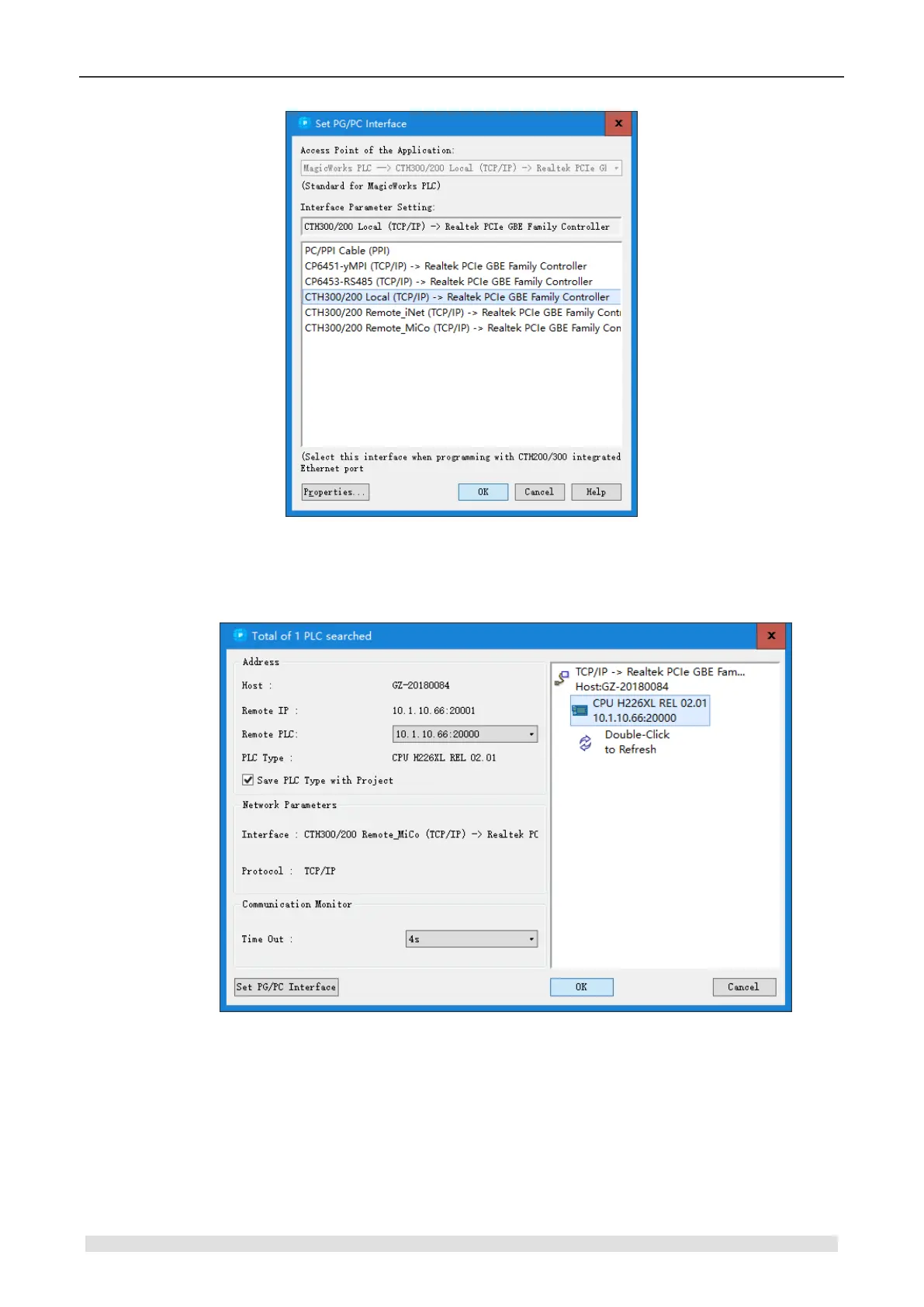
Figure 2-6 MagicWorks PLC Ethernet communication interface
3. Establish communication with CTH200 PLC: Double-Click the Refresh icon in the following
dialog, MagicWorks PLC will search for and show the connected CTH200 PLC.
Users can choose the CTH200 station and click OK after searching. If the MagicWorks PLC hasn
not found the CTH200 CPU, please check wring first and then validate the Communication
settings, after which repeat the above steps. When the PLC communication has established, The
IPs for PC and PLC should be in same segment but can not identical, as shown in the following
figure, IP for PLC searched by PC is 192.168.1.202, then the PC IP should be 192.168.1.XXX (in
which XXX ranges from 1 to-255). Please set PC IP as following procedures:


 To Next Page