Step Action
Result:
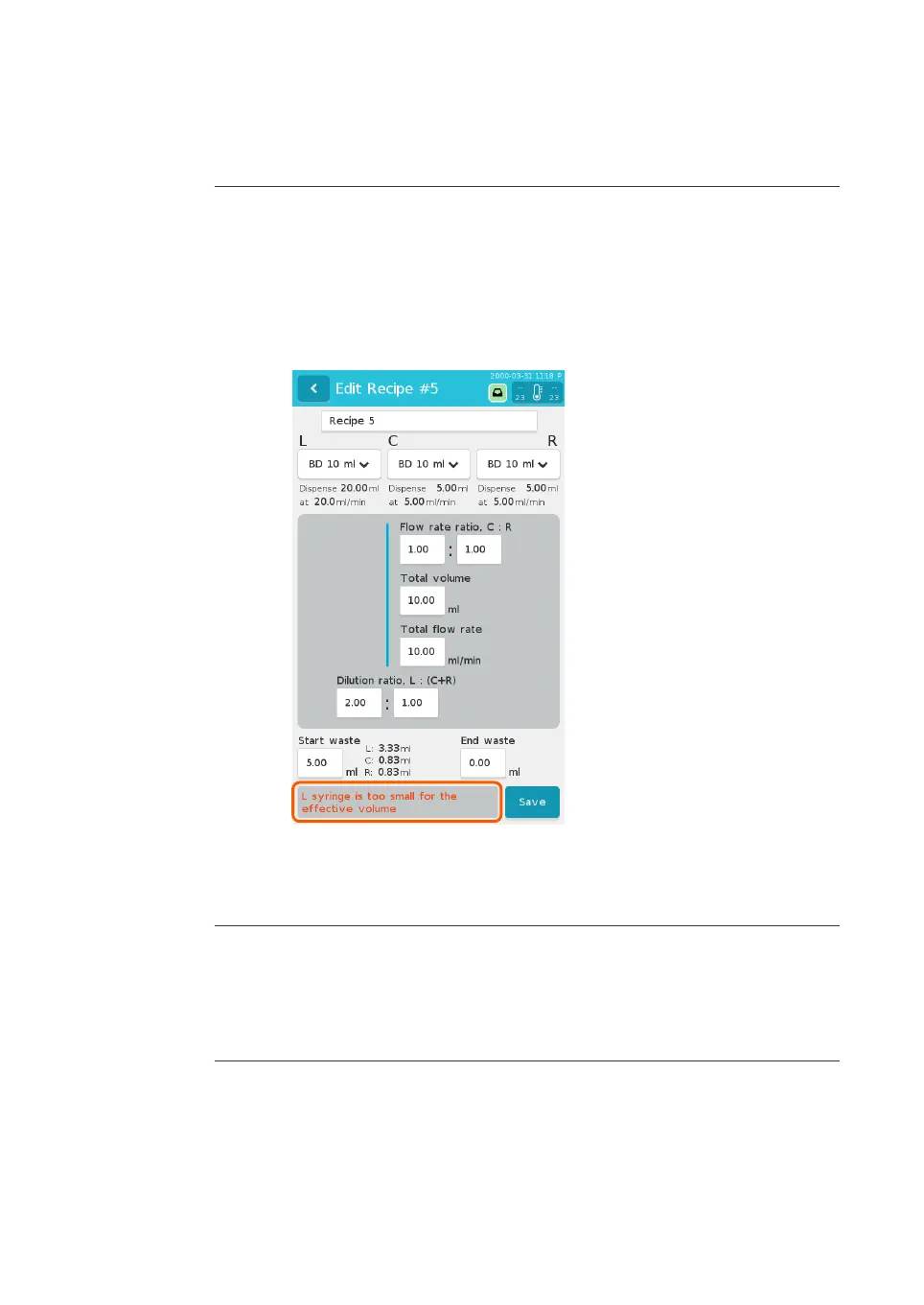
After all parameters have been entered, the combination of parameters is
validated. The calculated volumes and flow rates for each channel are
displayed under the syringe drop-down lists. The calculated volume of start
waste for each syringe is displayed to the right of the Start waste field.
5 Correct any errors identified in red at the bottom of the screen. See Se
ction
5.1.4 Parameter validation, on page 67 for details.
6 Tap Save
in the bottom right corner of the screen.
Result:
The screen returns to the Recipes menu.
Delete a recipe
Fo
llow the instructions below to delete a recipe.
Step Action
1 From the main menu, tap Re
cipes.
5 Preparation
5.
2 Recipes
NanoAssemblr Ignite and Ignite+ Operating Instructions NIN1134 AA 70











 To Next Page