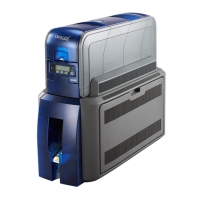
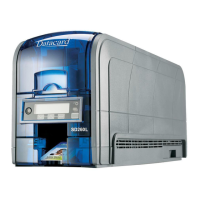
A-14 SD460 Laminating System
f. Laminatordisplaysonline2.PressENTER.
g. Startdisplaysonline2oftheLCDpanel.PressE
NTERto
startthecleaningprocess.
h. Insertcleaningcarddisplays ontheLCDpanel.Pressthe
U
SERbuttontostartthecleaningcycle.
Thelaminator pullsthecleaningcardfromthecardexitslotintothelaminatorandmovesit
backandforththroughtheL1andL2cartridgeare as,thecardentryarea,andtheexitrollers
severaltimes.Theusedcardisejectedintothe
laminatoroutputhopper.
5. Inspectthelaminatorcartridgesforparticles.Ifparticlesarepresent:
a. Retrievethelaminatorcleaningcardfromtheoutputhopperanduseittoremovethe
particlesofoverlaymaterialfromthecartridges.
b. Ifparticlesstillremainonthecartridgeandinsideofthelaminator,useavacuum
cleaner
withasmallplastichoseattachmenttocarefullyremovetheparticles.Alsocleanany
remainingparticlesfromtheoutputhopper.
HINTS&TIPS
Ifthecleaningcardisnotpulledintothelaminator,thecardisnotinthecorrectposition.The
cleaningcardmustbelocatedundertherollersofthecardexitslotinsidetheoutputhopper.
Attheendofthelaminatorcleaningcycle,thecardcansticktotherollersintheoutput
hopper.Pullgentlyonthecardtoremoveit.
Discardthelaminatorcleaningcardafteroneuse.
Ifcleaningthelaminatordoesnotsolvetheproblem,contactyourser viceproviderfor
assistance.


 To Previous Page