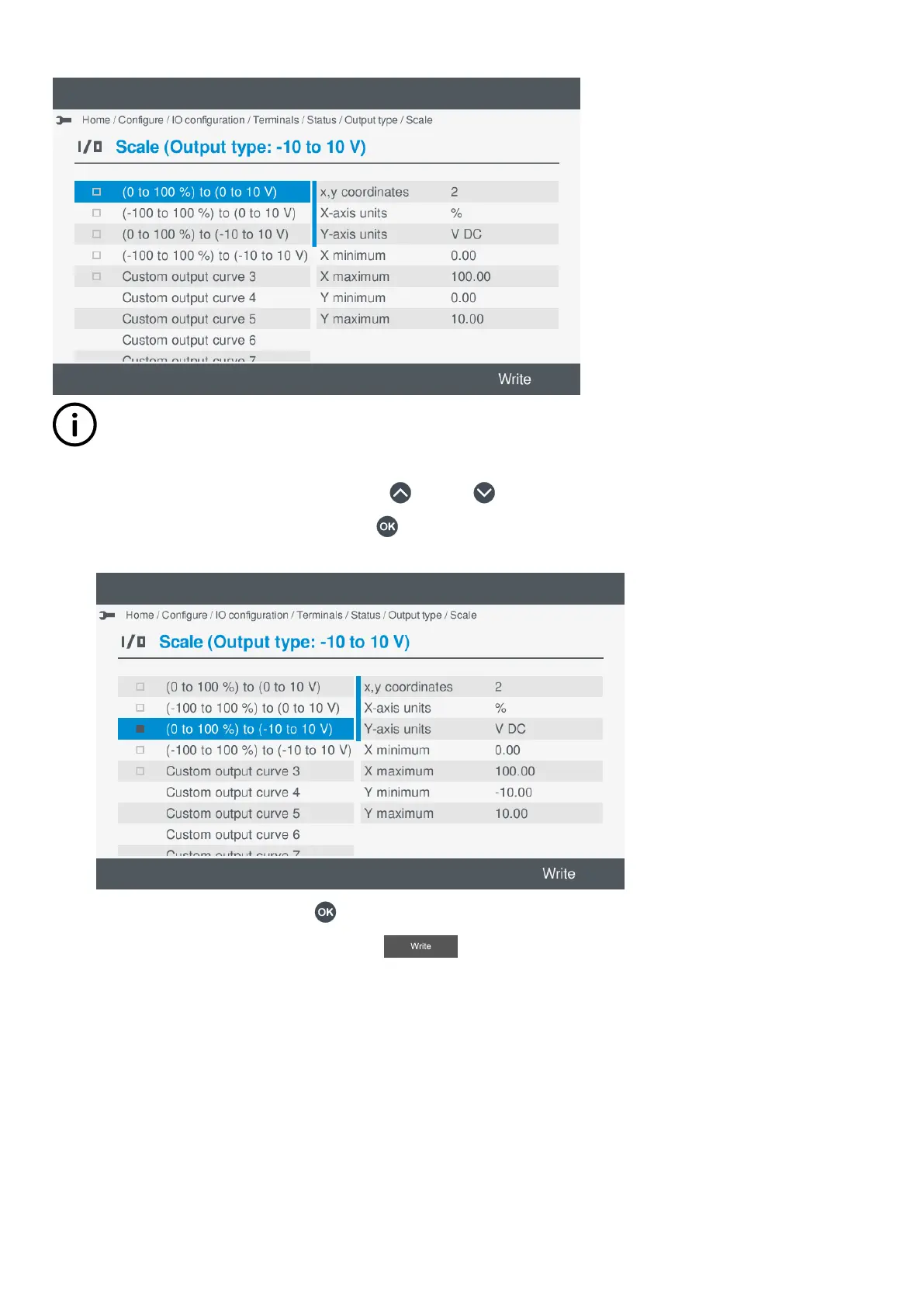
Select a pre-configured curve
INFO
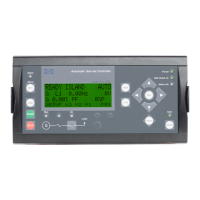
If available, you can select a pre-configured curve, for example (-100 to 100 %) to (-10 to 10 V). Details for the curve are
shown on the right, and you cannot modify a predefined curve.
1. Highlight the pre-configured curve, by pressing Up or Down .
2. Select the pre-configured curve, by pressing OK .
• The selected curve is shown with a solid box.
•
• To remove the selection, press OK again.
3. To save the settings to the controller, select Write .
• This only saves the selected settings to the controller. It does not save other I/O settings.
OPERATOR'S MANUAL 4189341099G UK Page 84 of 130



 To Next Page