4. Edit the highlighted setting, by pressing OK .
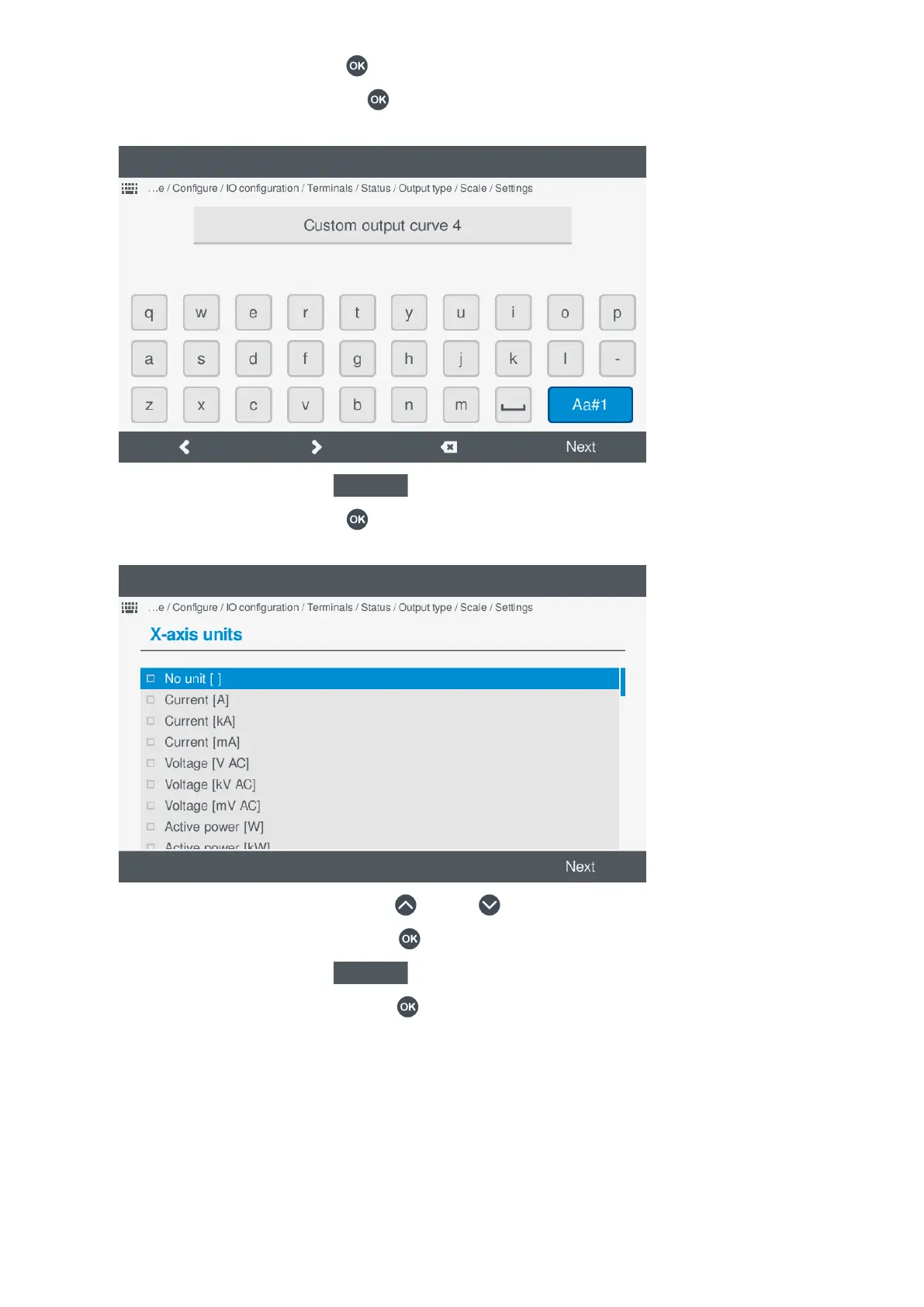
• If the setting is text or a value, pressing OK displays the virtual keyboard to change the setting.
◦ For example, the name of the curve:
◦
◦ To confirm the setting, select Next
.
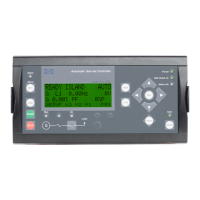
• If the setting is a selection, pressing OK displays an available list of selection options.
◦ For example, the x-axis units:
◦
◦ Highlight the option required by pressing Up or Down .
◦ Select or unselect the option by pressing OK
.
◦ To confirm the setting, select Next
.
• If the setting is the x,y coordinates, pressing OK
displays the coordinate options.
OPERATOR'S MANUAL 4189341099G UK Page 86 of 130



 To Next Page