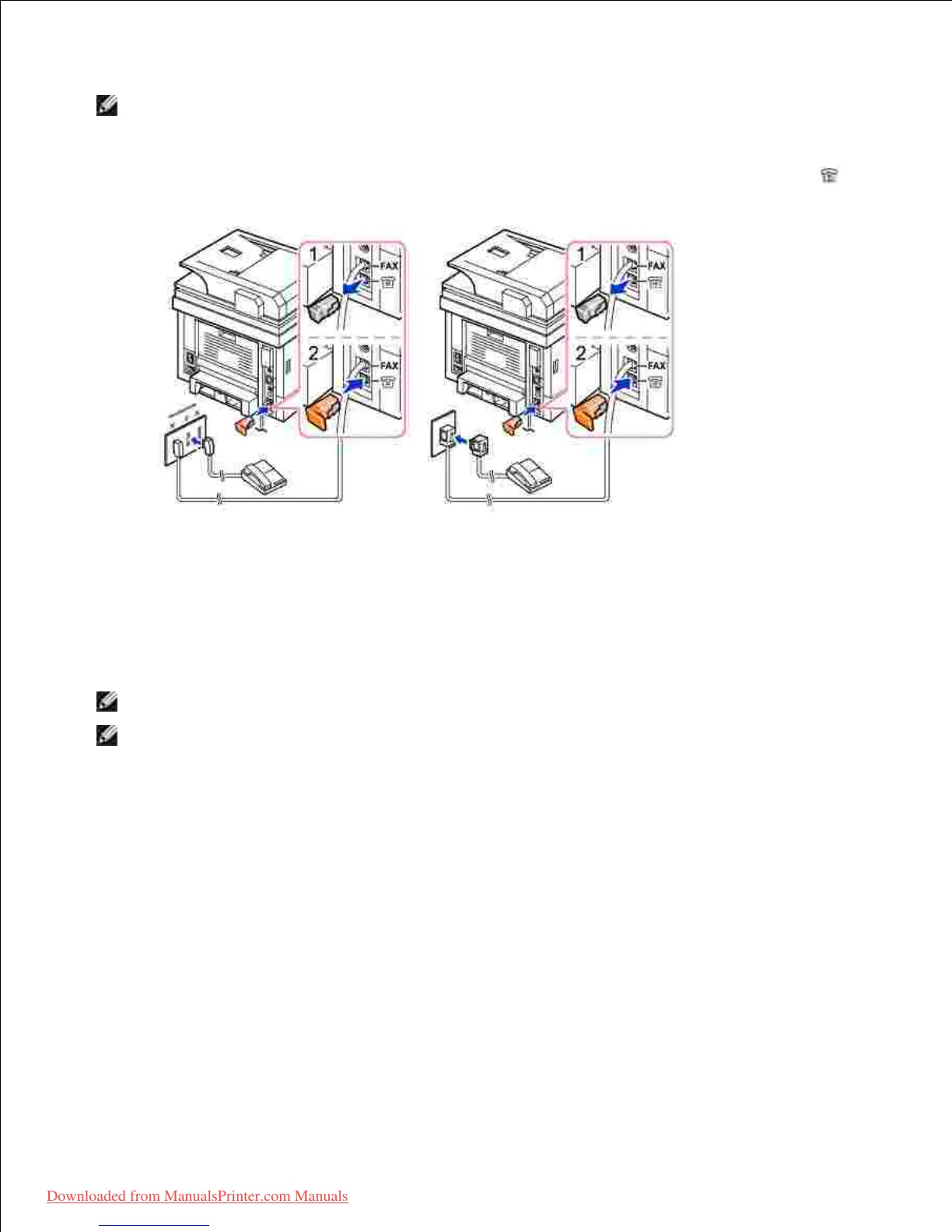
NOTE: Phone adaptor not supplied with unit for UK setup, advice to buy from local market or check
with telephone service provider. Terminator plug is provided along the unit.
If the phone communication is serial in your coun try (such as Germany, Sweden, Denmark, Austria,
Belgium, Italy, France, and Switzerland), remove the plug from the extension telephone socket (EXT) ( )
and insert the supplied terminator.
Connecting the Printer Cable
Connecting the printer Locally
Local printer refers to a printer connected to your computer using a USB cable. If your printer is attached to
a network instead of your computer, skip this step and go on to "Connecting the printer to the Network" .
NOTE: Connecting the printer to the USB port of the computer requires a certified USB cable. You will
need to buy a USB 2.0 compliant cable that is about 3 m in length.
Ensure that the printer, computer, and any other attached devices are powered off and unplugged.1.
Connect a USB cable to the USB port on your printer.2.













 To Next Page