Select the paper source, size and type.3.
Click OK and print the document.4.
Printing on Both Sides of Paper
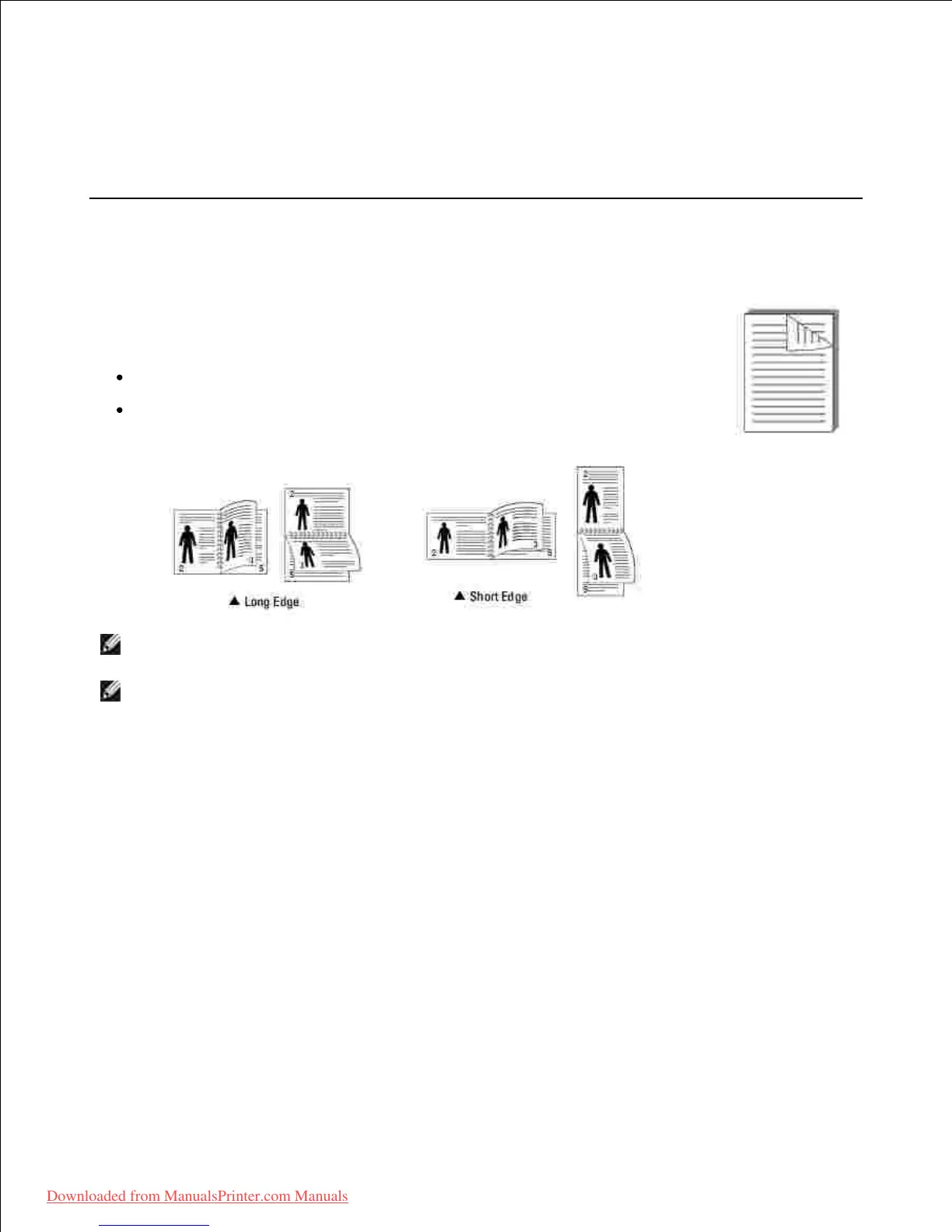
Your printer prints on both sides of the paper automatically.
Before printing, decide on which edge you will be binding your finished document. The
binding options are:
Long Edge , which is the conventional layout used in book binding.
Short Edge , which is the type often used with calendars.
NOTE: Do not print on both sides of labels, transparencies, envelopes, or thick
paper. Damage to the printer and paper jamming might result.
NOTE: To use the double-sided printing, you can use only the following paper size:
A4, Letter, Legal and Folio.
When you change the print settings from your software application, access the
printer properties.
1.
From the Layout tab, select the paper orientation.2.
From the Double-sided Printing section, select the desired binding option.3.
Downloaded from ManualsPrinter.com Manuals













 To Next Page