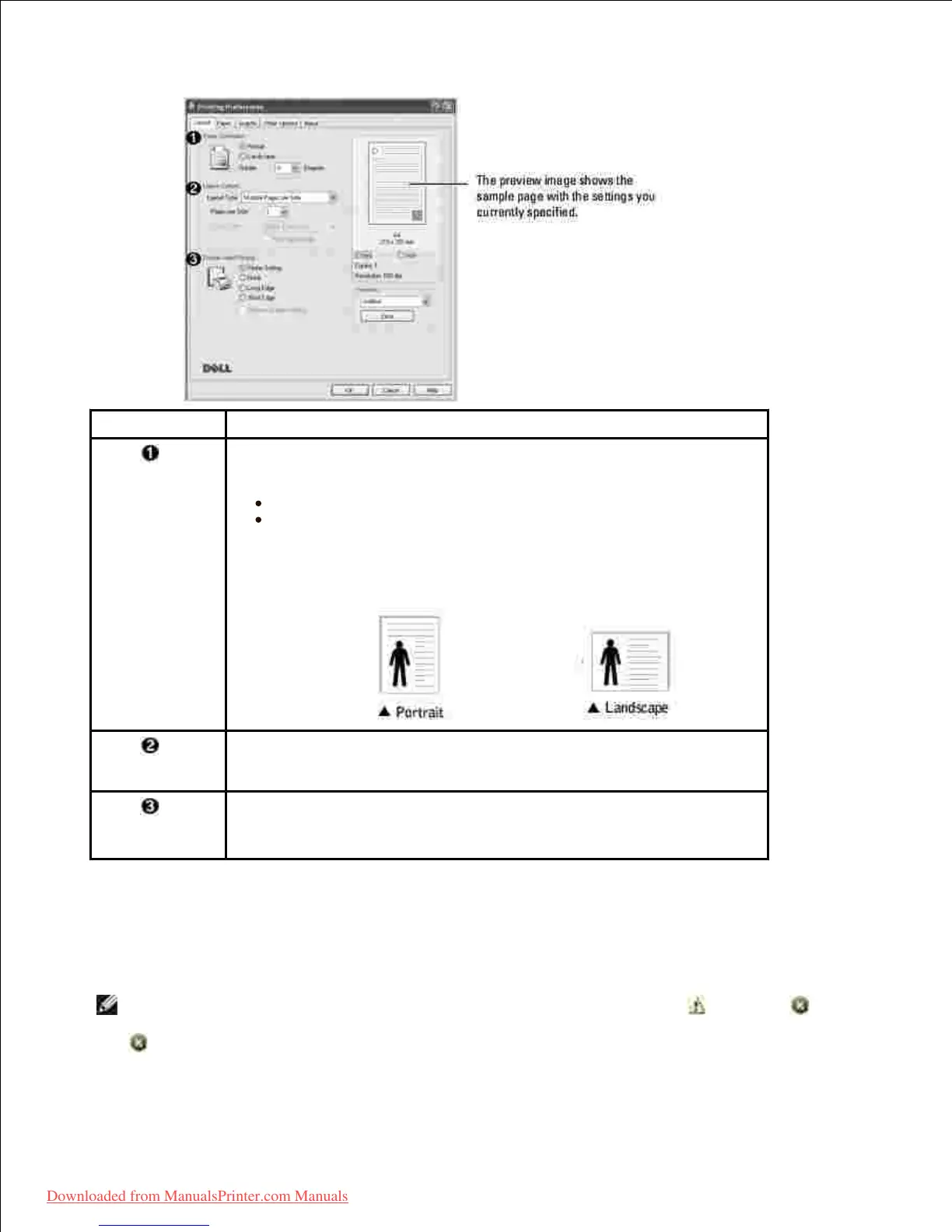
Paper Orientation allows you to select the direction in which
information is printed on a page.
Portrait prints across the width of the page, letter style.
Landscape prints across the length of the page, spreadsheet
style.
If you want to rotate the page 180-degrees, select 180 from the
Rotate drop-down list.
Layout Options allows you to select advanced printing options. For
details, see "Printing Multiple Pages on One Sheet of the Paper" , "Printing
Posters" and "Printing Booklets" .
Double-sided Printing allows you to print on both sides of paper.
For details, see "Printing on Both Sides of Paper" .
Paper Tab
Use the following options to set the paper handling needs when you access the printer properties. Click the
Paper tab to access the paper properties.
NOTE: When you select an option in properties, you may see an exclamation ( ) mark or ( )
mark. an exclamation mark means you can select that certain option but it is no recommended, and (
) mark means you cannot select that option due to the printer's setting or environment.
Downloaded from ManualsPrinter.com Manuals













 To Next Page