User Manual for DEVO-12 Page 128 of 238
Connect to the output RUDD in Receiver
3) Dual channels setting
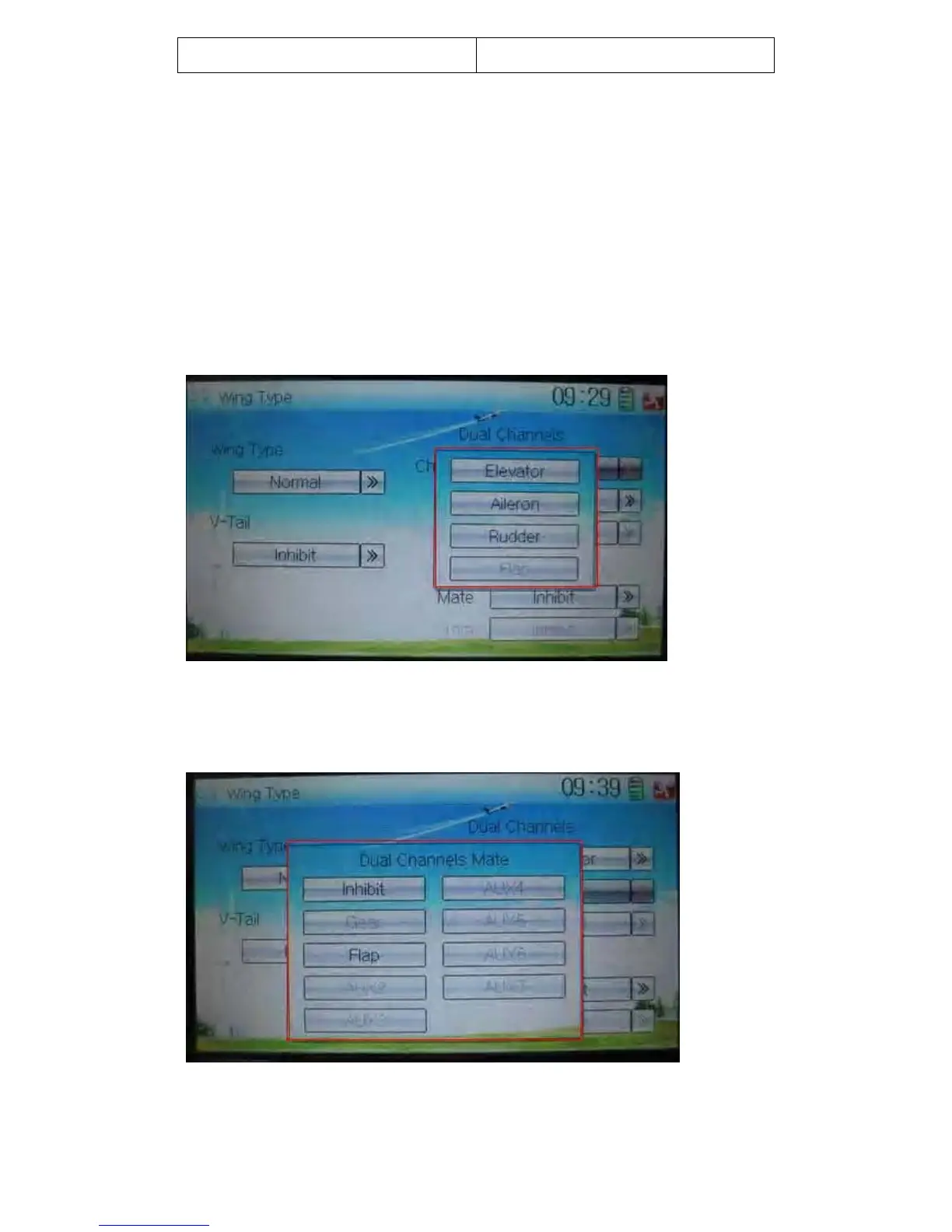
Dual Channels can be set as Elevator, Aileron, Rudder, or Flaperon. It is of dual
channel output function. The channel, which will be set as dual channel at AUX in
Device Output (Refer to “2.11 Device Output”), should be previously set as Inhibit
when the AUX channel is being set.
Setting method:
3.1) Channel selection:
Touch the navigation mark of Channel in the interface of Wing Type, and expand into
Elevator, Aileron, Rudder, and Flap. We take Elevator as an example.
3.2) Mate setting
Click the navigation mark of Mate and expand a dropdown menu with Inhibit, Gear,
Flap, AUX2, AUX3, AUX4, AXU5, AXU6, and AUX7.
Touch the desired channel in black. The channel, whose characters are shown in gray,
has being applied.



 To Next Page