User Manual for DEVO-12 Page 131 of 238
English Your language
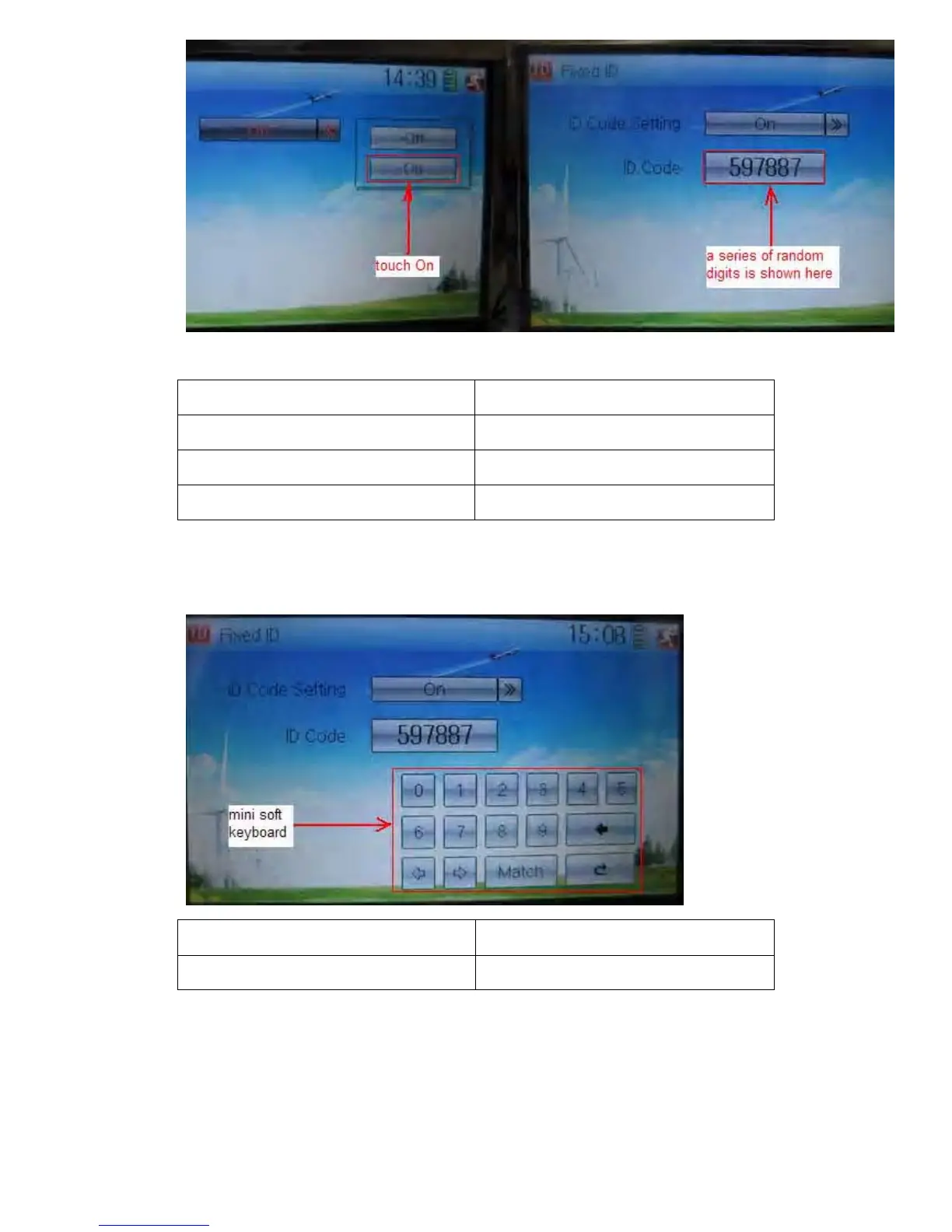
Touch “On”
A series of random digits is shown here
A mini soft keyboard is shown in the lower part after touching the random digits of ID
Code
English Your language
Mini soft keyboard
The new ID digits can be modified by touching the mini soft keyboard. Touch Match
after the new ID is already set. An enquiry interface of “Are you sure?” pop up. “ID
Code Match … …” will be shown after touching OK.



 To Next Page