User Manual for DEVO-12 Page 201 of 238
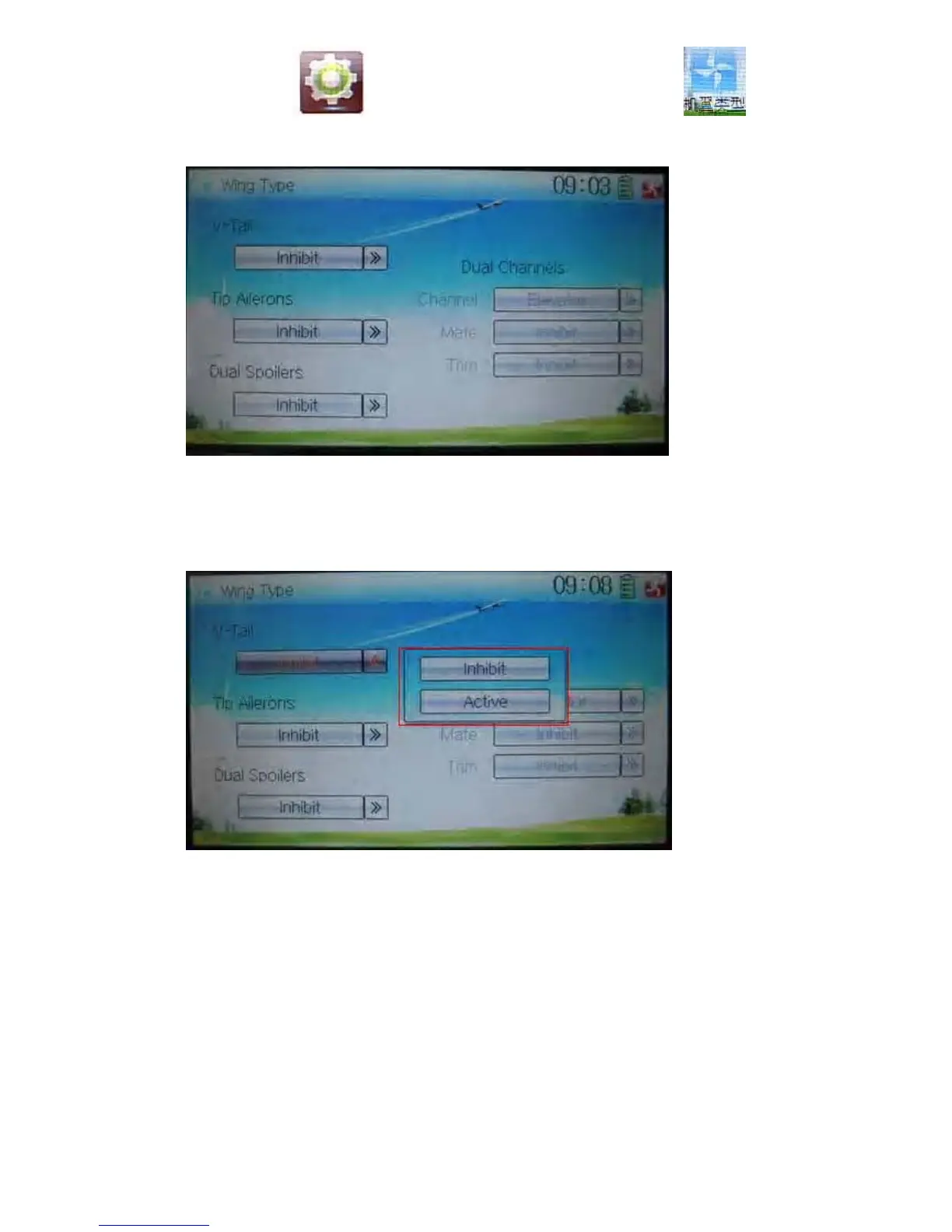
Touch the icon to enter Model Menu, and then click the icon to
enter the interface of Wing Type.
1) V-Tail setting
Touch the navigation mark of –Tail, and expand a sub menu including two options of
Inhibit and Active. Select the desired wing type. The default setting is Inhibit.
2) Tip Ailerons setting
The setting is same as the above.
3) Dual Spoilers setting
The setting is same as the above.
4) Dual channels setting
It is possible to set elevator, rudder, and flap in Dual Channels, and is of two-channel
output function. The AUX channel, which will be used as dual channels setting in
Device Output at Model Menu, should previously set as Inhibit (Refer to “2.11 Device
Output”).



 To Next Page