Dobot M1 User Guide 5 Installation and Commissioning
Issue V1.3.4 (2019-05-23) User Guide Copyright © Yuejiang Technology Co., Ltd
43
Figure 5.7 Connect to Dobot M1
Connecting Emergency Stop Switch
Before operating the Dobot M1, please connect it to the emergency stop switch to ensure that
the Dobot M1 can be stopped immediately during running.
When powering on the Dobot M1 for the first time, please ensure that the emergency stop
switch has been opened (The emergency stop button is released). Otherwise, the robotic arm will
not work normally. If the emergency stop switch is not opened, please rotate the emergency stop
button clockwise. The emergency stop button will be released when rotating to 45°.
Procedure
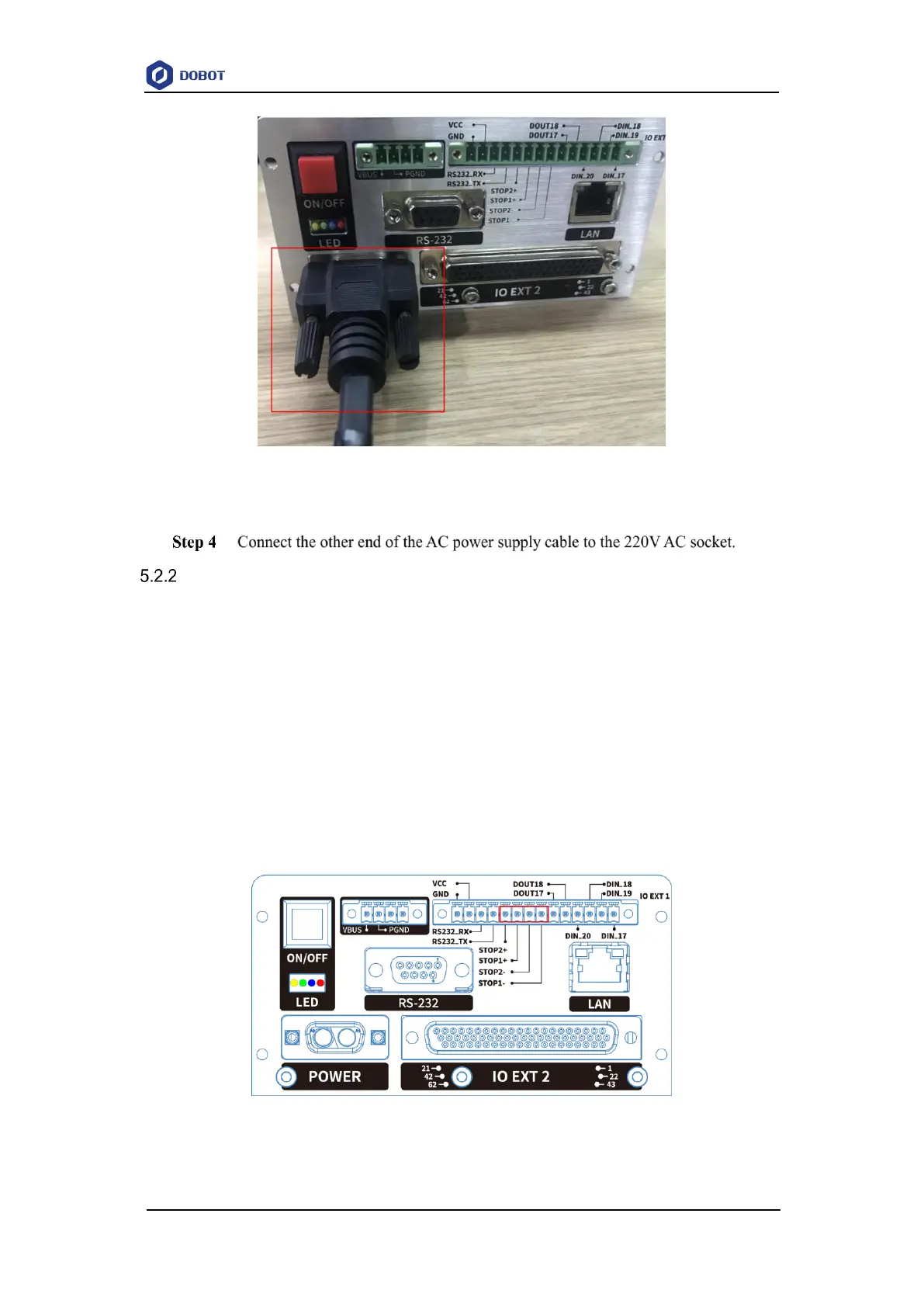
Please connect the terminal block connector with the emergency stop switch to the base I/O
interface, and you need to tighten the terminal block connector with a straight screwdriver as shown
in Figure 5.8 and Figure 5.9.
Figure 5.8 Connection between Dobot M1 and the emergency stop switch (1)



 To Next Page