Dobot M1 User Guide 6 Operation
Issue V1.3.4 (2019-05-23) User Guide Copyright © Yuejiang Technology Co., Ltd
97
NOTICE
Please update the firmware exactly as the order shown in Figure 6.41 and the next
firmware update should not be started until the current one is completed. Otherwise,
the update will fail.
When updating a firmware, please do not perform any other operation on Dobot M1
or power off it, to avoid Dobot M1 in an abnormal condition. Otherwise, it will be
vulnerable to injury the device or the person.
After the 3D printing firmware is updated, Dobot M1 will switch to 3D printing
mode, you need to switch the Dobot M1 to Dobot mode. Otherwise, the Dobot M1
cannot work normally.
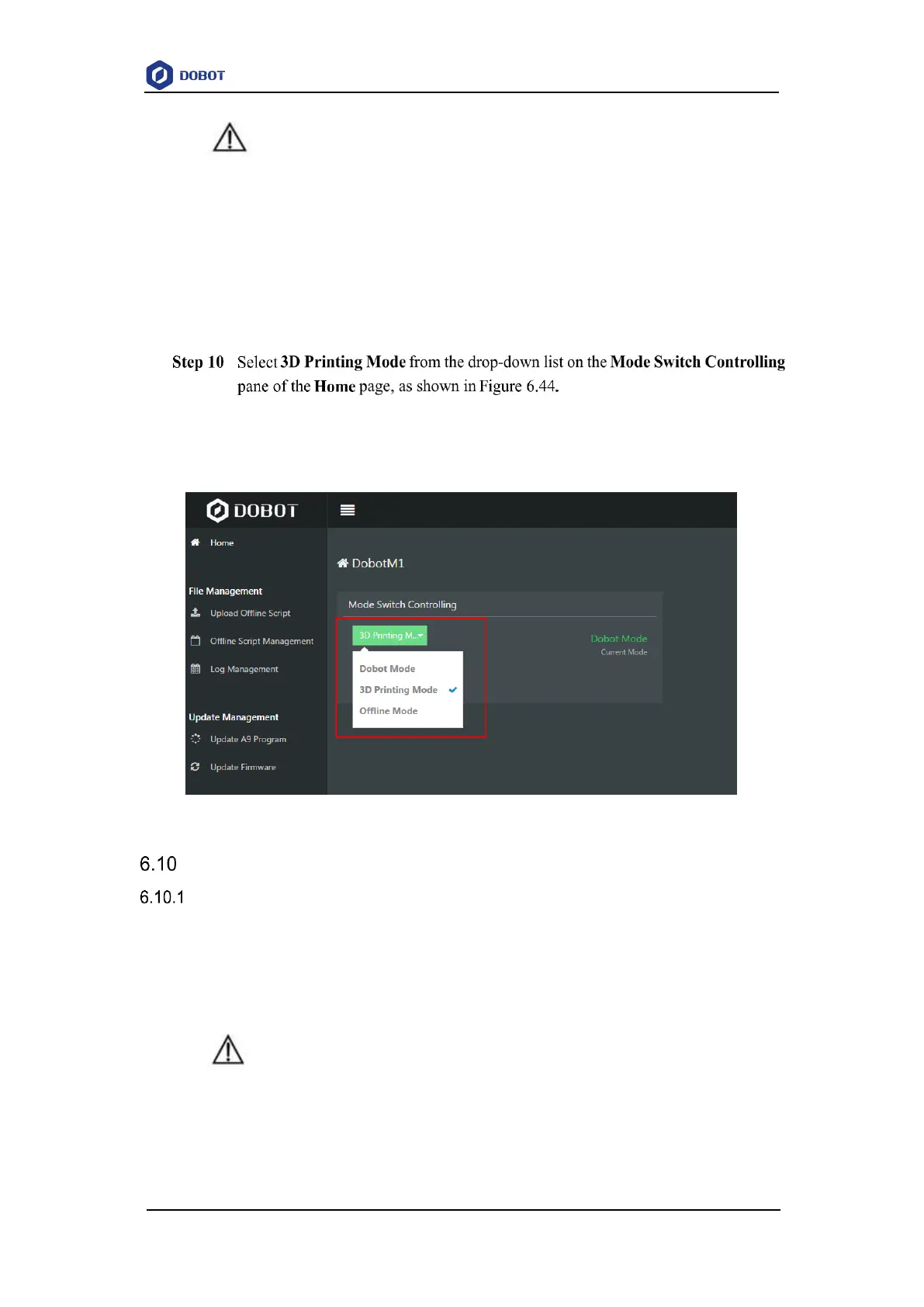
Figure 6.44 Mode switch
Example
Example of the Trajectory
This topic describes how to use the motion modes according to the real trajectory when the
Dobot M1 is running.
Figure 6.45 shows the real trajectory when the Dobot M1 is running. Figure 6.46 shows the
coordinates of the trajectory.
NOTICE
This topic only describes the motion modes that need to be used and precautions for
implementing playback, without details about the trajectory. For details on how to
implement playback, please see 6.2 Operating Teaching and Playback.



 To Next Page