Dobot M1 User Guide 6 Operation
Issue V1.3.4 (2019-05-23) User Guide Copyright © Yuejiang Technology Co., Ltd
87
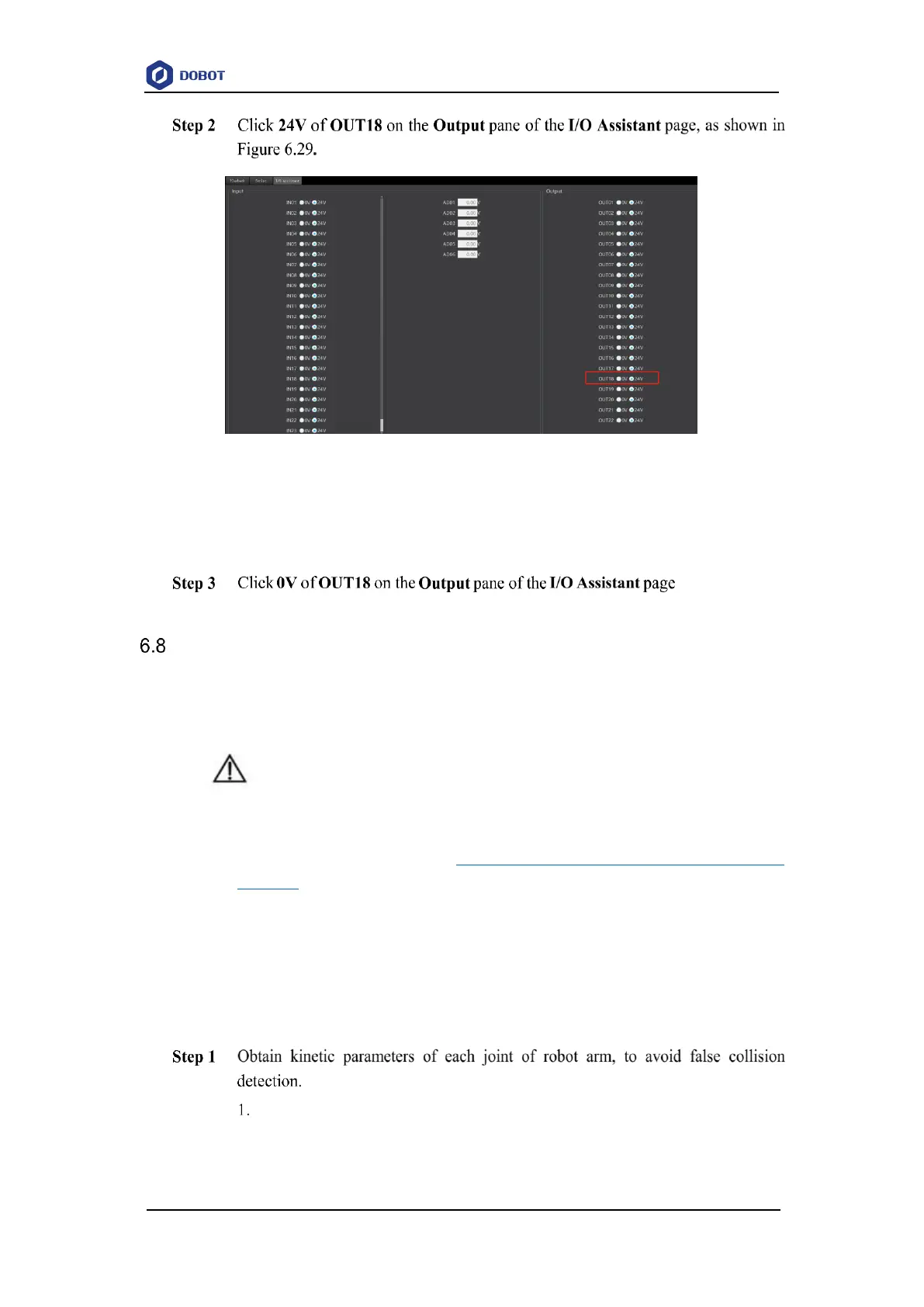
Figure 6.29 I/O assistant
The air pump is humming, which indicates that the air pump is enabled. The working
state depends on the air pump. Please judge based on site requirements.
The air pump is not humming, which indicates that the air pump is disabled.
Operating Collision Detection
Collision detection is mainly used for reducing the impact on the robot arm, to avoid damage
to the robot arm or external equipment. If the collision detection is activated, the robot arm will stop
running automatically when the robot arm hit an obstacle.
NOTICE
If you need to activate the collision detection, please make sure that the M1Studio version
is V1.1.6 or later and the A9 firmware version is a9_app-0057 or later. If not, please
download the right version from www.dobot.cc/downloadcenter/dobot-m1.html#most-
download.
Prerequisites
The Dobot M1 has been powered on.
The Dobot M1 has been connected to a PC successfully.
The Dobot M1 has been connected to an emergency stop switch.
Procedure
Remove the fixture on the robot arm and make sure that there are no obstacles
within the workspace.
If there is no fixture on the robot arm, please skip this step.



 To Next Page