Dobot M1 User Guide 6 Operation
Issue V1.3.4 (2019-05-23) User Guide Copyright © Yuejiang Technology Co., Ltd
79
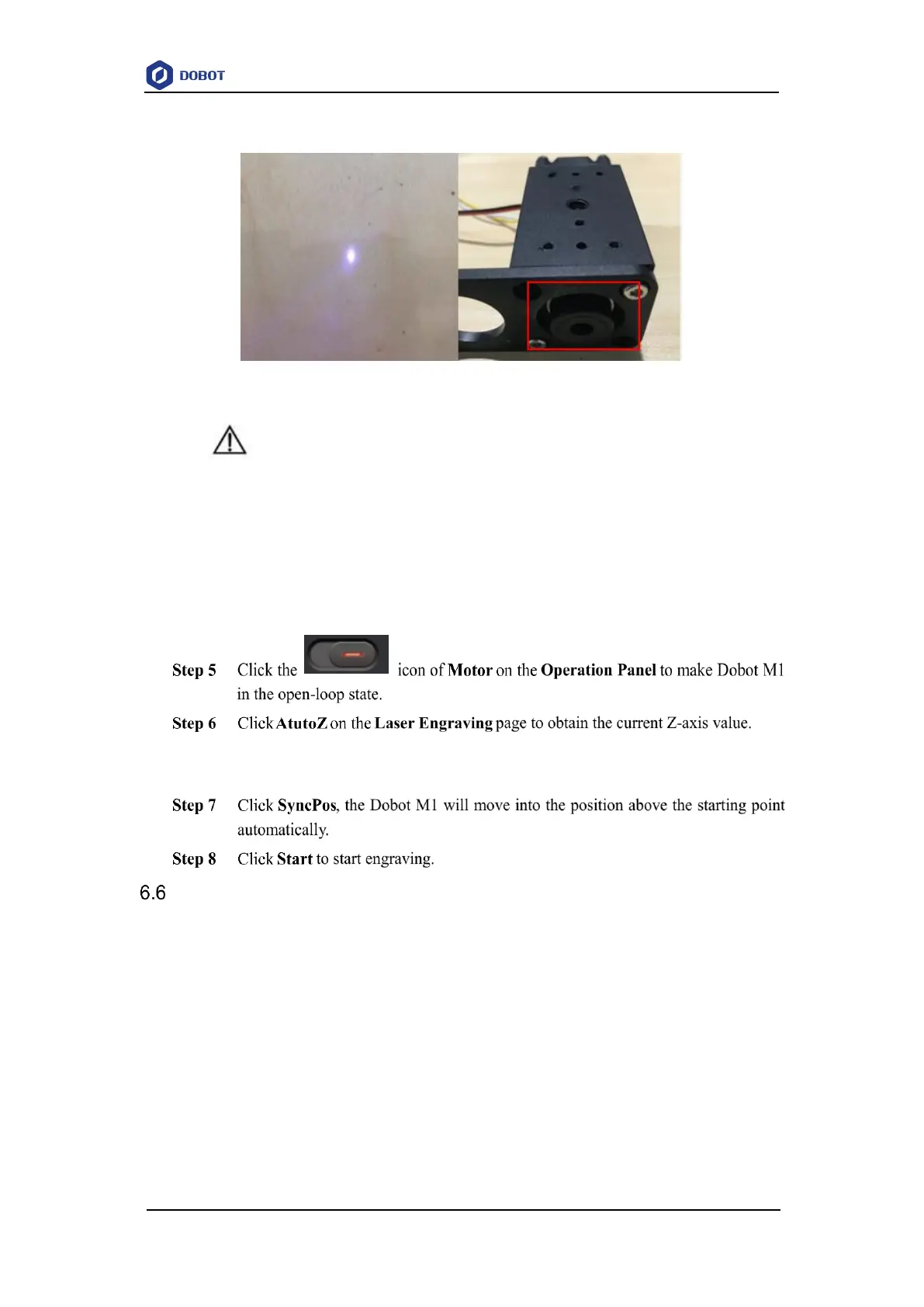
Figure 6.18 Adjust focus
DANGER
The laser can heat objects when it is in a focused state, so objects like paper or wood
can be burned.
Do not focus the laser on people or animals.
Do not let children play with it alone. The process needs to be monitored when it is
running. After the process is completed, please turn off the laser promptly.
After performing this step, you will not need to adjust the focus manually when you
engrave next time. You can click SyncPos directly after importing the picture.
Operating 3D Printing
Prerequisites
The Dobot M1 has been powered on.
You have connected the Dobot M1 to a PC over a network cable, and the IP address of
Dobot M1 and the PC must be in the same network segment. For details, please see 5.2.4
Connecting Network Cable.
The Dobot M1 has been connected to an emergency stop switch.
The 3D printing kit has been installed. For details, please see 3.3.2 Installing 3D Printing
Kit.
Slice software Cura has been installed. The download path is
https://ultimaker.com/en/products/cura-software/list.



 To Next Page